Close Menu
  • Gaming
    • Platforms
      • Nintendo
      • PC
      • PlayStation
      • Xbox
  • Entertainment
    • Movies
    • TV
    • Royals
  • Celebrity
    • Hollywood
  • Human Interest
  • Astrology
  • More
    • Anime
    • Reviews
Facebook X (Twitter) Instagram LinkedIn YouTube
  • About Us
  • Join Our Team
  • Meet the Team
  • Privacy Policy
  • DMCA Policy
  • Contact Us
  • Terms of Use
  • Sitemap
  • Editorial Guidelines
  • Advertising Policy
The Nerd Stash
  • Gaming
  • Celebrity
  • Hollywood
  • Human Interest
The Nerd Stash
Home»Gaming»How To Play Workshop Maps in CS2

How To Play Workshop Maps in CS2

This Is the Way!

Akın BilginBy Akın BilginOctober 19, 20232 Mins Read
How To Play Workshop Maps in CS2
Image Source: Valve Corporation via The Nerd Stash
This article is over 2 years old and may contain outdated information.

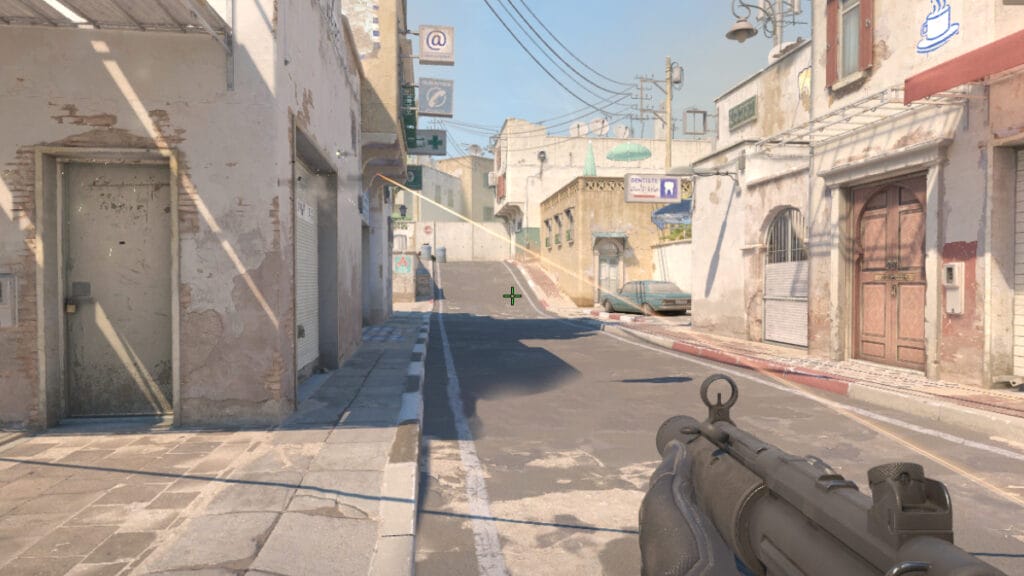
Workshop maps had a very important place in CS:GO. Because players could do many different things on these custom CS:GO maps. For example, they could change crosshairs or improve their aim in aim training maps. However, there is no workshop map support in CS2 like in CS:GO. But don’t give up hope just yet, because you can also play workshop aka custom maps in CS2. It just takes a bit more work.

Playing Workshop & Custom Maps in CS2, Tutorial

How To Play Custom Maps in CS2
Image Source: Valve Corporation via The Nerd Stash

Indeed, playing custom maps in CS2 will take some work, but it’s not impossible. While you can normally access custom maps from CS:GO directly from the workshop section in the game without any problems, this is not the case in CS2.

In order to play workshop maps in CS2, you first need to find the map you want to play on the internet and download it to your computer. Let’s break it down step-by-step:

  1. Launch the game and click on the Settings icon at the top left.
  2. Then go to Game and switch Enable Developer Console (~) and Install Counter-Strike Workshop Tools to Yes.
  3. Then download the custom map you want from a site that shares CS2 workshop maps like GameBanana.
  4. Then go to the Steam Library, right-click on CS2, and select Properties.
  5. Then go to Installed Files and click Browse at the top. Then go to the “game” folder, then the “csgo” folder, and finally the “maps” folder.
  6. Extract the downloaded map file from the zip and put the vpk (map) file among the others.
  7. Now to play the workshop map in CS2, launch CS2 again and open the console by pressing the “~” key.
  8. Then type “map (YOUR_MAP_NAME)” in the console without the parentheses.
  9. Then hit enter and your custom map in CS2 will be loaded.
How To Bind Jump to Scroll Wheel in Counter-Strike 2
Related: How To Bind Jump to Scroll Wheel in Counter-Strike 2

If you want a video tutorial on how to play workshop maps in CS2, check out the video below from the Quick Solution YouTube channel:


Related Topics
CS2 Guide
Share. Facebook Twitter LinkedIn Reddit Email
Akın Bilgin
  • Website
  • X (Twitter)

Akın Bilgin loves colony simulators, survival, and souls-like games. He has been a freelance guide writer for two years and is studying English Language and Literature in Turkey.

SUGGESTED READS

World of Tanks HEAT Closed Beta Preview
Features

World of Tanks HEAT Hands-On Preview – Faster, Flashier, and Just as Tactical

Where to Find the Secret Fall Shop in Roblox Adopt Me
Gaming

Where to Find the Secret Fall Shop in Roblox Adopt Me

Diablo 4 Lord of Hatred Review
10
Features

Diablo 4: Lord of Hatred Review – Breaking the Cycle

Shuhei Yoshida Says He Was Fired From Playstation Studios for Saying 'No' to Jim Ryan: 'He Asked For Ridiculous Things'
Gaming

Shuhei Yoshida Says He Was Fired From Playstation Studios for Saying ‘No’ to Jim Ryan: ‘He Asked For Ridiculous Things’

Splinter Cell Remake Shows Signs of Life Despite Recent Layoffs at Ubisoft Toronto
Gaming

Splinter Cell Remake Shows Signs of Life Despite Recent Layoffs at Ubisoft Toronto

Fastest Ways to Get a Purrowl in Roblox Adopt Me
Gaming

Fastest Ways to Get a Purrowl & Trade Value in Roblox Adopt Me

The Nerd Stash
Facebook X (Twitter) Instagram YouTube LinkedIn
  • About Us
  • Join Our Team
  • Meet the Team
  • Privacy Policy
  • DMCA Policy
  • Contact Us
  • Terms of Use
  • Sitemap
  • Editorial Guidelines
  • Advertising Policy
© 2026 The Nerd Stash. All Rights Reserved.

Type above and press Enter to search. Press Esc to cancel.