
Close Menu
  • Gaming
    • Platforms
      • Nintendo
      • PC
      • PlayStation
      • Xbox
  • Entertainment
    • Movies
    • TV
    • Royals
  • Celebrity
    • Hollywood
  • Human Interest
  • Astrology
  • More
    • Reviews
Facebook X (Twitter) Instagram LinkedIn YouTube
  • About Us
  • Join Our Team
  • Meet the Team
  • Privacy Policy
  • DMCA Policy
  • Contact Us
  • Terms of Use
  • Sitemap
  • Editorial Guidelines
  • Advertising Policy
The Nerd Stash
  • Gaming
  • Celebrity
  • Hollywood
  • Human Interest
The Nerd Stash
Home»Gaming»How To Refund a Game on Steam

How To Refund a Game on Steam

Return a game on Steam that you don’t like.

Akın BilginBy Akın BilginNovember 28, 20232 Mins Read
Steam Autumn Sale
Image Source: Steam via The Nerd Stash
This article is over 2 years old and may contain outdated information.

The Steam PC gaming platform offers thousands of incredible experiences, but some might not meet your expectations. In that case, returning the game and getting your money back would be an ideal course of action. Thankfully, Steam features such a service for refunding games. However, there are some restrictions in place to keep in mind. Likewise, certain requirements must be met to refund a game.

How To Return Steam Games
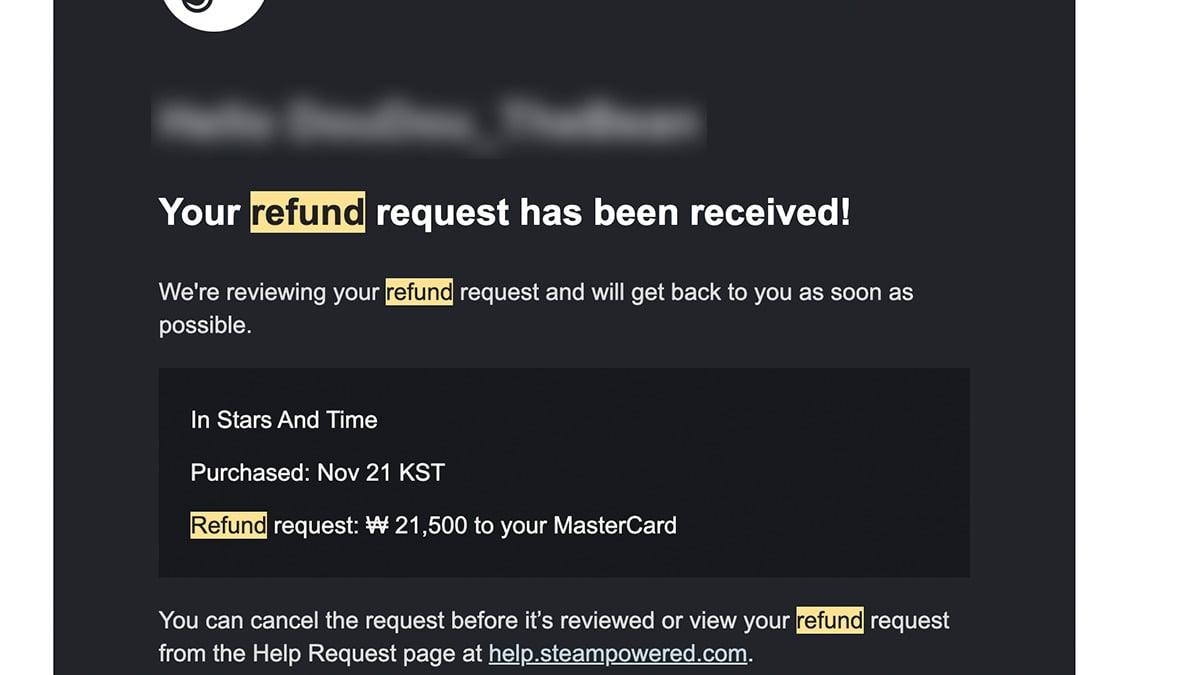
Refunding a Game on Steam
Image Source: Steam via The Nerd Stash

  1. 1. To refund the game, first open Steam and click on Steam Support in the Help section on the top left.

    You can also access Support via the menu of the game itself in your Library. The option is on the top bar next to Guides.

  2. 2. Then select the game you want to return and choose “It’s not what I expected.”
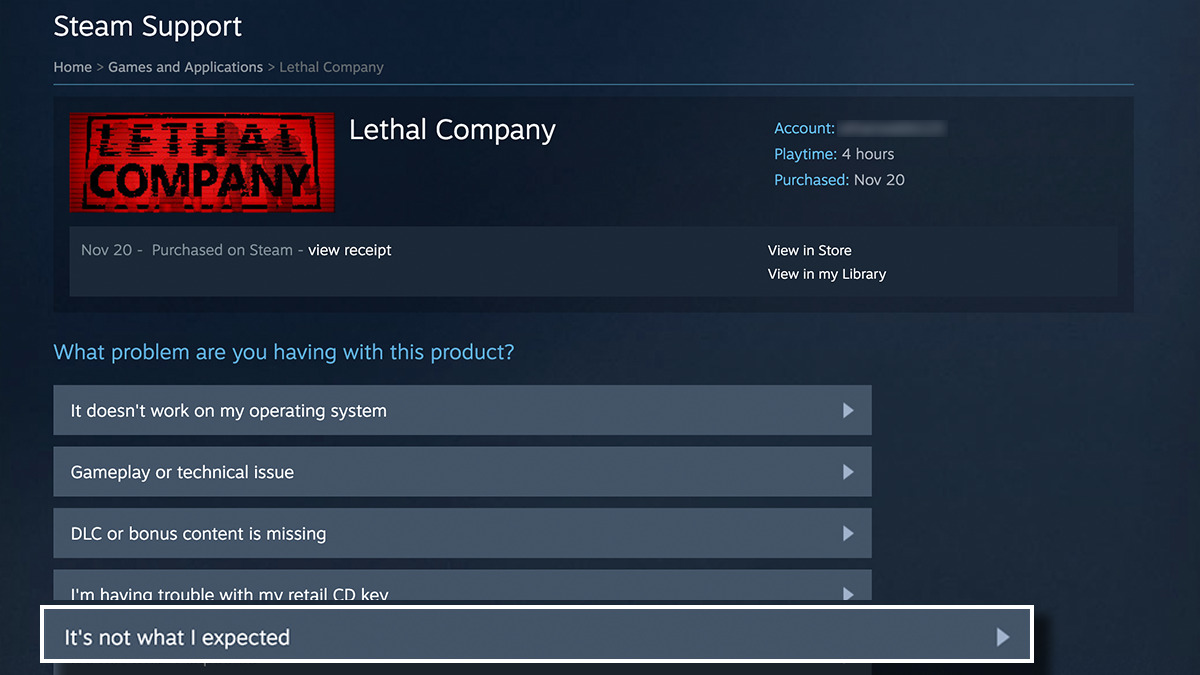
    Lethal Company Steam Refund

  3. 3. Next, request a refund and choose a reason for returning.
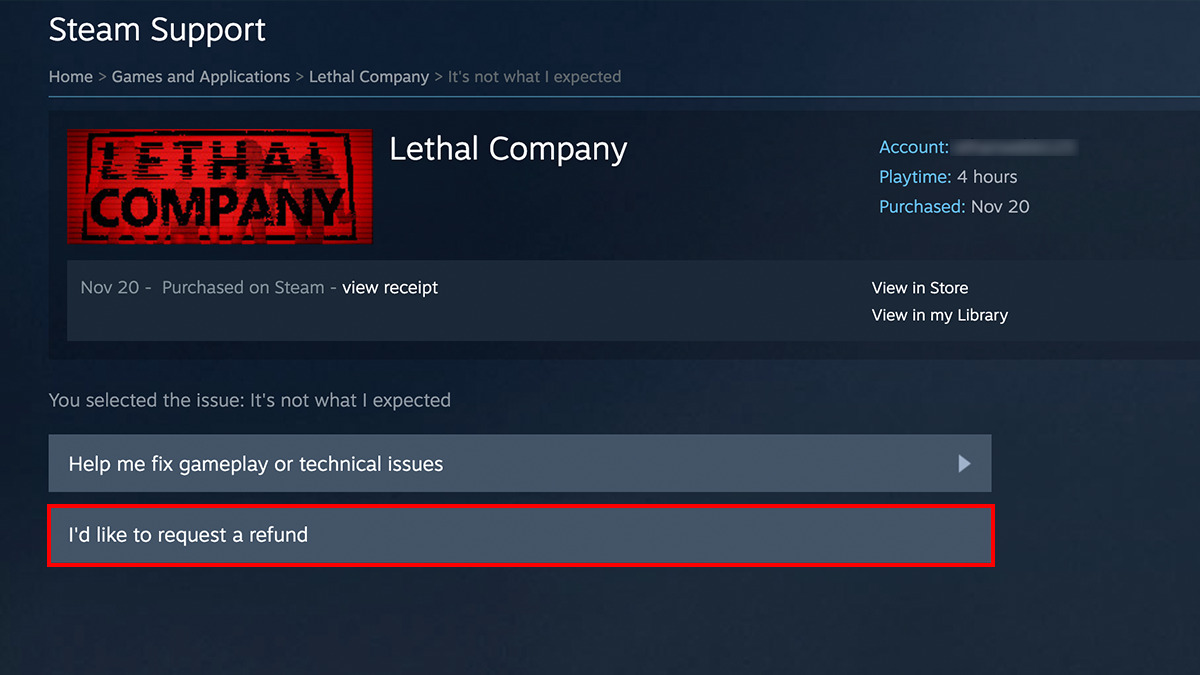
    Lethal Company Request Steam Refund

  4. 4. Finally, click the Submit Request button, and your ticket will be created.

Within 2 to 4 business days, your refund request will be processed, and your money will be refunded to your Steam Wallet or the bank account you paid with.

Related:

Is Steam Down? How to Check Steam Network Server Status

What Are the Requirments for Refunding Games on Steam?

Of course, you can’t just decide you don’t like the game and return it after it’s been in your Library for weeks and months. It is possible to complete a game and return, but you must achieve this in a specific time frame.

There are two things you need to fulfill in order to return a game on Steam. The first is to have played the game for less than 2 hours, and the second is that 14 days have not passed since the purchase. If you meet these two conditions, you can return any game you want. Steam is quite easygoing when it comes to refunding games.


Related Topics
Guide Steam
Share. Facebook Twitter LinkedIn Reddit Email
Akın Bilgin
  • Website
  • X (Twitter)

Akın Bilgin loves colony simulators, survival, and souls-like games. He has been a freelance guide writer for two years and is studying English Language and Literature in Turkey.

SUGGESTED READS

How To Get High Quality Pal Oil in Palworld
Gaming

How to Get High Quality Pal Oil in Palworld

Palworld 1.0 Best Mods
Gaming

Palworld 1.0 Modding Guide: 10 Best Mods to Download First

Palworld Best Server Settings
Gaming

Best Palworld 1.0 Server Settings: Complete Configuration Guide

The Best Gold Farming Methods to Become a True Pal Tycoon in Palworld
Gaming

The Best Gold Farming Methods to Become a True Pal Tycoon in Palworld

soulframe clair obscur
Gaming

Soulframe Heads Into Darker Territory With Clair Obscur: Expedition 33 Talent

Is Steam Down? How to Check Steam Network Server Status
Gaming

Is Steam Down? How to Check Steam Network Server Status

The Nerd Stash
Facebook X (Twitter) Instagram YouTube LinkedIn
  • About Us
  • Join Our Team
  • Meet the Team
  • Privacy Policy
  • DMCA Policy
  • Contact Us
  • Terms of Use
  • Sitemap
  • Editorial Guidelines
  • Advertising Policy
© 2026 The Nerd Stash. All Rights Reserved.

Type above and press Enter to search. Press Esc to cancel.




