
Close Menu
  • Gaming
    • Platforms
      • Nintendo
      • PC
      • PlayStation
      • Xbox
  • Entertainment
    • Movies
    • TV
    • Royals
  • Celebrity
    • Hollywood
  • Human Interest
  • Astrology
  • More
    • Reviews
Facebook X (Twitter) Instagram LinkedIn YouTube
  • About Us
  • Join Our Team
  • Meet the Team
  • Privacy Policy
  • DMCA Policy
  • Contact Us
  • Terms of Use
  • Sitemap
  • Editorial Guidelines
  • Advertising Policy
The Nerd Stash
  • Gaming
  • Celebrity
  • Hollywood
  • Human Interest
The Nerd Stash
Home»Gaming»How To Set up a Non-Dedicated Server in Ark: Survival Ascended

How To Set up a Non-Dedicated Server in Ark: Survival Ascended

Want some cozy time with your friends?

Sergen ÇelikBy Sergen ÇelikOctober 29, 20232 Mins Read
non dedicated server ark survival ascended
Image Source: Studio Wildcard
This article is over 2 years old and may contain outdated information.

ARK: Survival Ascended offers great options for playing with both friends and large communities. There are several server options in ARK: Survival Ascended, as in most survival games. If you just want to invite your friends, you need a non-dedicated server. So, let’s break down how to set up a non-dedicated server in ARK: Survival Ascended and embark on an adventure.

ARK: Survival Ascended Server Types
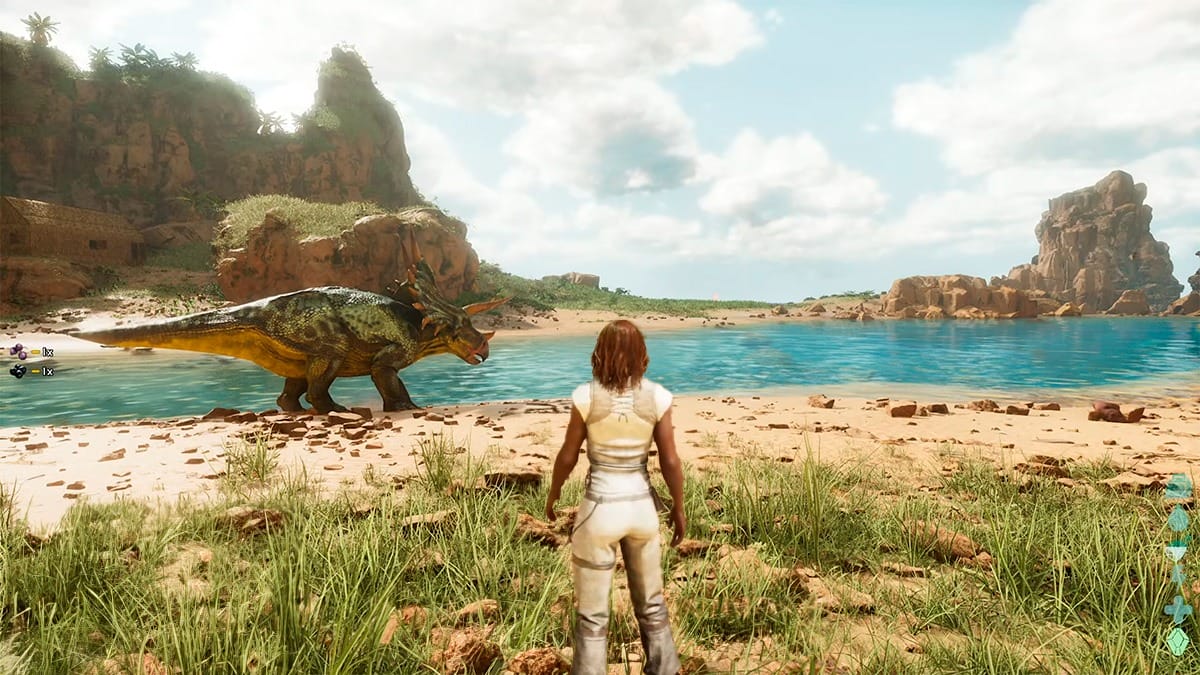
ark survival ascended
Image Source: Studio Wildcard

There are four different server types you can choose from in ARK: Survival Ascended, ranging from single-player to private servers. All servers have different features. So, let’s look at all server types in ARK: Survival Ascended:

  • Single-Player Server: The single-player server allows players to explore the island on their own. There is no one else on the server but you and you are free to do whatever you want.
  • Non-Dedicated Server (Private): The Non-dedicated server is a limited type of server where you can play only with a group of your friends. This multiplayer server, with a maximum of eight people, is ideal for your private gaming sessions. You can only create one server per account and a password is required.
  • Dedicated Private Server: If you want a larger community of players on your server, this type is for you. Dedicated private servers are created by the players themselves and the rules are set by the admin. To create such servers, you have to rent them monthly from Nitrado.
  • Official Server: Official servers created by the game’s own developers.

How To Create a Private Server

If you do not want to rent a monthly server and just want to play with your friends, we will show you how to create a private server in ARK: Survival Ascended.

  1. Click on Resume or Create Game on the main screen.
  2. Select your map and choose “Non-dedicated” as your server type. Then, click Create in the bottom right.
  3. You’ll need a server name and a password for your private server. Once all is done, you’re good to go.
Related Topics
Ark: Survival Ascended Guide
Share. Facebook Twitter LinkedIn Reddit Email
Sergen Çelik
  • Website

I game and write.

SUGGESTED READS

Sony Just Put Another Nail in Physical Games' Coffin by Repurposing Its Disc Factory: 'A Direct Impact on Production'
Gaming

Sony Just Put Another Nail in Physical Games’ Coffin by Repurposing Its Disc Factory: ‘A Direct Impact on Production’

Star Fox Nintendo Switch 2 Review
9
Gaming

Star Fox Review – The Crew Is Back

PlayStation Physical Discs Gone
Gaming

The End of an Era: PlayStation to End Physical Disc Production in 2028

$99 Price Tag Isn't Scaring Gamers as GTA 6 Preorders Top PlayStation Store Charts Worldwide
Gaming

$99 Price Tag Isn’t Scaring Gamers as GTA 6 Preorders Top PlayStation Store Charts Worldwide

GTA 6 Launch Issues
Gaming

The Launch Of GTA 6 Might Be In Danger as Rockstar Games Could Go On Strike

The Crew Motorfest Season 10 Interview With Julien Hummer
Gaming

The Crew Motorfest Interview With Julien Hummer: The 10-Season Milestone, Long-Format Events, and More

The Nerd Stash
Facebook X (Twitter) Instagram YouTube LinkedIn
  • About Us
  • Join Our Team
  • Meet the Team
  • Privacy Policy
  • DMCA Policy
  • Contact Us
  • Terms of Use
  • Sitemap
  • Editorial Guidelines
  • Advertising Policy
© 2026 The Nerd Stash. All Rights Reserved.

Type above and press Enter to search. Press Esc to cancel.





