Close Menu
  • Gaming
    • Platforms
      • Nintendo
      • PC
      • PlayStation
      • Xbox
  • Entertainment
    • Movies
    • TV
    • Royals
  • Celebrity
    • Hollywood
  • Human Interest
  • Astrology
  • More
    • Reviews
Facebook X (Twitter) Instagram LinkedIn YouTube
  • About Us
  • Join Our Team
  • Meet the Team
  • Privacy Policy
  • DMCA Policy
  • Contact Us
  • Terms of Use
  • Sitemap
  • Editorial Guidelines
  • Advertising Policy
The Nerd Stash
  • Gaming
  • Celebrity
  • Hollywood
  • Human Interest
The Nerd Stash
Home»Gaming»How To Take the Pink Dolphin Photo in Dave the Diver

How To Take the Pink Dolphin Photo in Dave the Diver

Taking the Pink Dolphin photo has become a tricky task to complete in Dave The Diver. In Chapter 2, you will come across a quest…

Anuj GuptaBy Anuj GuptaJuly 5, 20232 Mins Read
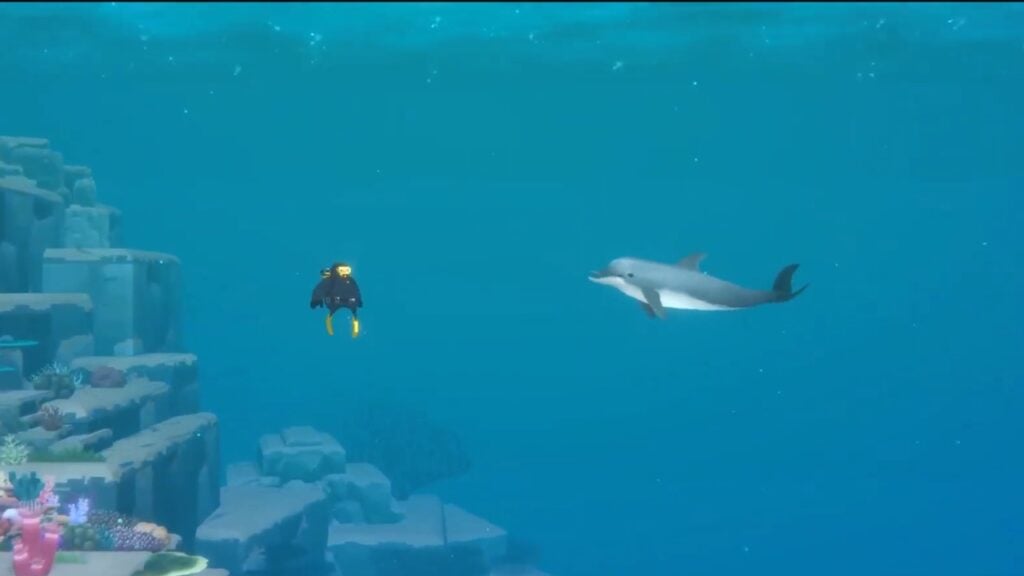
Taking Pink Dolphin Photo in Dave The Diver
Image Source: MINTROCKET via AceOfFace YouTube Channel
This article is over 3 years old and may contain outdated information.

Taking the Pink Dolphin photo has become a tricky task to complete in Dave The Diver. In Chapter 2, you will come across a quest to save a dolphin stuck in a fisherman’s net. You will need to take a picture with the dolphins to complete the side objective of the quest. However, many players are finding it increasingly difficult to get the correct snapshot during their gameplay. We will explain the process and help you take the Pink Dolphin photo in Dave The Diver.

Capture Snapshot of the Pink Dolphin Photo in Dave the Diver
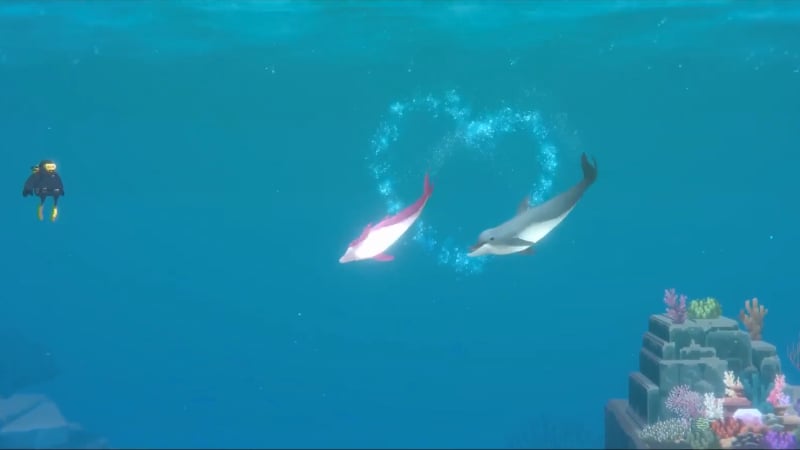
Pink Dolphin making a heart sign in Dave the Diver.
Image Source: MINTROCKET via AceOfFace YouTube Channel

You will follow a dolphin signaling to help at the start of the quest. Once you go to the site of the problem, you will see another dolphin stuck in the net. After the cutting the rope which is keeping the net together, you will free the dolphin. After it’s free, the two dolphins will swim around and make a heart-like symbol in the water. The trick is to take the picture just when the Pink Dolphin finishes making the heart sign.

To successfully take a photo of the Pink Dolphin, you must clear the picture at the center of the creature. Once you free the stuck dolphin. Mintrocket also reported an existing bug with this mission, where you couldn’t complete the objective even after taking the correct picture. However, the team of developers has already released a hotfix patch to resolve this issue. You shouldn’t have any problems completing the missions if you follow our guidelines.

Also note that while this mission is important, the objective related to taking a snapshot of the Pink Dolphin is optional. It is just a part of the quest to raise awareness in the game. However, if you are a perfectionist, you would want to complete it.

Related:

How To Capture the Horned Parrotfish in Dave The Diver

Dave the Diver is available to play on PC.

Related Topics
Dave the Diver Guide
Share. Facebook Twitter LinkedIn Reddit Email
Anuj Gupta
  • Website

SUGGESTED READS

Two PlayStation Veterans Recreated Iconic PS4 Game Sharing Moment, Except There's No Game to Share This Time
Gaming

Two PlayStation Veterans Recreated Iconic PS4 Game Sharing Moment, Except There’s No Game to Share This Time

The Crew Motorfest Season 11 Preview
Gaming

The Crew Motorfest Season 11 Preview – The Road to Adventure

GTA 6 The Album Announcement
Gaming

Rockstar Games and Atlantic Records Unveil GTA 6: The Album, With 34 Original Tracks for the Game

Trails in the Sky 2nd Chapter Ambassador's Assignment Guide
Gaming

Trails in the Sky 2nd Chapter: Ambassador’s Assignment Quest Guide

Trails in the Sky 2nd Chapter Exhibit Enigma Guide
Gaming

Trails in the Sky 2nd Chapter: Exhibit Enigma Quest Guide

Trails in Sky 2nd Chapter Stolen Sign Guide
Gaming

Trails in the Sky 2nd Chapter: Stolen Sign Quest Guide

The Nerd Stash
Facebook X (Twitter) Instagram YouTube LinkedIn
  • About Us
  • Join Our Team
  • Meet the Team
  • Privacy Policy
  • DMCA Policy
  • Contact Us
  • Terms of Use
  • Sitemap
  • Editorial Guidelines
  • Advertising Policy
© 2026 The Nerd Stash. All Rights Reserved.

Type above and press Enter to search. Press Esc to cancel.