
Close Menu
  • Gaming
    • Platforms
      • Nintendo
      • PC
      • PlayStation
      • Xbox
  • Entertainment
    • Movies
    • TV
    • Royals
  • Celebrity
    • Hollywood
  • Human Interest
  • Astrology
  • More
    • Anime
    • Reviews
Facebook X (Twitter) Instagram LinkedIn YouTube
  • About Us
  • Join Our Team
  • Meet the Team
  • Privacy Policy
  • DMCA Policy
  • Contact Us
  • Terms of Use
  • Sitemap
  • Editorial Guidelines
  • Advertising Policy
The Nerd Stash
  • Gaming
  • Celebrity
  • Hollywood
  • Human Interest
The Nerd Stash
Home»Gaming»How to Target Engines in Starfield

How to Target Engines in Starfield

Space combat is a big part of Starfield as you will battle against a variety of factions. Their ships will come at you with heavy…

Victor TanBy Victor TanSeptember 1, 20233 Mins Read
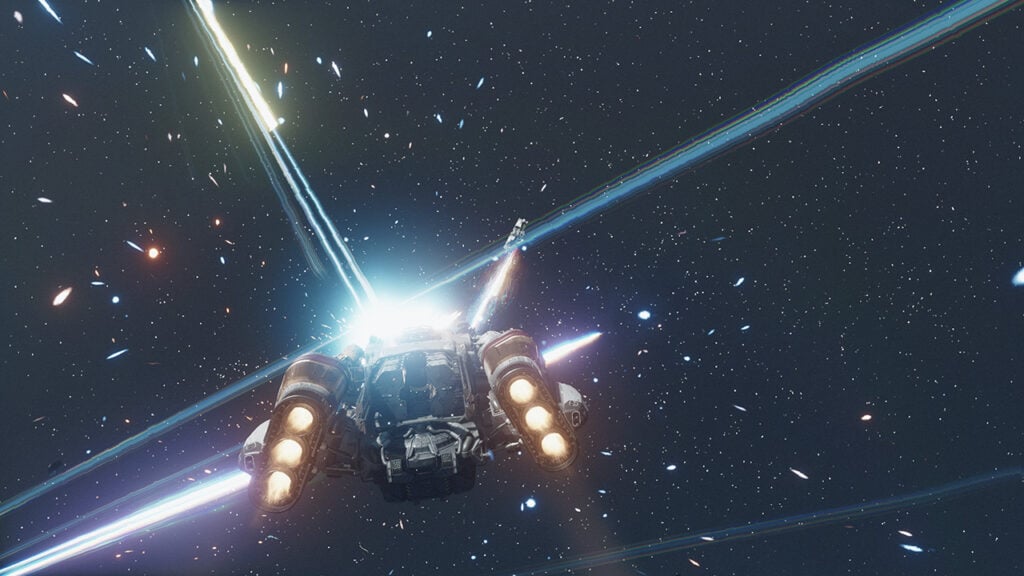
Starfield Targeting Engines Featured Image
Image Source: Starfield via The Nerd Stash
This article is over 2 years old and may contain outdated information.

Space combat is a big part of Starfield as you will battle against a variety of factions. Their ships will come at you with heavy firepower and great speed. Disabling some ship parts not only gives you an edge, it helps you spend less time in combat than necessary. It’s also easier to loot destroyed ships when you don’t have to worry about other ships firing at you. Targeting engines is a death sentence for a ship, stranding them in space. But aiming at them in the middle of combat is almost impossible or requires great luck. Here’s how to target engines in Starfield to help you stop relying on miracles to aim.

Target Engines In Starfield With Targeting Control Systems
Starfield Targeting Control Systems Engine Image
Image Source: Starfield via The Nerd Stash

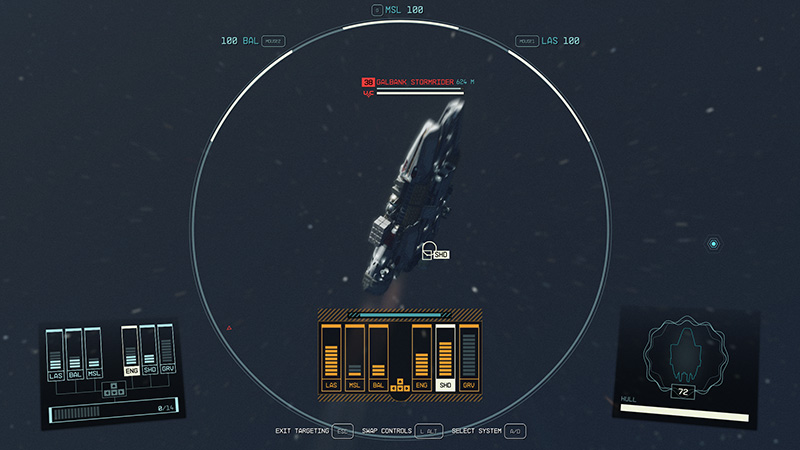
The easiest way to target engines in Starfield is to use Targeting Control Systems. It works similarly to VATS in Fallout but it only applies for space combat. You learn it by going to the Technology tree in your Skills menu and getting a rank in Targeting Control Systems. This allows you to lock onto an enemy and aim precisely at ship parts. It’s much easier to target a ship this way rather than hope your shots hit the correct part.

Time slows down while you are in Targeting Control Systems and you must act quickly. Select the part you want to target and fire away. Your shots will automatically hit the part and begin damaging it. With a powerful weapon, it shouldn’t take too long before you destroy a ship’s engine. It also prevents you from accidentally destroying the ship, allowing you to negotiate and possibly board the enemy craft.

Related:

How To Trade with Ships in Starfield

This is the best way to target engines in Starfield because you can be precise instead of relying on luck. It will take a precious skill point, but if you are planning on fighting in space it is a worthwhile investment. It also raises the chance that you can actually get more valuable goods, rather than destroying the ship and looting what’s left. Different ships will have better engines that can take a beating, and you might require multiple target locks. Don’t forget to watch out for your surroundings as you are not invincible in Targeting Control Systems. But now that you know how to target engines, ships in Starfield are just waiting to be disabled.

Starfield will be available on Xbox Series X|S and PC on September 6.

Related Topics
Guide Starfield
Share. Facebook Twitter LinkedIn Reddit Email
Victor Tan
  • Website

Victor enjoys helping players succeed when video games are too difficult. He knows what it's like to get stuck in tricky situations and he wants to make sure other players don't suffer the same fate.

SUGGESTED READS

Diablo 4 Season 13 Tier List
Gaming

Class Tier List for Diablo 4 Season 13 (Best Classes for Endgame & Leveling)

Take-Two Boss Finally Explains Why GTA 6 Is Skipping PC at Launch: 'We'll See How It Works Out'
Gaming

Take-Two Boss Finally Explains Why GTA 6 Is Skipping PC at Launch: ‘We’ll See How It Works Out’

Rockstar Employee Review Claims 'Unrealistic' Crunch as GTA 6 Development Intensifies: 'Had to Work Till 3AM'
Gaming

Rockstar Employee Review Claims ‘Unrealistic’ Crunch as GTA 6 Development Intensifies: ‘Had to Work Till 3AM’

All Rewards from Admin Abuse Eggs & Box in Roblox Adopt Me
Gaming

All Rewards from Admin Abuse Eggs & Box in Roblox Adopt Me

Gaming

World Heroes Perfect Reminds Me of the Golden Age of Fighting Games

Fatal Fury City of the Wolves Mr Karate Reveal
Gaming

Fatal Fury: City of the Wolves Unveils Its Next Season 2 Fighter, and It’s a Classic

The Nerd Stash
Facebook X (Twitter) Instagram YouTube LinkedIn
  • About Us
  • Join Our Team
  • Meet the Team
  • Privacy Policy
  • DMCA Policy
  • Contact Us
  • Terms of Use
  • Sitemap
  • Editorial Guidelines
  • Advertising Policy
© 2026 The Nerd Stash. All Rights Reserved.

Type above and press Enter to search. Press Esc to cancel.





