

Close Menu
  • Gaming
    • Game Guides
    • Codes
    • Game News
    • Game Previews
    • Game Reviews
    • Game Features
    • Game Lists
    • Platforms
      • Nintendo
      • PC
      • PlayStation
      • Xbox
      • Mobile
  • Entertainment
    • Movies
    • Movie Features
    • Movie Reviews
    • TV
    • Reality TV
    • Royals
  • Celebrity
    • Hollywood
  • Human Interest
  • Astrology
  • Videos
  • More
    • Anime
    • Lists
    • Podcasts
    • Reviews
Facebook X (Twitter) Instagram LinkedIn YouTube
  • About Us
  • Join Our Team
  • Meet the Team
  • Privacy Policy
  • DMCA Policy
  • Contact Us
  • Terms of Use
  • Sitemap
  • Editorial Guidelines
  • Advertising Policy
The Nerd Stash
  • Gaming
  • Celebrity
    • Hollywood
  • Human Interest
  • Videos
The Nerd Stash
Home»Game Guides»How To Trade in Roblox Type Soul, Explained

How To Trade in Roblox Type Soul, Explained

Get your trade on.

Nat CollazoAlina NovichenkoBy Nat Collazo and Alina NovichenkoMay 1, 20242 Mins Read
How To Trade in Roblox Type Soul
Image Source: Type Soul Team via The Nerd Stash

Skip To...

  • How Does Trading Work in Roblox Type Soul?
  • Finding Rin in Type Soul
This article is over 1 years old and may contain outdated information.

What good would a social game like Roblox Type Soul be if you couldn’t trade with other players? You can use codes to get ahead, but trading with players on your server is the best way to get the accessories and weapons you want. Before you get into it, make sure you know the value of what you want to trade to avoid getting scammed and get your worth!

How Does Trading Work in Roblox Type Soul?

[Updated on May 1 – Added more accurate information]
How To Trade in Roblox Type Soul
Image Source: Type Soul Team via The Nerd Stash

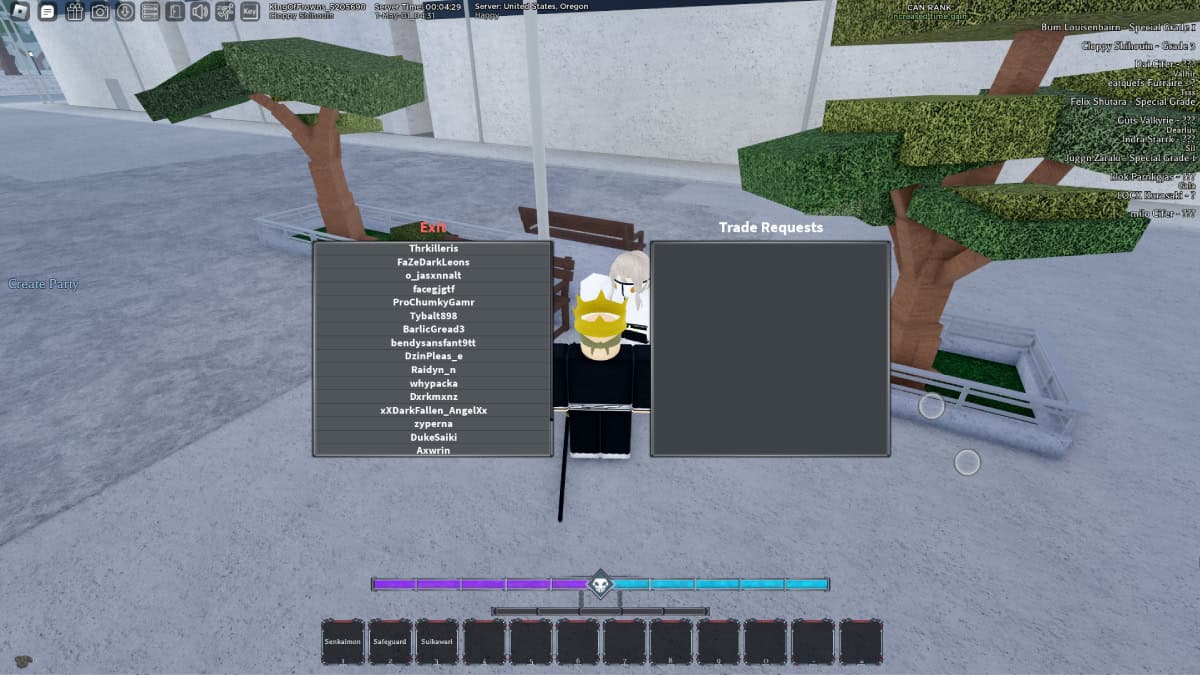
To trade in Type Soul, you need to:

  • Go to Karakura Town.
  • Find the NPC named Rin.
  • Talk to them to trade with other players on your server.

Finding Rin in Type Soul
How To Trade in Roblox Type Soul
Image Source: Type Soul Team via The Nerd Stash

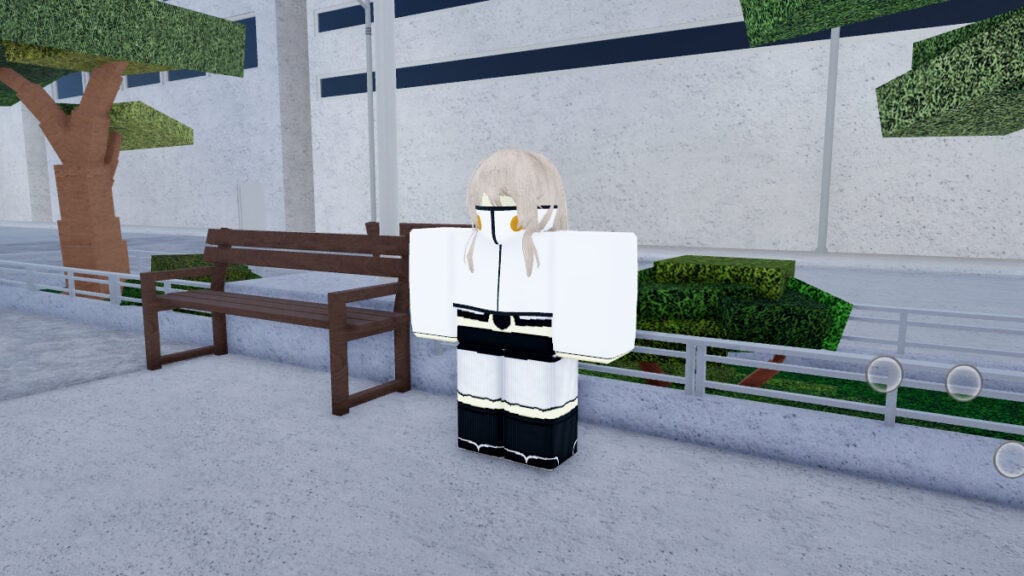
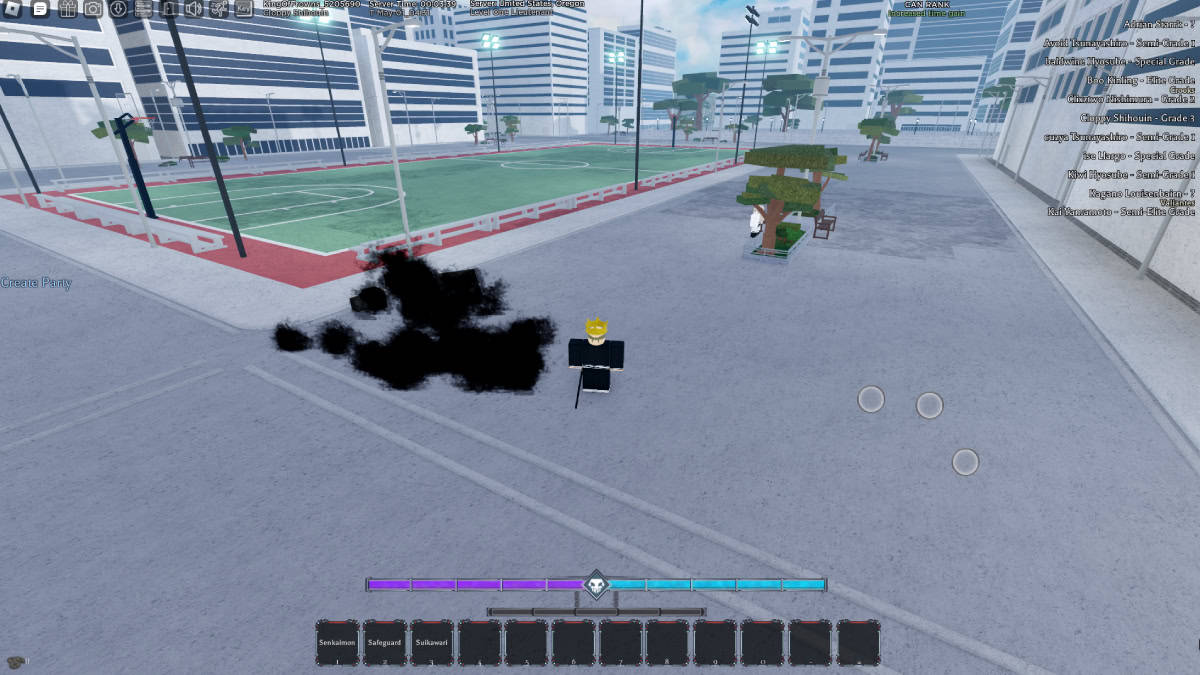
Finding Rin is easy, especially if you’re already familiar with the ins and outs of Karakura Town. To locate this NPC, head towards the bridge at the center of the map. The side of the bridge that has all of the skyscrapers is the side you want to be on. After walking an in-game block after the bridge, you’ll come across a football field on your left-hand side. In front of the football field, which would be your right-hand side, you’ll see Rin.

Related:

How to Get Legendary Eyes in Roblox Type Soul

Trading

To trade using Rin in Type Soul, simply click on the NPC. You’ll be asked if you want to trade, in which you’ll select the Yes option. You’ll be met with two windows. On the left is a list of all the players in your server that you can trade with and on the right is a window that you can place items to trade in.

I recommend being careful when making trades because the player you’re trading with can end the trade immediately and take the item that you were trading without trading something back. This happened to me while I was looking into how to trade efficiently. I highly recommend never putting a high-value item into the trade box until after you’ve verified what you will be receiving in a trade.

Related:

How to Get Legendary Eyes in Roblox Type Soul

Roblox is available to play on mobile devices, Xbox, PlayStation, and PC.

Related Topics
Guide Roblox
Share. Facebook Twitter LinkedIn Reddit Email
Nat Collazo, Alina Novichenko
  • Website
  • X (Twitter)
  • Instagram

I am a game journalist and guide writer with ten years of experience as well as the CEO/ Founder of Frowns Marketing, a marketing company that caters to indie games, tabletop games, and board games to help developers get more wishlists, backers, and players!

Nat Collazo, Alina Novichenko
  • Website
  • X (Twitter)
  • Instagram

I am a game journalist and guide writer with ten years of experience as well as the CEO/ Founder of Frowns Marketing, a marketing company that caters to indie games, tabletop games, and board games to help developers get more wishlists, backers, and players!

SUGGESTED READS

A PS5 Jailbreak Exploit Pushes This Random Star Wars PS4 Game to Insane Prices: 'Good Luck Hunting It'
Game News

A PS5 Jailbreak Exploit Pushes This Random Star Wars PS4 Game to Insane Prices: ‘Good Luck Hunting It’

Genshin Impact Luna IV Update
Game News

The Lantern Rite Returns for Genshin Impact Version ‘Luna IV’ Along With New Characters and Outfits

StarRupture Early Acces
Features

StarRupture Early Access Impressions – The Most Cohesive Base-Builder

PS6 and Next-Gen Xbox Launches May Be Delayed by AI-Driven RAM Demand: 'This Delay is a Blessing in Disguise'
Game News

PS6 and Next-Gen Xbox Launches May Be Delayed by AI-Driven RAM Demand: ‘This Delay is a Blessing in Disguise’

Konami Plans Yearly Silent Hill Releases, Said Series Producer: 'I Hope the Excitement Around It Remains High'
Game News

Konami Plans Yearly Silent Hill Releases, Said Series Producer: ‘I Hope the Excitement Around It Remains High’

New Dad's Viral Delivery Room Xbox Setup Divides the Internet: 'Most Diabolical Move I’ve Seen'
Game News

New Dad’s Viral Delivery Room Xbox Setup Divides the Internet: ‘Most Diabolical Move I’ve Seen’

Trending
A PS5 Jailbreak Exploit Pushes This Random Star Wars PS4 Game to Insane Prices: 'Good Luck Hunting It'

A PS5 Jailbreak Exploit Pushes This Random Star Wars PS4 Game to Insane Prices: ‘Good Luck Hunting It’

Genshin Impact Luna IV Update

The Lantern Rite Returns for Genshin Impact Version ‘Luna IV’ Along With New Characters and Outfits

StarRupture Early Acces

StarRupture Early Access Impressions – The Most Cohesive Base-Builder

PS6 and Next-Gen Xbox Launches May Be Delayed by AI-Driven RAM Demand: 'This Delay is a Blessing in Disguise'

PS6 and Next-Gen Xbox Launches May Be Delayed by AI-Driven RAM Demand: ‘This Delay is a Blessing in Disguise’

The Nerd Stash
Facebook X (Twitter) Instagram YouTube LinkedIn
  • About Us
  • Join Our Team
  • Meet the Team
  • Privacy Policy
  • DMCA Policy
  • Contact Us
  • Terms of Use
  • Sitemap
  • Editorial Guidelines
  • Advertising Policy
© 2026 The Nerd Stash. All Rights Reserved.

Type above and press Enter to search. Press Esc to cancel.




