Close Menu
  • Gaming
    • Platforms
      • Nintendo
      • PC
      • PlayStation
      • Xbox
  • Entertainment
    • Movies
    • TV
    • Royals
  • Celebrity
    • Hollywood
  • Human Interest
  • Astrology
  • More
    • Reviews
Facebook X (Twitter) Instagram LinkedIn YouTube
  • About Us
  • Join Our Team
  • Meet the Team
  • Privacy Policy
  • DMCA Policy
  • Contact Us
  • Terms of Use
  • Sitemap
  • Editorial Guidelines
  • Advertising Policy
The Nerd Stash
  • Gaming
  • Celebrity
  • Hollywood
  • Human Interest
The Nerd Stash
Home»Gaming»How to Unblock People and Expand Your Social Circle on Roblox

How to Unblock People and Expand Your Social Circle on Roblox

Chat resumed

Patrick ArmstrongBy Patrick ArmstrongNovember 12, 20242 Mins Read
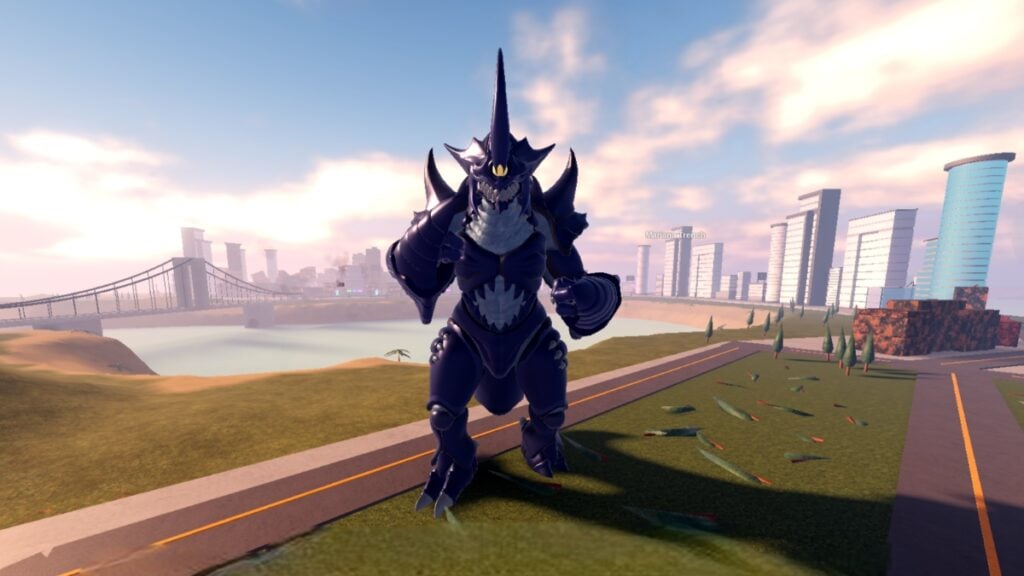
A Kaiju towers beside a city in Kaiju Universe Roblox
Image Source: Prometeo Games via The Nerd Stash
This article is over 1 years old and may contain outdated information.

Roblox is a platform for socializing as well as gaming, but not everyone’s invited to everything. Whether you’ve fallen out with a friend, are getting bad vibes from a stranger, or just feel like mashing that block button, blocks happen. Sometimes, however, you’ll want to go the other way, reopening a door you’d once shut. Thankfully, it’s as easy to relax your digital boundaries as it is to tighten them, whether you blocked someone as a joke or for any other reason. Here’s how to unblock people and resume communication on Roblox.

Roblox Unblocking Guide
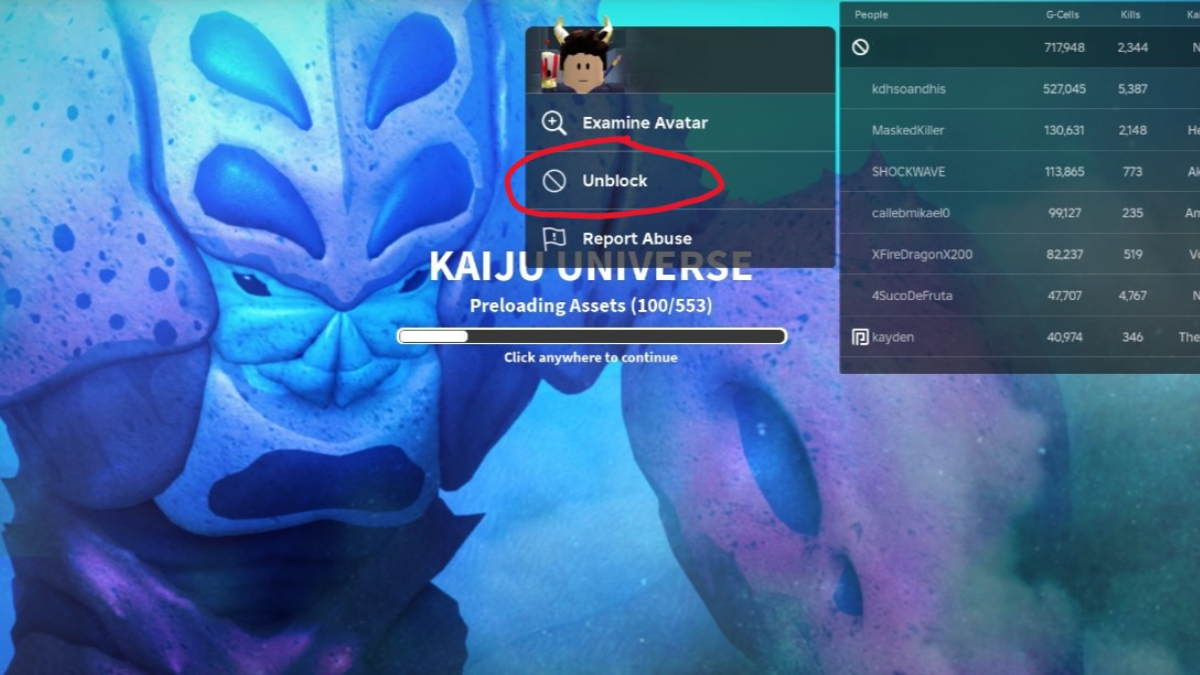
The unblock option in Roblox
Image Source: Prometeo Games via The Nerd Stash

While Roblox extensions can make your digital social life easier, sometimes a simple block is best. As always on the internet, safety is the priority. Before you reopen communication with anyone, make sure that unblocking them won’t jeopardize you. If it’s just a friend you accidentally (or jokingly) blocked, that shouldn’t be hard. Here’s what you need to do:

  1. If you’re in-game with the blocked player, open the leaderboard (Tab on PC)
  2. Click on the player’s name
  3. Click “Unblock”
  4. If you’re in the Roblox hub instead, search for the player by their username
  5. Click their profile
  6. Click the three-dot Settings icon
  7. Click “Unblock”
How to Make Decals and Spruce Up the World in Roblox
Related: How to Make Decals and Spruce Up the World in Roblox

When the blocked icon (a circle with a line through it) disappears from its spot beside the player’s name, they’re no longer blocked. Blocked players can’t friend you, follow you, or send you messages. Unblocking them restores all those functions, so be sure you’re okay with that happening before you commit. If you change your mind, blocking the player again is just as easy, so do what’s best for your comfort and safety. Roblox has a variety of built-in protections, but you’re the first and best line of defense against rogue Robloxians. Stay safe and enjoy your new (expanded) social circle.

Related Topics
Guide Roblox
Share. Facebook Twitter LinkedIn Reddit Email
Patrick Armstrong
  • Website

Artist and writer with a lifelong love of video games. Their favorite games include Dead by Daylight, Meet Your Maker, and Project Zomboid.

SUGGESTED READS

Ex-Valve Veteran Says Most Anti-Sony Boycotts Are 'Just Noise'
Gaming

Ex-Half-Life Veteran Says Most Anti-Sony Boycotts Are ‘Just Noise’

COD Modern Warfare 4 Free Open Beta Starts This August, Nintendo Switch 2 Included
Gaming

COD Modern Warfare 4 Free Open Beta Starts This August, Nintendo Switch 2 Included

All Wandering Merchant Locations in Palworld
Gaming

All Wandering Merchant Locations in Palworld

How to find Pure Quartz in Palworld 1.0
Gaming

Where To Find Pure Quartz in Palworld

Sicario Writer's Call of Duty Movie To Adapt 'Modern Warfare' Universe, Confirmed Paramount
Gaming

Sicario Writer’s Call of Duty Movie To Adapt ‘Modern Warfare’ Universe, Confirmed Paramount

Fatal Fury City of the Wolves Rick Strowd Hands-on Impressions
Gaming

Fatal Fury: City of the Wolves Rick Strowd Hands-On Impressions – A Strong Start

The Nerd Stash
Facebook X (Twitter) Instagram YouTube LinkedIn
  • About Us
  • Join Our Team
  • Meet the Team
  • Privacy Policy
  • DMCA Policy
  • Contact Us
  • Terms of Use
  • Sitemap
  • Editorial Guidelines
  • Advertising Policy
© 2026 The Nerd Stash. All Rights Reserved.

Type above and press Enter to search. Press Esc to cancel.