Close Menu
  • Gaming
    • Platforms
      • Nintendo
      • PC
      • PlayStation
      • Xbox
  • Entertainment
    • Movies
    • TV
    • Royals
  • Celebrity
    • Hollywood
  • Human Interest
  • Astrology
  • More
    • Reviews
Facebook X (Twitter) Instagram LinkedIn YouTube
  • About Us
  • Join Our Team
  • Meet the Team
  • Privacy Policy
  • DMCA Policy
  • Contact Us
  • Terms of Use
  • Sitemap
  • Editorial Guidelines
  • Advertising Policy
The Nerd Stash
  • Gaming
  • Celebrity
  • Hollywood
  • Human Interest
The Nerd Stash
Home»Gaming»How to Unlock Floating Islands in Disney Dreamlight Valley

How to Unlock Floating Islands in Disney Dreamlight Valley

More space for decorating

Giovanna La PineBy Giovanna La PineDecember 4, 20243 Mins Read
Dreamlight Valley Sew Delightful
Image Source: Gameloft via The Nerd Stash
This article is over 1 years old and may contain outdated information.

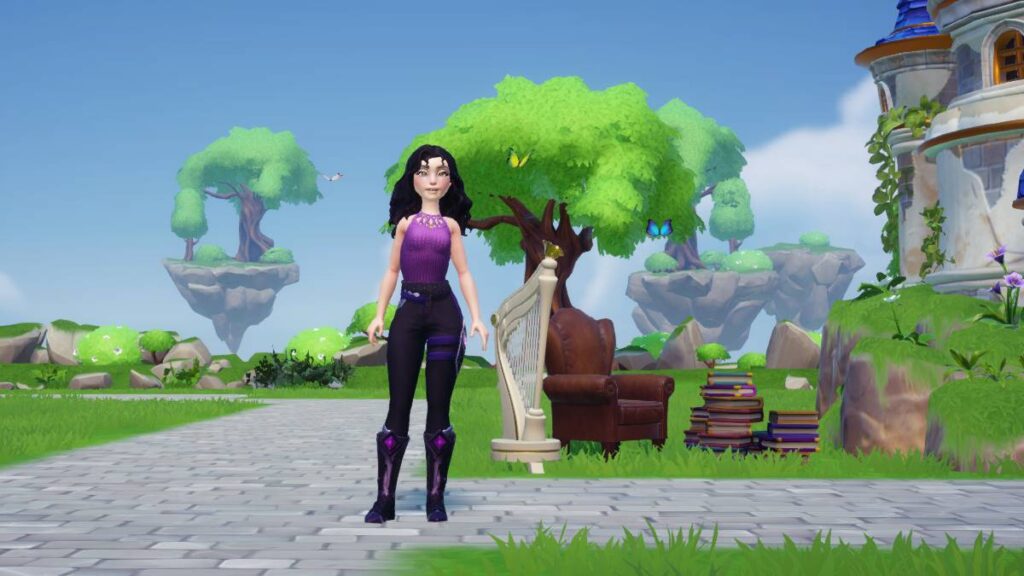
The Sew Delightful Update is a long-awaited update for Disney Dreamlight Valley players, not only for the new characters but also for the Floating Islands. The Floating Islands function as an extra biome and are replicas of the original ones. For example, there is a Floating Island of the Plaza, and its vegetation and climate are the same as your Plaza in the Valley. These islands were so eagerly awaited because players wanted more space for their neighbors’ houses, to make each island with a different theme, and some others wanted to exile characters on them.

Disney Dreamlight Valley: How to Access the Floating Islands
Dreamlight Valley Floating Islands
Image Source: Gameloft via The Nerd Stash

Just by downloading the Disney Dreamlight Valley Sew Delightful update and entering the game, you will instantly see the Floating Islands. Yet, you won’t be able to travel to any of them. First, you must complete a quick mission with Merlin called Islands in The Sky. Simply follow these steps to complete it:

  1. The mission will be activated as soon as you enter your Vale, and you must go to Merlin.
  2. When you find Merlin, talk to him for the whole explanation.
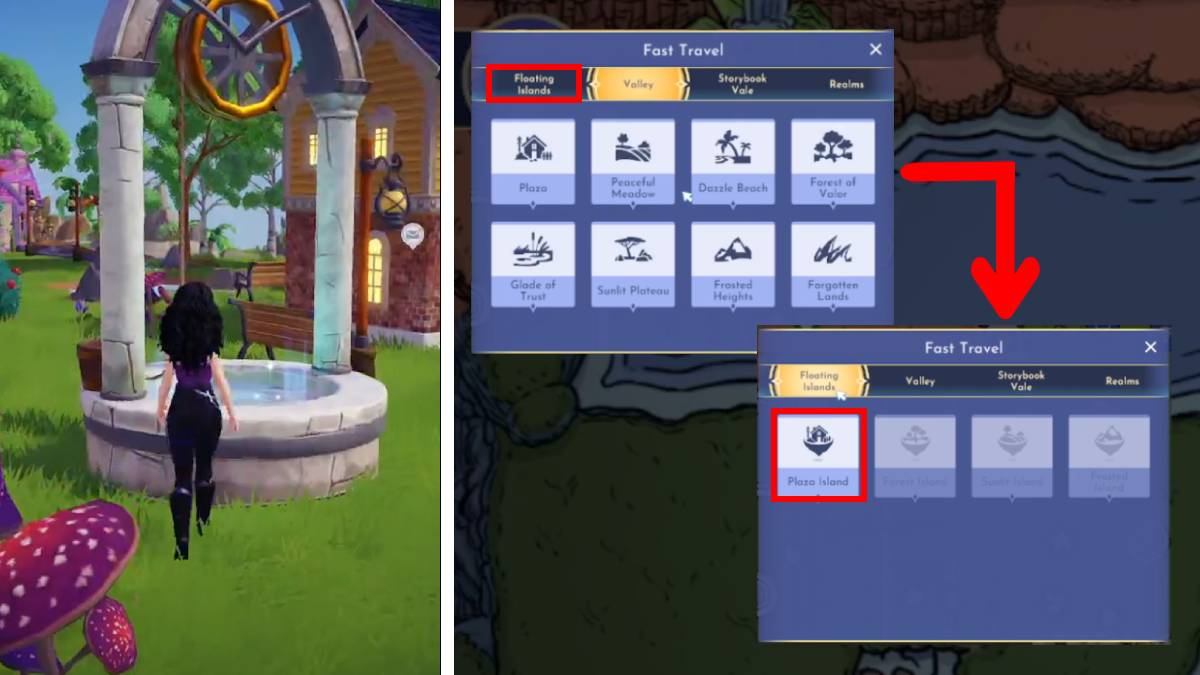
  3. Merlin will ask you to go to Floating Plaza Island; you can get there in two ways:
    1. Wishing Well
      • Approach a Well and interact with it.
      • A window will appear with all the biomes you have available. Select Floating Islands.
      • In the options, select Plaza Island.
    2. Fast Travel
      • Open your map and choose Fast Travel.
      • The window with all your biomes will appear. Select the Floating Islands tab.
      • Then, choose Plaza Island.
  4. Once you are on Plaza Island, Merlin will ask you to move his Library to where they are and decorate the place. This is also to familiarize the players with this version’s Decor/Edit mode changes.
  5. When you finish decorating, talk to Merlin again, and you will finish the mission.
How To Unlock Flynn Rider in Disney Dreamlight Valley
Related: How To Unlock Flynn Rider in Disney Dreamlight Valley

Merlin will also explain that Plaza Island will initially be your only island available. You’ll have to unlock each island for 15,000 Dreamlight. Thus, you must complete several Royal Tasks to get all the Dreamlight you need. In Disney Dreamlight Valley Sew Delightful update, there are only four Floating Islands: Plaza, Forest, Sunlit, and Frosted. So you will have much more room to let your imagination and artistic touch run wild. However, if you still need to figure out what to do with WALL-E or Vanellope’s houses, you can hide them without any problem.


Related Topics
disney dreamlight valley Guide
Share. Facebook Twitter LinkedIn Reddit Email
Giovanna La Pine
  • Website

Giovanna is a fan of every single game HoYoverse has launched. When she's not covering videogames, she writes her daily horoscopes and tarot readings for the astrology vertical in The Nerd Stash.

SUGGESTED READS

Zenless Zone Zero Version 3.1 Anniversary
Gaming

Zenless Zone Zero Celebrates Its 2-Year Milestone With Free S-Rank Agents and a Crossover Announcement

All Black Marketeer Locations in Palworld
Gaming

All Black Marketeer Locations in Palworld

Gaming

A New Wolverine Trailer Playing in Front of the Odyssey is Getting Obliterated by PlayStation Fans: ‘Can’t wait for my PHYSICAL COPY’

Pal Awakening Guide - Palworld
Gaming

Complete Palworld Pal Awakening Guide

How to get Radiant Gems In Palworld 1.0
Gaming

How to get Radiant Gems In Palworld 1.0

gamescom dev 2026 Adds Subnautica 2 Creative Director as Keynote Speaker, Reveals New Awards
Gaming

gamescom dev 2026 Adds Subnautica 2 Creative Director as Keynote Speaker, Reveals New Awards

The Nerd Stash
Facebook X (Twitter) Instagram YouTube LinkedIn
  • About Us
  • Join Our Team
  • Meet the Team
  • Privacy Policy
  • DMCA Policy
  • Contact Us
  • Terms of Use
  • Sitemap
  • Editorial Guidelines
  • Advertising Policy
© 2026 The Nerd Stash. All Rights Reserved.

Type above and press Enter to search. Press Esc to cancel.