Close Menu
  • Gaming
    • Platforms
      • Nintendo
      • PC
      • PlayStation
      • Xbox
  • Entertainment
    • Movies
    • TV
    • Royals
  • Celebrity
    • Hollywood
  • Human Interest
  • Astrology
  • More
    • Reviews
Facebook X (Twitter) Instagram LinkedIn YouTube
  • About Us
  • Join Our Team
  • Meet the Team
  • Privacy Policy
  • DMCA Policy
  • Contact Us
  • Terms of Use
  • Sitemap
  • Editorial Guidelines
  • Advertising Policy
The Nerd Stash
  • Gaming
  • Celebrity
  • Hollywood
  • Human Interest
The Nerd Stash
Home»Gaming»How to use a parachute in GTA 5

How to use a parachute in GTA 5

Do you want to know how to use a parachute in GTA 5? GTA 5 is one of the most popular video games in the…

Asanga WijeratneBy Asanga WijeratneDecember 29, 20223 Mins Read
How to use a parachute in GTA 5
This article is over 3 years old and may contain outdated information.

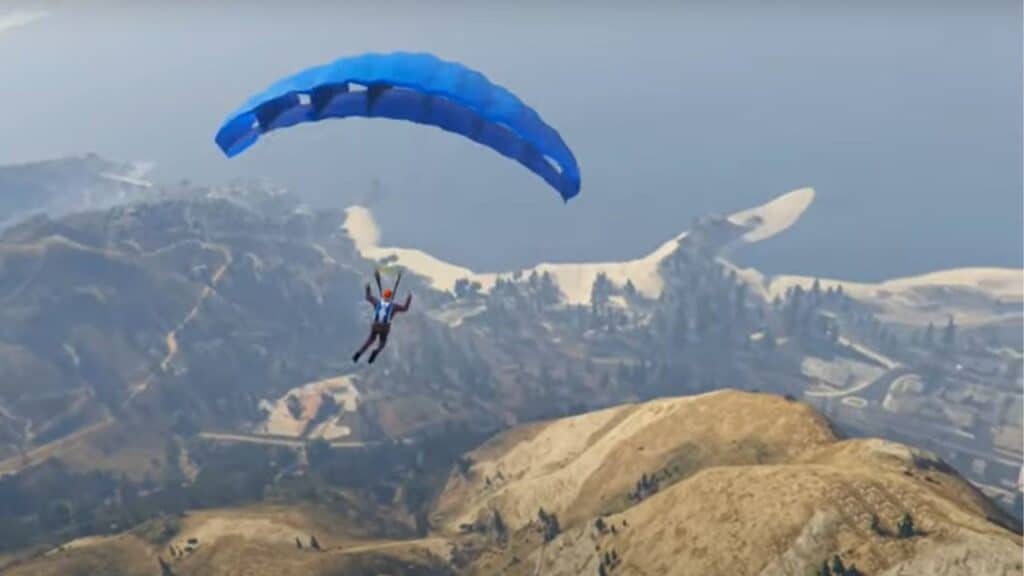
Do you want to know how to use a parachute in GTA 5? GTA 5 is one of the most popular video games in the world, and it’s no surprise that many players want to try out some of its unique features, like parachuting! Fortunately, using a parachute in GTA 5 is pretty straightforward.

What is a Parachute in GTA 5?

A parachute is a device that allows you to glide through the air in GTA 5. Also, it can be used to traverse long distances or just for the thrill of the ride. According to the Ammu-nation description, “This nylon sports parachute features a ram-air parafoil design for increased control over direction and speed.”

It’s been featured in all Grand Theft Auto games, ranging from GTA San Andreas to GTA V and GTA Online. Also, in some installments, you’re even limited to carrying one parachute at a time. While in others, you can carry up to two parachutes. ProLaps make the parachutes in The Ballad of Gay Tony or Ammu-Nation and Agency Armory in GTA V and GTA Online. You can purchase your parachute for $9500 to $25000.

Related:

GTA 5 Online: How to Get the Railgun

How to Use a Parachute in GTA 5?

How to use a parachute in GTA 5

You can use a parachute in GTA 5 by pressing the X on PS5 / PS4 / PS3, A on Xbox Series X|S / Xbox One, and F on the PC button on your controller. Once you have opened your parachute, you can use the left analog stick to adjust your speed and L1 and R1 to control your direction in PS5 / PS4 / PS3. For X|S / Xbox One, adjusting your speed is similar to PS5, and use LB or RB to change directions. In PCs, you can slow down by using S while you need to press W to Speed the parachute. You can control the direction by using A and D.

Here are the steps you need to follow.

  1.  Find a high point in the game world to jump from.
  2.  Equip your parachute by pressing Up on the D-pad Jump off the edge and press X/A/F to open your parachute.
  3. Use the left analog stick of your controller to adjust the speed and direction of your parachute.
  4.  Press X to release the parachute and land safely.

We hope you’ve found this guide helpful in understanding parachute use. Whether you’re just looking for a thrill ride or need to traverse long distances quickly, parachuting is sure to provide an exciting and unique experience in GTA 5. Happy flying!

Also, GTA  is available on PS3, PS4, PS5, Xbox 360, Xbox One, Xbox Series X, and PC.

Related Topics
GTA 5 Guide
Share. Facebook Twitter LinkedIn Reddit Email
Asanga Wijeratne
  • Website

SUGGESTED READS

Where to Find All Echobones & Catch Panthalus in Palworld 1.0
Gaming

Where to Find All Echobones & Catch Panthalus in Palworld 1.0

Transport Fever 3 Features
Gaming

Transport Fever 3 Is Gearing Up for Launch With New Footage Showcasing Several Features for Transport Tycoon Fans

9.5
Gaming

Rhythm Heaven Groove Review – Harmonic Perfection

Marvel Rivals Season 9 Hands-On Preview
Gaming

Marvel Rivals Season 9 Hands-On Impressions: Feels Like a Whole New Game

Diablo 4 x Overwatch Collab
Gaming

Diablo 4 x Overwatch Impressions: Something of an Inconsistent Bag

Late game blink theory in Dota 2
Gaming

Why Dota 2 Modern Late Game Doesn’t Forgive A Single Blink

The Nerd Stash
Facebook X (Twitter) Instagram YouTube LinkedIn
  • About Us
  • Join Our Team
  • Meet the Team
  • Privacy Policy
  • DMCA Policy
  • Contact Us
  • Terms of Use
  • Sitemap
  • Editorial Guidelines
  • Advertising Policy
© 2026 The Nerd Stash. All Rights Reserved.

Type above and press Enter to search. Press Esc to cancel.