Close Menu
  • Gaming
    • Platforms
      • Nintendo
      • PC
      • PlayStation
      • Xbox
  • Entertainment
    • Movies
    • TV
    • Royals
  • Celebrity
    • Hollywood
  • Human Interest
  • Astrology
  • More
    • Reviews
Facebook X (Twitter) Instagram LinkedIn YouTube
  • About Us
  • Join Our Team
  • Meet the Team
  • Privacy Policy
  • DMCA Policy
  • Contact Us
  • Terms of Use
  • Sitemap
  • Editorial Guidelines
  • Advertising Policy
The Nerd Stash
  • Gaming
  • Celebrity
  • Hollywood
  • Human Interest
The Nerd Stash
Home»Gaming»How To Use Case Keys in Blade Ball

How To Use Case Keys in Blade Ball

Earn free Explosions and Swords in Blade Ball with minimal effort.

AugustBy AugustSeptember 26, 20232 Mins Read
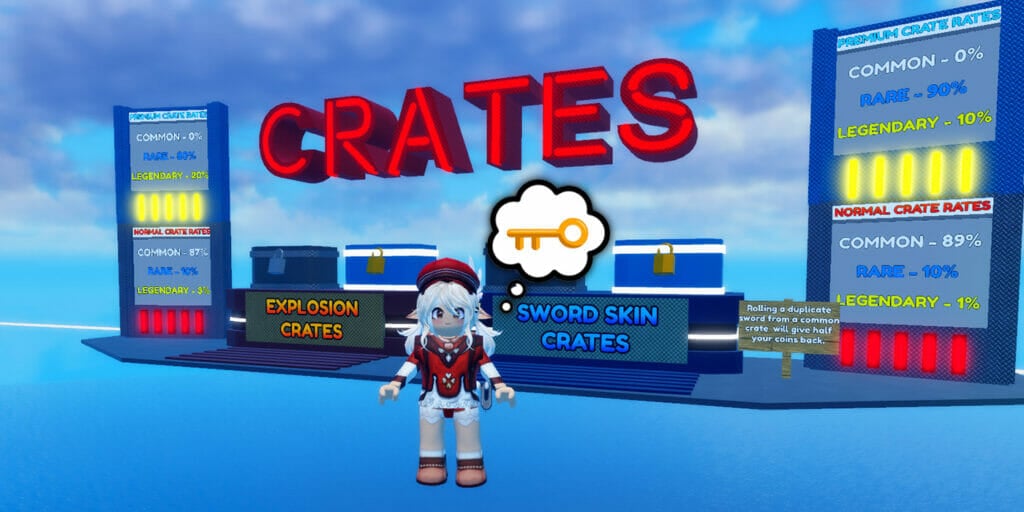
Standing By Crates to Find Out What Is a Case Key in Blade Ball Roblox
Image Source: Wiggity via The Nerd Stash
This article is over 2 years old and may contain outdated information.

If you want to take your opponents out with style in Roblox Blade Ball, you can unlock flashy new Explosions and Swords. These cosmetics can be acquired by opening Normal Crates with Coins earned by beating your enemies in competitive matches. Premium Crates with better reward rates are also available but require premium Robux currency. However, Blade Ball offers players a free and easy means of opening Crates using Case Keys. 
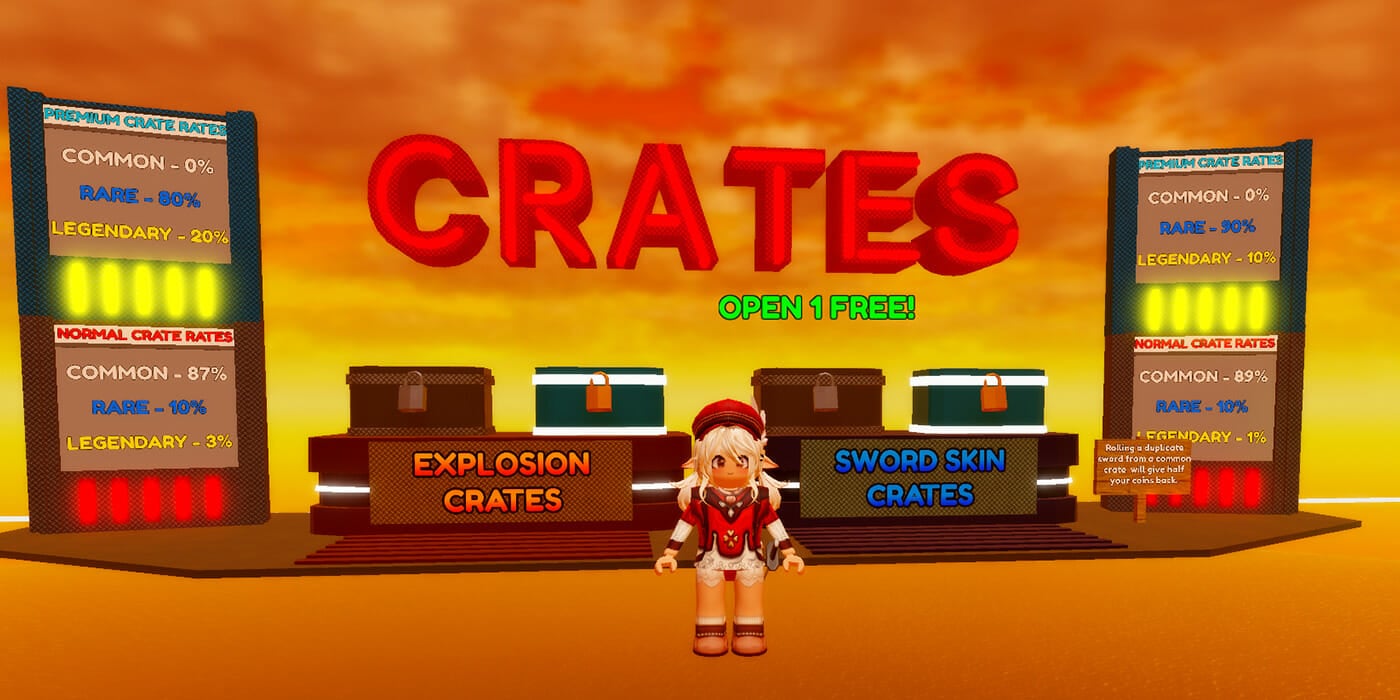
Case Keys in Blade Ball for Crates
Image Source: Wiggity via The Nerd Stash

If you’re familiar with the Keys from the widely popular PvP shooters CS:GO or PUBG, Case Keys in Blade Ball have a similar function. You can spend a key to open a Crate without currency cost in the game’s main lobby. When one is in your inventory, the message “Open 1 Free” will appear over one of the Crates in the safe zone. Simply approach said Crate and do a gacha roll for a free cosmetic pull. 
Unlock Free Case Keys in Blade Ball
Image Source: Wiggity via The Nerd Stash

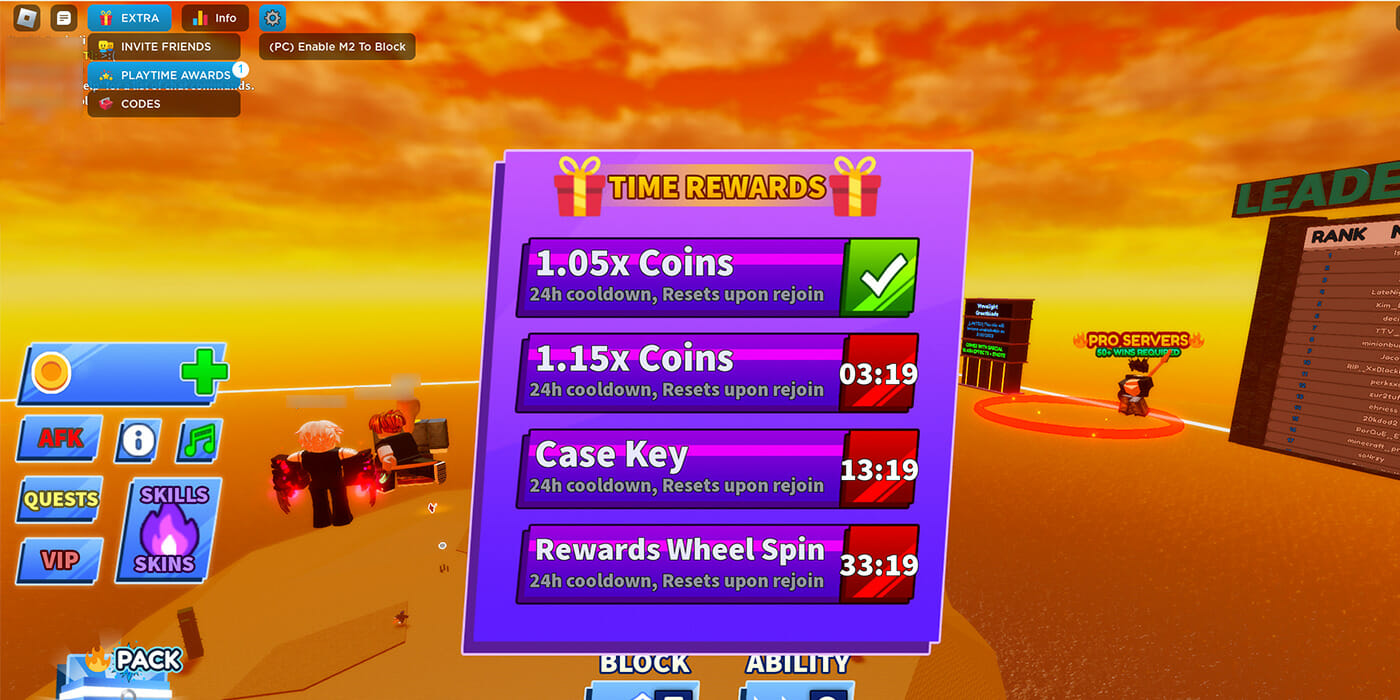
To get Case Keys to open Crates in Roblox Blade Ball, keep an eye on your Playtime Awards in-game. To view them, interact with the “Extra” tab with the giftbox icon in the upper-left hand of the UI. In the dropdown list, select “Playtime Awards.” The “Time Rewards” will appear, displaying your progress for each reward, one of which is a Case Key. 

Related:

Roblox: How to Play Monkey Raft (Beginner’s Survival Guide)

Do keep in mind that Playtime Awards are on a 24-hour cooldown, meaning you can’t earn more than one until a day has passed. Also, if you leave the game at any time, your progress will be reset, hence the “Resets upon rejoin” message. A funny thing to note is that Blade Ball will reward you with a Case Key even if you stand AFK in matches and the lobby. This is how we received our first key. However, please make sure you move your Roblox avatar slightly every so often; otherwise, your client might kick you from the game due to inactivity.

Related Topics
Guide Roblox
Share. Facebook Twitter LinkedIn Reddit Email
August

August Webb is a Staff Writer and former Lead Guide Editor of TNS. When not working, she's playing a visual novel, fanning over an indie gem, or lost in the world of VR.

SUGGESTED READS

Mortal Shell 2 Sester Genessa Unlock
Gaming

How to Unlock Sester Genessa in Mortal Shell 2

Mortal Shell 2 Enable Easy Mode
Gaming

How To Enable Easy Mode in Mortal Shell 2

Mortal Shell 2 Forgotten Crossbow Unlock
Gaming

Where to Find the Forgotten Crossbow in Mortal Shell 2

Mortal Shell 2 Proxima Unlock
Gaming

How to Unlock Proxima in Mortal Shell 2

Mortal Shell 2 Eredim Guide
Gaming

How to Unlock Eredim in Mortal Shell 2

Mortal Shell 2 Gragu Unlock
Gaming

How to Unlock Gragu in Mortal Shell 2

The Nerd Stash
Facebook X (Twitter) Instagram YouTube LinkedIn
  • About Us
  • Join Our Team
  • Meet the Team
  • Privacy Policy
  • DMCA Policy
  • Contact Us
  • Terms of Use
  • Sitemap
  • Editorial Guidelines
  • Advertising Policy
© 2026 The Nerd Stash. All Rights Reserved.

Type above and press Enter to search. Press Esc to cancel.