Close Menu
  • Gaming
    • Platforms
      • Nintendo
      • PC
      • PlayStation
      • Xbox
  • Entertainment
    • Movies
    • TV
    • Royals
  • Celebrity
    • Hollywood
  • Human Interest
  • Astrology
  • More
    • Reviews
Facebook X (Twitter) Instagram LinkedIn YouTube
  • About Us
  • Join Our Team
  • Meet the Team
  • Privacy Policy
  • DMCA Policy
  • Contact Us
  • Terms of Use
  • Sitemap
  • Editorial Guidelines
  • Advertising Policy
The Nerd Stash
  • Gaming
  • Celebrity
  • Hollywood
  • Human Interest
The Nerd Stash
Home»Gaming»How To Use Lockpicks in Dark and Darker (Lock Picking Guide)

How To Use Lockpicks in Dark and Darker (Lock Picking Guide)

For better locked loot

Amir NaseriBy Amir NaseriJune 15, 20242 Mins Read
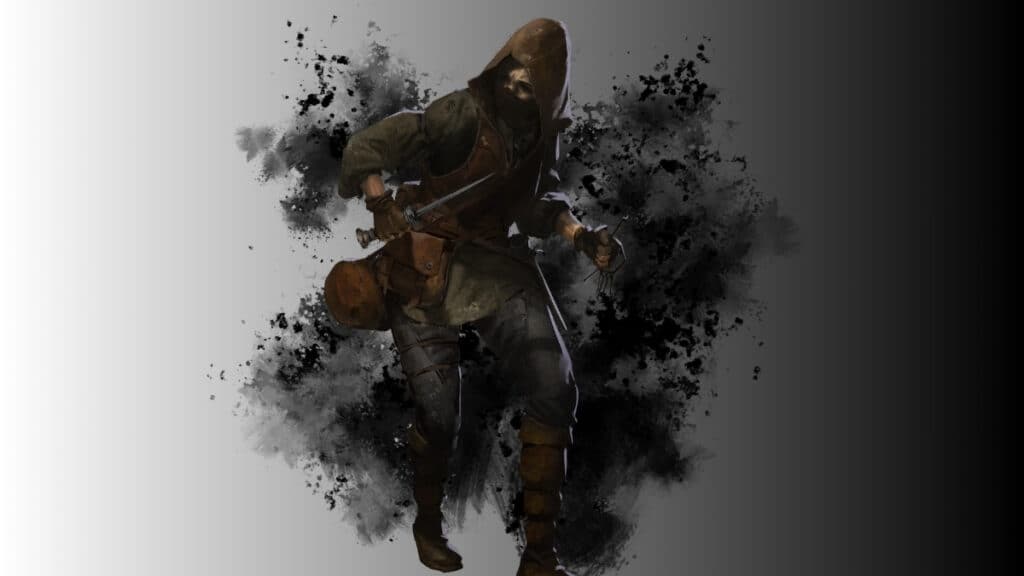
Lockpicking in Dark and Darker
Image Source: IRONMACE via The Nerd Stash
This article is over 2 years old and may contain outdated information.

The dungeon crawler genre is all about the loot, treasure, and aged chests that might contain the finest items but won’t open. However, if you have a certain thing or choose the right character class, you’d be able to lockpick chests in Dark and Darker. But you think picking locks is just selecting the lockpick in your backpack, right?

Use Lockpicks
Lockpicks in Dark and Darker
Image Source: IRONMACE via The Nerd Stash

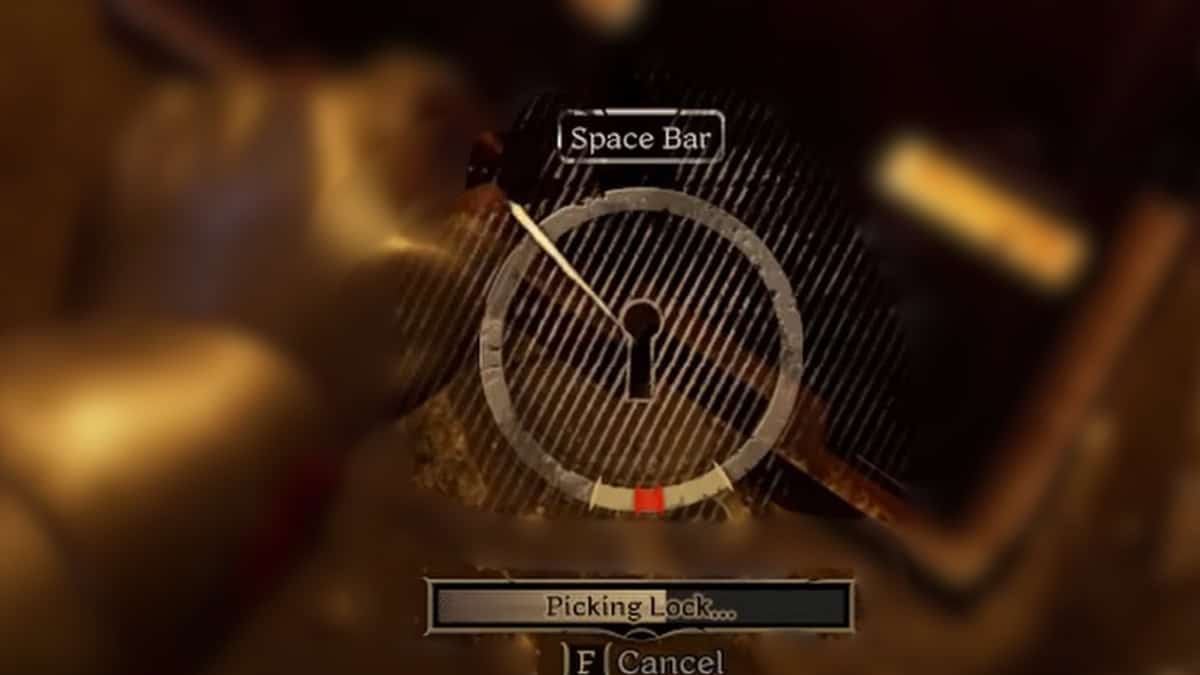
You can use lockpicks on interactable locked chests whenever you have them in your backpack. Press and hold F to enter the procedure, and then after a few seconds, a dial shows up with a pin. You have to wait for the pin to rotate, and then press Space Bar right when it reaches the yellow bar below the dial.

You’ll find lockpicks in ground loots and chests as you make progress in your adventure in Dark and Darker. Save them, and you’ll have the chance to open locked chests. But remember, if the pin goes full circle, or you miss the right time to press the Space, your lockpick will be wasted.

Use Rogue Class
Rogue
Image Source: IRONMACE via The Nerd Stash

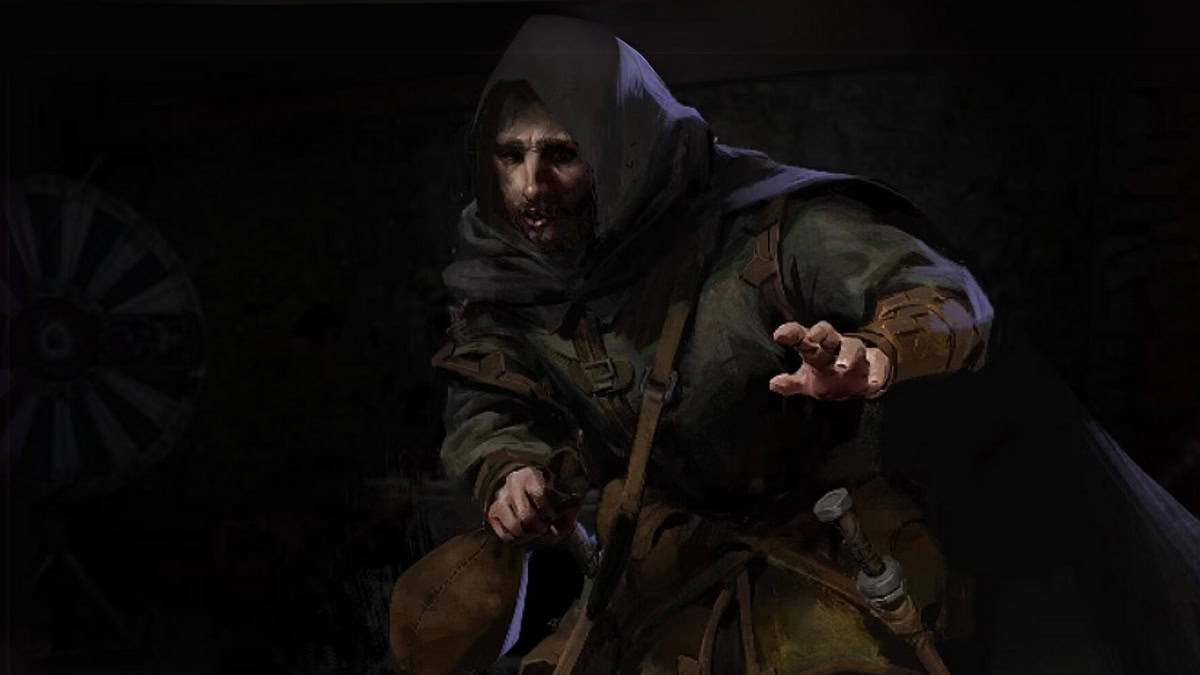
As the name suggests, Rouge Class is thrilled to offer you the best thieves in town. The Rogue class offers you unlimited lockpicks, and you can fail as many times as you want when lockpicking in Dark and Darker. The procedure is the same though; no assists are given even though you’re playing as a pro thief.

Lockpicking in Dark and Darker costs an item, but sometimes the game doesn’t respect the value by offering things that you’ll find better as ground loot. This is a hit or miss, however, as locked chests might just contain the big reward you’ve been hunting for.

Related:

Dark and Darker: Beginner’s Guide to Playing a Druid

Dark and Darker is currently available to play on PC via Epic Games, Steam, and Blacksmith launcher.


Related Topics
Dark And Darker
Share. Facebook Twitter LinkedIn Reddit Email
Amir Naseri
  • Website

Amir is an absolute Call of Duty nerd, preferring shooter games more than everything. However, he does like to do uppercuts in Mortal Kombat and feel the NOS going through the engines in Need For Speed games.

SUGGESTED READS

Best Project Zomboid Mods Build 42 Stable
Gaming

Top 10 Best Project Zomboid Mods (Updated for Build 42 Stable)

Best Character Builds in Project Zomboid
Gaming

Best Character Builds in Project Zomboid (Updated for Build 42 Stable)

Fire Emblem Fortune's Weave Nintendo Direct
Gaming

Everything Announced at the Fire Emblem: Fortune’s Weave Direct

SEGA Gamescom Line-Up 2026
Gaming

SEGA Unveils Its Gamescom 2026 Line-up

Leaked Microsoft Documents Reveal Xbox 360 Games Are Indeed Coming to PC Alongside Disc-to-Digital Plans
Gaming

Leaked Microsoft Documents Reveal Xbox 360 Games Are Indeed Coming to PC Alongside Disc-to-Digital Plans

Beast of Reincarnation Crafting Guide
Gaming

How to Unlock Crafting in Beast of Reincarnation

The Nerd Stash
Facebook X (Twitter) Instagram YouTube LinkedIn
  • About Us
  • Join Our Team
  • Meet the Team
  • Privacy Policy
  • DMCA Policy
  • Contact Us
  • Terms of Use
  • Sitemap
  • Editorial Guidelines
  • Advertising Policy
© 2026 The Nerd Stash. All Rights Reserved.

Type above and press Enter to search. Press Esc to cancel.