
Close Menu
  • Gaming
    • Game Guides
    • Codes
    • Game News
    • Game Previews
    • Game Reviews
    • Game Features
    • Game Lists
    • Platforms
      • Nintendo
      • PC
      • PlayStation
      • Xbox
      • Mobile
  • Entertainment
    • Movies
    • Movie Features
    • Movie Reviews
    • TV
    • Reality TV
    • Royals
  • Celebrity
    • Hollywood
  • Human Interest
  • Astrology
  • Videos
  • More
    • Anime
    • Lists
    • Podcasts
    • Reviews
Facebook X (Twitter) Instagram LinkedIn YouTube
  • About Us
  • Join Our Team
  • Meet the Team
  • Privacy Policy
  • DMCA Policy
  • Contact Us
  • Terms of Use
  • Sitemap
  • Editorial Guidelines
  • Advertising Policy
The Nerd Stash
  • Gaming
  • Celebrity
    • Hollywood
  • Human Interest
  • Videos
The Nerd Stash
Home»Game Guides»How To Write on Signs in Palworld (Can’t Write on Signs)

How To Write on Signs in Palworld (Can’t Write on Signs)

Signs for organized chests!

Akın BilginBy Akın BilginJanuary 26, 20242 Mins Read
how to write on sign palworld
Image Source: Pocker Pair via The Nerd Stash
This article is over 1 years old and may contain outdated information.

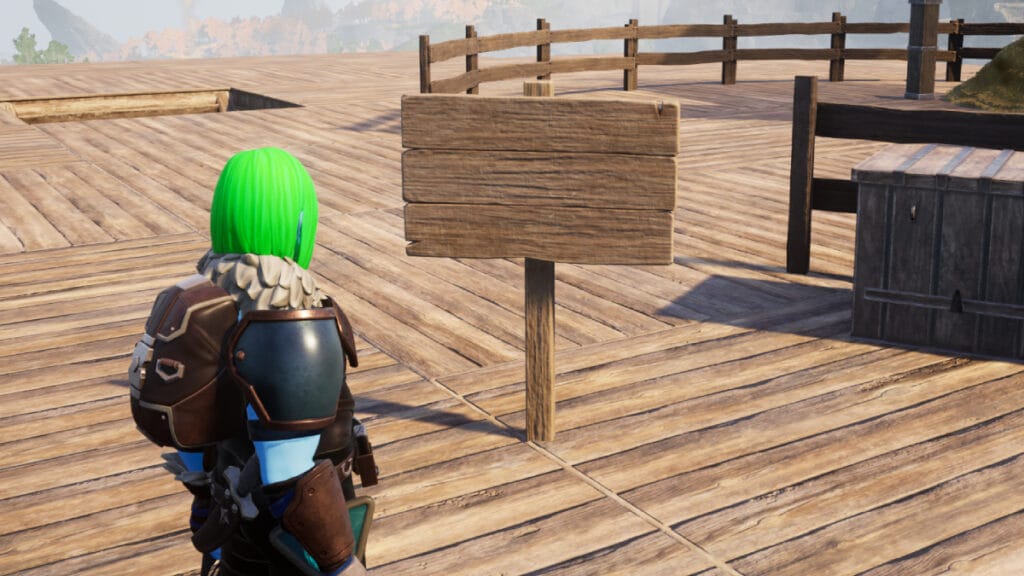
You can use the Sign item in many different ways in Palworld. Especially if you have played survival games like Minecraft before, we assume that you know the importance of using the Sign item. Currently, this item works a little differently depending on the platform you play the game on, which confuses many players. When this is the case, questions arise about how the Sign item is used. Now let’s look at how to write to Sign in Palworld.

How To Use Signs in Palworld

palworld tech tree
Image Source: Pocker Pair via The Nerd Stash

To briefly clarify the situation of using Sign in Palworld, it is actually a very straightforward process. What confuses many players is that when they move their cursor closer to Sign, they cannot interact with it in any way. It is safe to say that the reason for this is simply a platform difference or a minor bug.

If you’re playing Palworld on Steam, you’ll have no trouble writing in Signs. However, if you’re playing on Xbox or the Game Pass version, you won’t be able to use Signs yet. The reason for this is a small bug, as we mentioned briefly, the Pocket Pair team will fix this bug in a very short time and all players will be able to use this item comfortably.

To write Signs in Palworld follow the steps below:

  • First of all, you must be Level 7 to use the Sign and spend 1 Technology Point to learn it.
  • Then you need to open the Build Menu and go to Other and you will see Sign there.
  • Put the Sign where you want it, hover your cursor over it and you will see “Change text“.
  • You can then change the text by pressing the “F” key.

Related:

How To Fix “Sorry You Are Currently Prevented From Playing Multiplayer” Error in Palworld
Related Topics
Guide Palworld
Share. Facebook Twitter LinkedIn Reddit Email
Akın Bilgin
  • Website
  • X (Twitter)

Akın Bilgin loves colony simulators, survival, and souls-like games. He has been a freelance guide writer for two years and is studying English Language and Literature in Turkey.

SUGGESTED READS

Mr Big in Fatal Fury
Game Previews

Fatal Fury: City of the Wolves Mr. Big Hands-On Preview – An Electrifying Finale

Skate Story
9.0
Game Reviews

Skate Story Review – Pop Love It

Players Struggle In Black Ops 7 Zombies Season 1 Ashes of the Damned
Game Features

‘YouTubers Ruined It’: Players Say Black Ops 7 Zombies Is Now Harder After Season 1 Changes

Valve's Cancelled Stars of Blood Game Reappears Online as Half-Life 3 Rumor Intensifies: 'Games aren't Released at Valve, They Escape'
Game News

Valve’s Cancelled Stars of Blood Game Reappears Online as Half-Life 3 Rumor Intensifies: ‘Games aren’t Released at Valve, They Escape’

Bungie’s Smash Bros-like MOBA Gummy Bears May Be Nearing Major Testing, According to a PlayStation Job Listing
Game News

Bungie’s Smash Bros-like MOBA Gummy Bears May Be Nearing Major Testing Phase, According to a PlayStation Job Listing

Astra Malorum main easter egg quest guide
Game Guides

Astra Malorum Zombies Full Easter Egg Guide – Black Ops 7 Zombies

Trending
Mr Big in Fatal Fury

Fatal Fury: City of the Wolves Mr. Big Hands-On Preview – An Electrifying Finale

Skate Story
9.0

Skate Story Review – Pop Love It

Players Struggle In Black Ops 7 Zombies Season 1 Ashes of the Damned

‘YouTubers Ruined It’: Players Say Black Ops 7 Zombies Is Now Harder After Season 1 Changes

Valve's Cancelled Stars of Blood Game Reappears Online as Half-Life 3 Rumor Intensifies: 'Games aren't Released at Valve, They Escape'

Valve’s Cancelled Stars of Blood Game Reappears Online as Half-Life 3 Rumor Intensifies: ‘Games aren’t Released at Valve, They Escape’

The Nerd Stash
Facebook X (Twitter) Instagram YouTube LinkedIn
  • About Us
  • Join Our Team
  • Meet the Team
  • Privacy Policy
  • DMCA Policy
  • Contact Us
  • Terms of Use
  • Sitemap
  • Editorial Guidelines
  • Advertising Policy
© 2025 The Nerd Stash. All Rights Reserved.

Type above and press Enter to search. Press Esc to cancel.
