Close Menu
  • Gaming
    • Game Guides
    • Codes
    • Game News
    • Game Previews
    • Game Reviews
    • Game Features
    • Game Lists
    • Platforms
      • Nintendo
      • PC
      • PlayStation
      • Xbox
      • Mobile
  • Entertainment
    • Movies
    • Movie Features
    • Movie Reviews
    • TV
    • Reality TV
    • Royals
  • Celebrity
    • Hollywood
  • Human Interest
  • Astrology
  • More
    • Anime
    • Lists
    • Podcasts
    • Reviews
Facebook X (Twitter) Instagram LinkedIn YouTube
  • About Us
  • Join Our Team
  • Meet the Team
  • Privacy Policy
  • DMCA Policy
  • Contact Us
  • Terms of Use
  • Sitemap
  • Editorial Guidelines
  • Advertising Policy
The Nerd Stash
  • Gaming
  • Celebrity
  • Hollywood
  • Human Interest
The Nerd Stash
Home»Game Guides»Is There a Mini-Map in Final Fantasy 16? Answered

Is There a Mini-Map in Final Fantasy 16? Answered

Final Fantasy 16 is a long game that will take you across several locations, some of which have several paths. It is easy to get lost…

Victor TanBy Victor TanJune 22, 20233 Mins Read
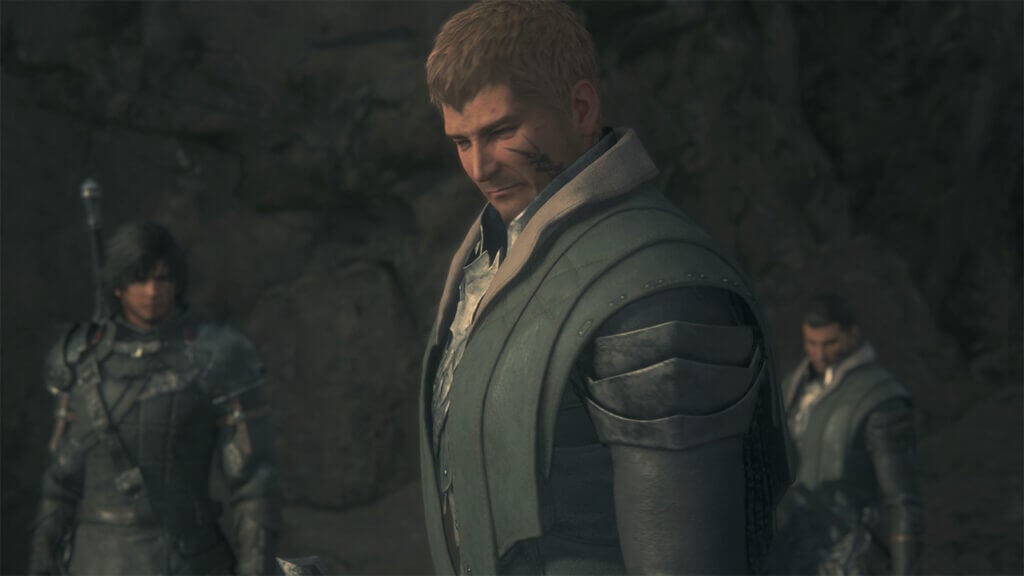
Final Fantasy 16 Mini-Map
Image Source: Square Enix via The Nerd Stash
This article is over 2 years old and may contain outdated information.

Final Fantasy 16 is a long game that will take you across several locations, some of which have several paths. It is easy to get lost while exploring, especially if some parts of the environment look the same. If you have a mini-map, it is easy to find your next destination and avoid obstacles. But mini-maps aren’t in every game, and it’s hard to know if you should bring up a mini-map from the menu. Certain areas don’t have mini maps, and it makes it hard to know if one exists. So, is there a mini-map in Final Fantasy 16? Let’s explain.

Finding The Mini-Map In Final Fantasy 16
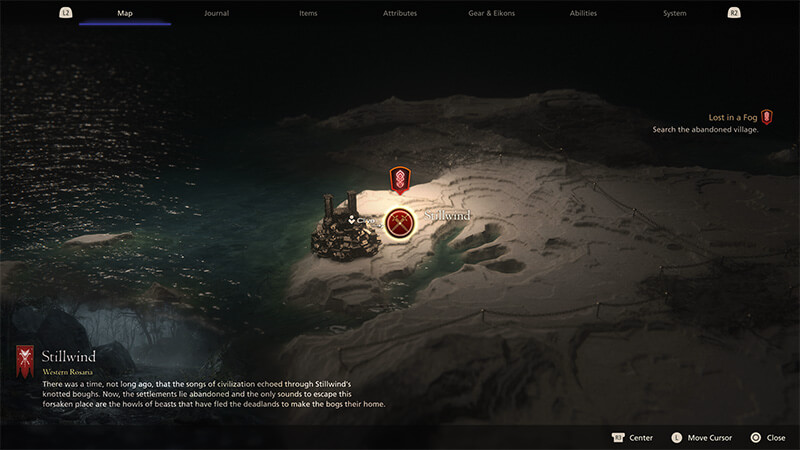
Final Fantasy XVI Mini Map Travel Image
Image Source: Square Enix via The Nerd Stash

Unfortunately, there is no mini-map in Final Fantasy 16; you must find your way out of areas by yourself. That means remembering what landmarks look like and using Animal Instincts to point you towards the right direction. The good news is that there isn’t much to slow you down once you know where to go. The bad news is that it’s easy to miss items since you don’t always know the full extent of the area you are exploring. Some areas allow you to touch the central touchpad to get a view of an area, but it’s not a mini-map. Alternatively, you can also view your location through the World Map in the main menu.

Each location in Valisthea will have items off the beaten path, and you must find them without the use of a mini-map. If you get lost, press R3 and use Animal Instincts to reorient yourself in the right direction. It won’t take into account any obstacles, but it can help you see where you must go. That’s the best option you have for finding your way out of a location, which helps if you are in narrow places.

Related

Final Fantasy 16 Devs Promise To Fix Performance Issues

The good news is that Clive will rarely get stuck on obstacles. If he can’t jump or climb an object, that’s not the way forward. Look around for arrows pointing to objects you can break or gaps you must crouch through. Animal Instincts will help you confirm if you are on the right path. Even if there isn’t a mini-map in Final Fantasy 16, there are several ways to find your way through even the most confusing locations.

Final Fantasy 16 is available on PS5.

Related Topics
Final fantasy Guide
Share. Facebook Twitter LinkedIn Reddit Email
Victor Tan
  • Website

Victor enjoys helping players succeed when video games are too difficult. He knows what it's like to get stuck in tricky situations and he wants to make sure other players don't suffer the same fate.

SUGGESTED READS

TLOU Online Was '80% Done' And Was Cancelled Just 24 Hours Before Public Reveal: 'It Was Soul-Crushing'
Game News

TLOU Online Was ‘80% Done’ And Was Canceled Just 24 Hours Before Public Reveal: ‘It Was Soul-Crushing’

April Fools Gaming Jokes 2026
Game Features

The Best Gaming Jokes of April Fools’ Day 2026

How to Subscribe & Cancel Adopt Me Pet Plus Subscription
Game Guides

How to Subscribe & Cancel Adopt Me Pet Plus Subscription

Saros Outlets Previews
Game Features

Saros Previews Round-Up: Refining What Was Already Flawless

Crimson Desert Community Tips and Tricks
Game Guides

I Played Crimson Desert for 90 Hours and STILL Learned These 10 Tricks From Social Media

Doom Co-creator and Wife Say The Current Game Industry Is 'Crashier' Than the '80s Crash: 'It Can't Stay Like This Forever'
Game News

Doom Co-Creator and Wife Say the Current Game Industry Is ‘Crashier’ Than the ’80s Crash: ‘It Can’t Stay Like This Forever’

The Nerd Stash
Facebook X (Twitter) Instagram YouTube LinkedIn
  • About Us
  • Join Our Team
  • Meet the Team
  • Privacy Policy
  • DMCA Policy
  • Contact Us
  • Terms of Use
  • Sitemap
  • Editorial Guidelines
  • Advertising Policy
© 2026 The Nerd Stash. All Rights Reserved.

Type above and press Enter to search. Press Esc to cancel.