
Close Menu
  • Gaming
    • Platforms
      • Nintendo
      • PC
      • PlayStation
      • Xbox
  • Entertainment
    • Movies
    • TV
    • Royals
  • Celebrity
    • Hollywood
  • Human Interest
  • Astrology
  • More
    • Reviews
Facebook X (Twitter) Instagram LinkedIn YouTube
  • About Us
  • Join Our Team
  • Meet the Team
  • Privacy Policy
  • DMCA Policy
  • Contact Us
  • Terms of Use
  • Sitemap
  • Editorial Guidelines
  • Advertising Policy
The Nerd Stash
  • Gaming
  • Celebrity
  • Hollywood
  • Human Interest
The Nerd Stash
Home»Gaming»How To Increase Inventory Space in My Time at Sandrock

How To Increase Inventory Space in My Time at Sandrock

You’ll need more room to fill those builder pockets!

AugustBy AugustNovember 3, 20232 Mins Read
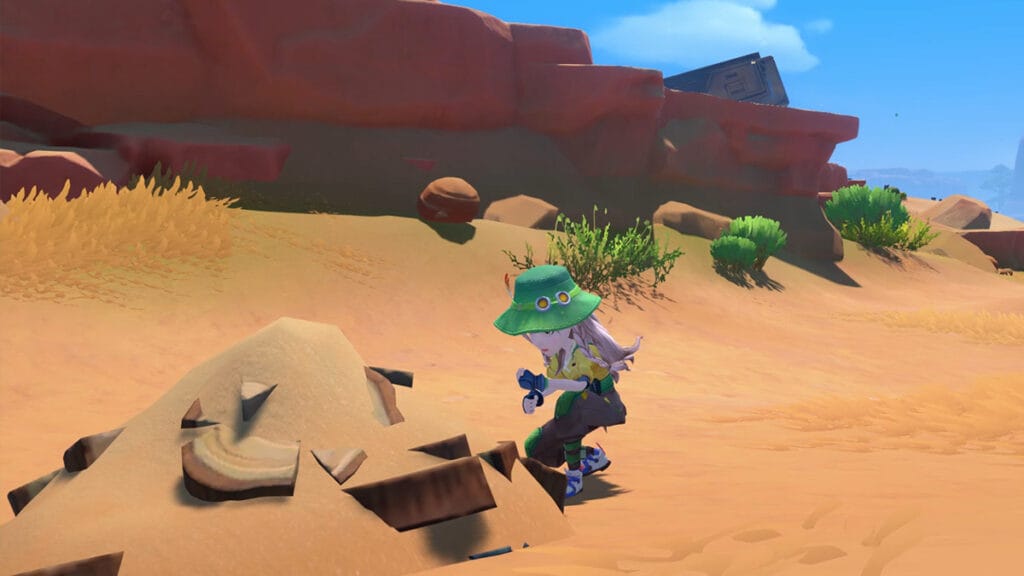
Gathering Wood in My Time at Sandrock
Image Source: Pathea Games via The Nerd Stash
This article is over 2 years old and may contain outdated information.

After just a week or two of living in Sandrock, you’ll soon realize your Inventory space has become loaded with items. While you can make storage containers to put away your goods for later use, you’ll soon realize that going about your day-to-day isn’t possible with the limited backpack slots you possess. You are a workshop owner, after all, and carrying around dozens of components and materials, including your tools and consumables, is essential for any builder. Fortunately, increasing your Inventory space in My Time at Sandrock involves little more than the push of a button.

How To Get More Inventory Slots in My Time at Sandrock

Increase Upgrade Inventory Space in My Time at Sandrock
Image Source: Pathea Game via The Nerd Stash

Typically, in builder and crafter sims, you’ll need to visit a shop to buy a “bigger backpack,” oftentimes multiple times. Conversely, upgrading your Inventory in Sandrock is very accessible and only requires some simple menu navigation and a financial cost. Getting more Inventory space in My Time at Sandrock requires you to: 

  1. Open the Pause Menu and navigate to the Inventory screen.

  2. Among the slots available in your backpack, look for the one square with a plus symbol.

  3. Tap it, and select how many backpack slots you’d like to purchase.

    The higher the number of spaces, the more Gols you’ll have to spend.

  4. Hit “Confirm” to your Inventory upgrade.

    Remember—no refunds.

Related:

Where To Get Tin in My Time at Sandrock

You can also have multiple “Pages” of backpack slots in your inventory in My Time at Sandrock. Once you spend enough Gols to max out one Page, select the small arrow on the right of the screen to access a new one for even more personal storage. Each Page can contain 40 slots. 

Inventory Screen in My Time at Sandrock
Image Source: Pathea Game via The Nerd Stash

While Inventory management is crucial as you fill your pockets with heaps of planks, bolts, pipes, and other gizmos and oddities, do take things gradually. One Page of backpack slots should service you through the mid- to endgame. It’s a literal “pay-for-convenience” feature more than anything, as we still haven’t maxed out our Inventory space (103 slots) during the late-game portions of our journey. In other words, buy slots one at a time when you need to instead of purchasing out entire rows at once. 

Related Topics
Guide My Time at Sandrock
Share. Facebook Twitter LinkedIn Reddit Email
August

August Webb is a Staff Writer and former Lead Guide Editor of TNS. When not working, she's playing a visual novel, fanning over an indie gem, or lost in the world of VR.

SUGGESTED READS

XBOX Reportedly 'Wanted to Ensure' Physical Games Were Still Playable on Project Helix Before Company Reset
Gaming

XBOX Reportedly ‘Wanted to Ensure’ Physical Games Were Still Playable on Its Next Console Before Company Reset

Gears of War E-Day Multiplayer PC Preview
Gaming

Gears of War: E-Day Multiplayer Preview – The Legendary Shooter is Back

Final Fantasy 7 Revelation Director Isn't Sure the Game Could Get a Physical Edition: "We're Still Having Discussions"
Gaming

Final Fantasy 7 Revelation Director Isn’t Sure the Game Could Get a Physical Edition: ‘We’re Still Having Discussions’

XBOX is Giving Away 13 Ubisoft Games on PC for Free
Gaming

XBOX is Giving Away 13 Ubisoft Games on PC for Free

Endless Ragnarok PC Review
9
Gaming

Granblue Fantasy Relink: Endless Ragnarok Review – Once More Into Zegagrande

CS2 weapon skin collection
Gaming

The Smartest Ways to Start a CS2 Collection from Scratch

The Nerd Stash
Facebook X (Twitter) Instagram YouTube LinkedIn
  • About Us
  • Join Our Team
  • Meet the Team
  • Privacy Policy
  • DMCA Policy
  • Contact Us
  • Terms of Use
  • Sitemap
  • Editorial Guidelines
  • Advertising Policy
© 2026 The Nerd Stash. All Rights Reserved.

Type above and press Enter to search. Press Esc to cancel.