Close Menu
  • Gaming
    • Platforms
      • Nintendo
      • PC
      • PlayStation
      • Xbox
  • Entertainment
    • Movies
    • TV
    • Royals
  • Celebrity
    • Hollywood
  • Human Interest
  • Astrology
  • More
    • Reviews
Facebook X (Twitter) Instagram LinkedIn YouTube
  • About Us
  • Join Our Team
  • Meet the Team
  • Privacy Policy
  • DMCA Policy
  • Contact Us
  • Terms of Use
  • Sitemap
  • Editorial Guidelines
  • Advertising Policy
The Nerd Stash
  • Gaming
  • Celebrity
  • Hollywood
  • Human Interest
The Nerd Stash
Home»Gaming»Once Human: How to Upgrade Weapons and Gear

Once Human: How to Upgrade Weapons and Gear

Nothing like a freshly calibrated weapon

Nat CollazoBy Nat CollazoJuly 17, 20242 Mins Read
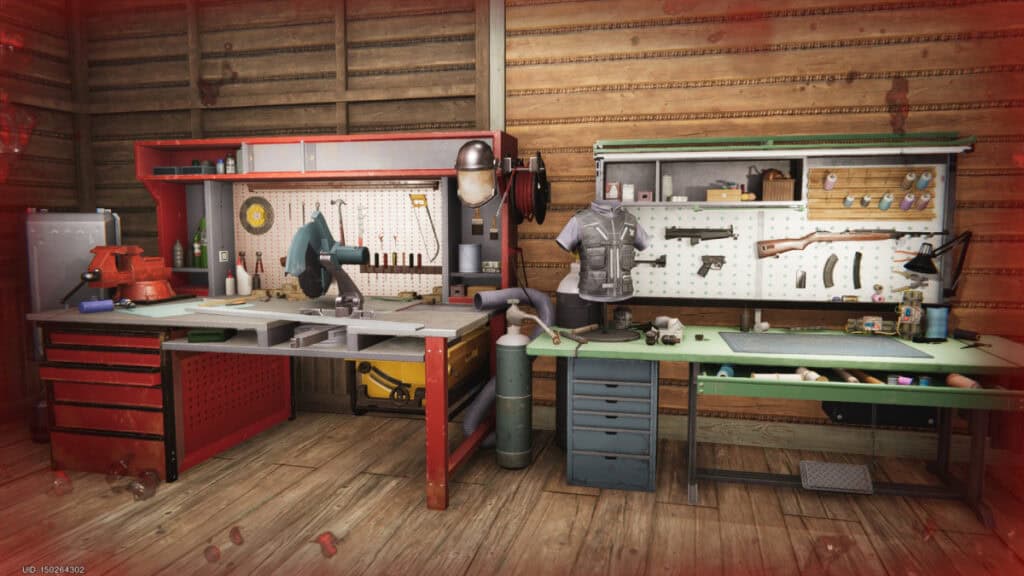
Gear and Weapon Stations
Image Source: Starry Studio via The Nerd Stash
This article is over 2 years old and may contain outdated information.

A huge portion of Once Human relies on you upgrading your workbenches, gear, and weapons. The later parts of the game become incredibly difficult without the proper equipment needed to take them on. Thankfully, you can just upgrade it all the next time you go to your base. Let’s dive into how to upgrade your weapons and gear in Once Human.

How to Upgrade Weapons
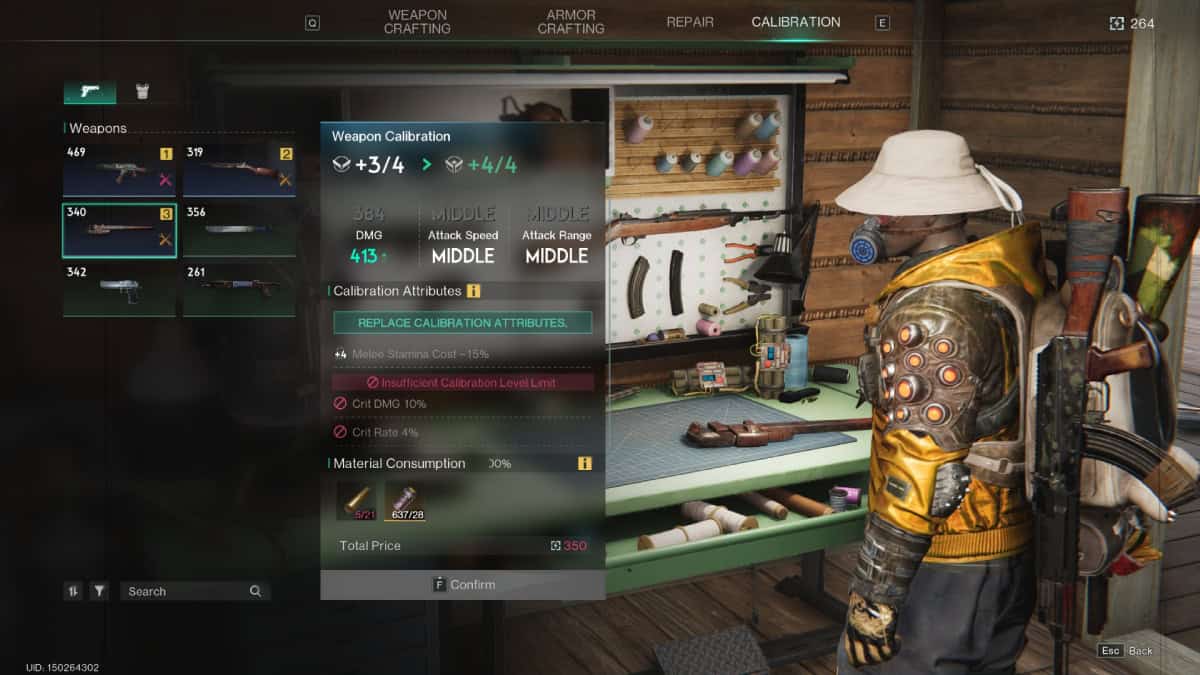
Upgrade Weapons
Image Source: Starry Studio via The Nerd Stash

To upgrade your weapons, you’ll need to have a Gear Workbench, which can be unlocked in the main story through the Memetics screen. To upgrade, you don’t need to have an Intermediate Workbench like in the example above.

When you utilize the workbench, scroll over to the Calibration category all the way to the right. Here, you can calibrate any and all weapons that you own. You aren’t able to calibrate weapons that do not belong to you. So long as you have the appropriate materials, you can press the F key and upgrade as much as possible.

How to Upgrade Gear
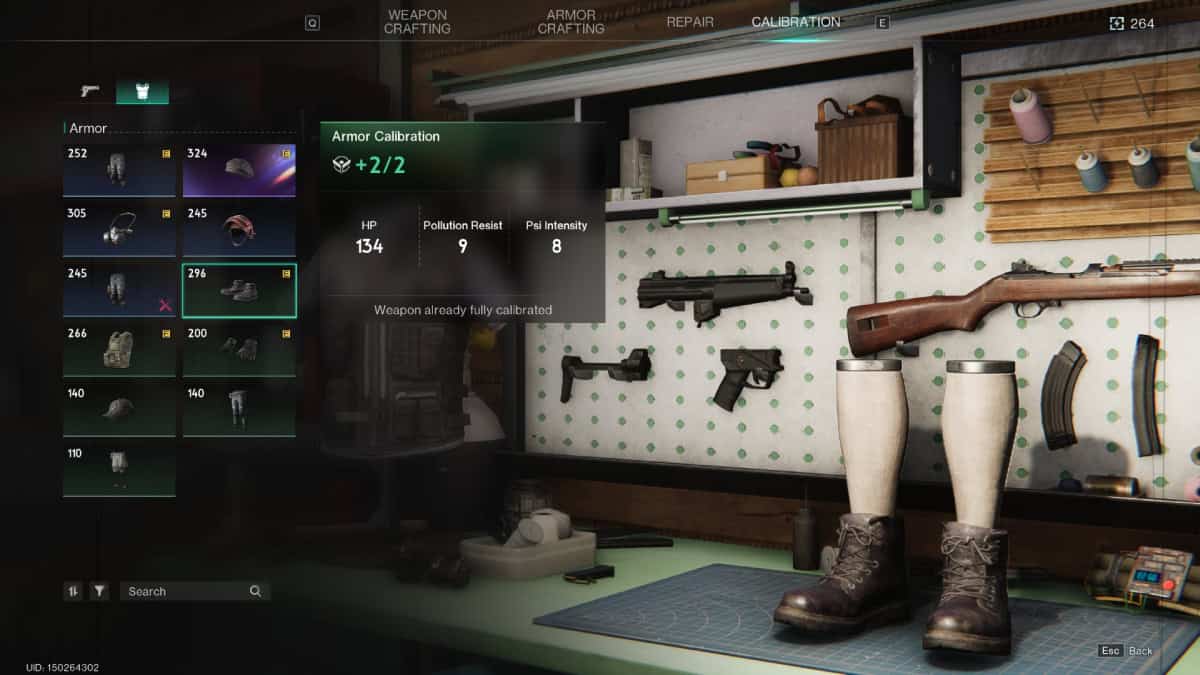
Gear Station
Image Source: Starry Studio via The Nerd Stash

Upgrading your gear is similar, except instead of going to the weapons section under the Calibration category, go to the gear section. An image of where you need to go is featured above. Here, you can also select any gear pieces that you own to calibrate them.

Similarly, you need to ensure that you have the appropriate materials to upgrade the gear. So long as you do, press and hold the F key to upgrade it as many times as possible. In most cases, you can only calibrate your gear twice instead of four times for weapons.

Related:

Once Human: Exploring Junkyard Guide (Rift Anchor & Crate Locations)

Once Human can be played on PC and mobile devices.

Related Topics
Guide Once Human
Share. Facebook Twitter LinkedIn Reddit Email
Nat Collazo
  • Website
  • X (Twitter)
  • Instagram

Nat is a journalist with over ten years of online publishing experience. They are a massive fan of hanging out with both their wife and cat which would ideally be all the time. Nat received an undergraduate degree in English Literature from Florida International University, then returned to complete a graduate degree in Mass Communications before moving across the country to settle in New England.

SUGGESTED READS

Atlus’ Forgotten Persona Games Could Finally Get a Comeback, Leaked Footage Suggests
Gaming

Atlus’ Forgotten Persona Games Could Finally Get a Comeback, Leaked Footage Suggests

Soulframe Open Preludes Launch
Gaming

Soulframe Is Opening Its Doors to Everyone With Open Preludes

XBOX Allegedly Spent $500 Million on Gears of War E-Day: 'That is a Real Number'
Gaming

XBOX Allegedly Spent $500 Million on Gears of War E-Day: ‘That is a Real Number’

Gaming

Dawn of War 4 Looks Like the Next Legendary RTS

Kojima Productions Trademarks New Death Stranding Project, but It Might Not Be What Gamers Expect
Gaming

Kojima Productions Trademarks New Death Stranding Project, but It Might Not Be What Gamers Expect

Destiny 2 Unvaulting Plans
Gaming

Bungie’s Unvaulting of Destiny 2 Is Bigger Than We Thought, and There Might Be More Plans for the Franchise In the Future

The Nerd Stash
Facebook X (Twitter) Instagram YouTube LinkedIn
  • About Us
  • Join Our Team
  • Meet the Team
  • Privacy Policy
  • DMCA Policy
  • Contact Us
  • Terms of Use
  • Sitemap
  • Editorial Guidelines
  • Advertising Policy
© 2026 The Nerd Stash. All Rights Reserved.

Type above and press Enter to search. Press Esc to cancel.