Close Menu
  • Gaming
    • Platforms
      • Nintendo
      • PC
      • PlayStation
      • Xbox
  • Entertainment
    • Movies
    • TV
    • Royals
  • Celebrity
    • Hollywood
  • Human Interest
  • Astrology
  • More
    • Anime
    • Reviews
Facebook X (Twitter) Instagram LinkedIn YouTube
  • About Us
  • Join Our Team
  • Meet the Team
  • Privacy Policy
  • DMCA Policy
  • Contact Us
  • Terms of Use
  • Sitemap
  • Editorial Guidelines
  • Advertising Policy
The Nerd Stash
  • Gaming
  • Celebrity
  • Hollywood
  • Human Interest
The Nerd Stash
Home»Gaming»Roblox LockOver Codes (January 2025)

Roblox LockOver Codes (January 2025)

The strongest ego on the field

Patrick ArmstrongBy Patrick ArmstrongJanuary 2, 20252 Mins Read
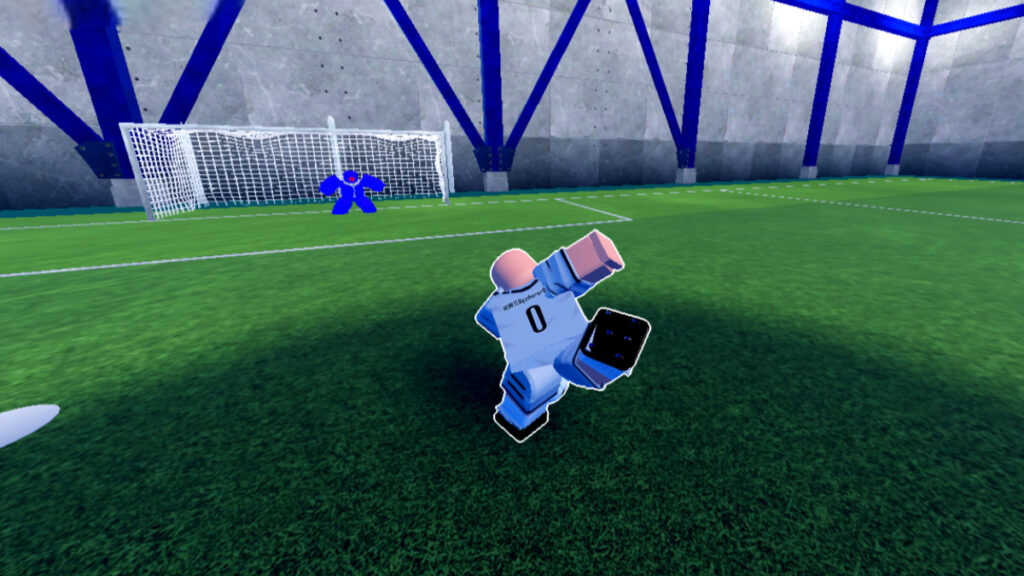
The player aims a kick at the goal in Roblox LockOver
Image Source: Trillion Game via The Nerd Stash

Cleats in the grass, and scores on the board. That’s what Blue Lock is all about. LockOver takes after its anime inspiration in more ways than one. Every match is another chance to test your ego and soccer skills against the best talents of your generation. The grind to the top can feel like a slide-kick to the shins, but there are ways to ease your climb. Cashing in a code or two for free rewards is a good way to start, whether it gets you a shiny new weapon or not. Here are the active codes for Roblox LockOver in January 2025.

Active LockOver Codes
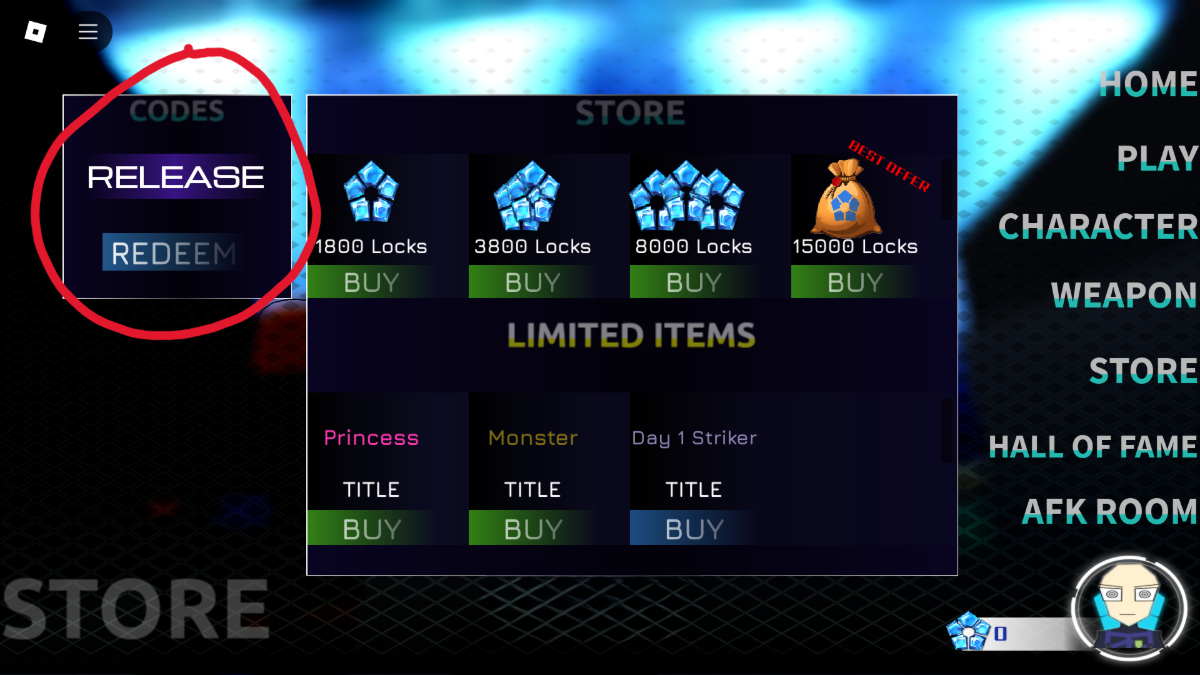
The code redemption screen in Roblox LockOver
Image Source: Trillion Game via The Nerd Stash

As one of the newer games to follow in Blue Lock‘s footsteps on the field, LockOver doesn’t have many codes yet. A single active code might not save you from weapons like the Joker or 44 Red Panther, but it’s still enough to get started on your soccer dreams. Here are the active codes for Roblox LockOver:

  • RELEASE – free rewards
Roblox SpongeBob Tower Defense Codes (December 2024)
Related: Roblox SpongeBob Tower Defense Codes (December 2024)

Now that you’re equipped with a code to use, you have to unlock the ability to use it. You can’t redeem codes in LockOver until you’ve scored 10 goals. That means you’ll have to hit the pitch before you can claim your rewards. Here’s how to use codes in LockOver:

  1. Launch LockOver
  2. Click on “Store” (right side of the main menu)
  3. Enter your code in the textbox
  4. Click “Redeem”

Roblox codes are often case-sensitive, so it’s best to copy and paste from the list above to avoid errors. The most common reasons that a code can’t be redeemed are that it’s expired or already been redeemed. Once you’ve cashed in your code, you’re ready to step back out onto the soccer pitch and put your rivals in their place. It’s just one kick to greatness.


Related Topics
Codes Roblox
Share. Facebook Twitter LinkedIn Reddit Email
Patrick Armstrong
  • Website

Artist and writer with a lifelong love of video games. Their favorite games include Dead by Daylight, Meet Your Maker, and Project Zomboid.

SUGGESTED READS

Vampire Survivors Developer Goes Wild With Over 15 New Games, Expands to Japan and Italy: 'Profit Is Not a Priority'
Gaming

Vampire Survivors Developer Goes Wild With Over 15 New Games, Expands to Japan and Italy: ‘Profit Is Not a Priority’

Gaming

The Expanse: Osiris Reborn Is Owlcats Most Ambitious Leap Yet ‘A stunning jump forward’

World of Tanks HEAT Closed Beta Preview
Features

World of Tanks HEAT Hands-On Preview – Faster, Flashier, and Just as Tactical

Where to Find the Secret Fall Shop in Roblox Adopt Me
Gaming

Where to Find the Secret Fall Shop in Roblox Adopt Me

Diablo 4 Lord of Hatred Review
10
Features

Diablo 4: Lord of Hatred Review – Breaking the Cycle

Shuhei Yoshida Says He Was Fired From Playstation Studios for Saying 'No' to Jim Ryan: 'He Asked For Ridiculous Things'
Gaming

Shuhei Yoshida Says He Was Fired From Playstation Studios for Saying ‘No’ to Jim Ryan: ‘He Asked For Ridiculous Things’

The Nerd Stash
Facebook X (Twitter) Instagram YouTube LinkedIn
  • About Us
  • Join Our Team
  • Meet the Team
  • Privacy Policy
  • DMCA Policy
  • Contact Us
  • Terms of Use
  • Sitemap
  • Editorial Guidelines
  • Advertising Policy
© 2026 The Nerd Stash. All Rights Reserved.

Type above and press Enter to search. Press Esc to cancel.