

Close Menu
  • Gaming
    • Platforms
      • Nintendo
      • PC
      • PlayStation
      • Xbox
  • Entertainment
    • Movies
    • TV
    • Royals
  • Celebrity
    • Hollywood
  • Human Interest
  • Astrology
  • More
    • Reviews
Facebook X (Twitter) Instagram LinkedIn YouTube
  • About Us
  • Join Our Team
  • Meet the Team
  • Privacy Policy
  • DMCA Policy
  • Contact Us
  • Terms of Use
  • Sitemap
  • Editorial Guidelines
  • Advertising Policy
The Nerd Stash
  • Gaming
  • Celebrity
  • Hollywood
  • Human Interest
The Nerd Stash
Home»Gaming»Valheim 1.0 Co-Op Guide – How to Play With Friends

Valheim 1.0 Co-Op Guide – How to Play With Friends

Bring your buddies

Julio La PineBy Julio La PineSeptember 9, 20263 Mins Read
Valheim 1.0 Co-op guide
Image Source: Iron Gate AB

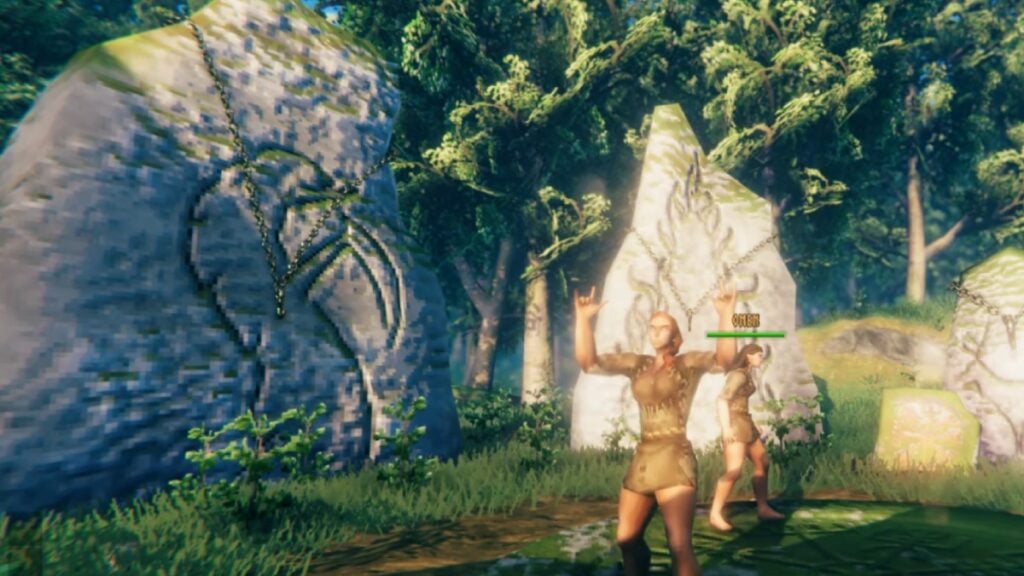
As you all know, co-op has always been available in the game, allowing you to bring several friends for this wild ride full of dangerous creatures, perilous bosses, and some of the best building mechanics in a survival game. With the full release, there are many more players joining, especially from other consoles, so let’s take a look at how to make co-op work in Valheim 1.0.

Hosting Your Co-Op Server in Valheim 1.0
Valheim Co-op Menu
Image Source: Iron Gate AB

First, you’ll need a character, whether you’re the host or a guest. You can create one after firing up the game, and once you have it there, you’ll get a few options.

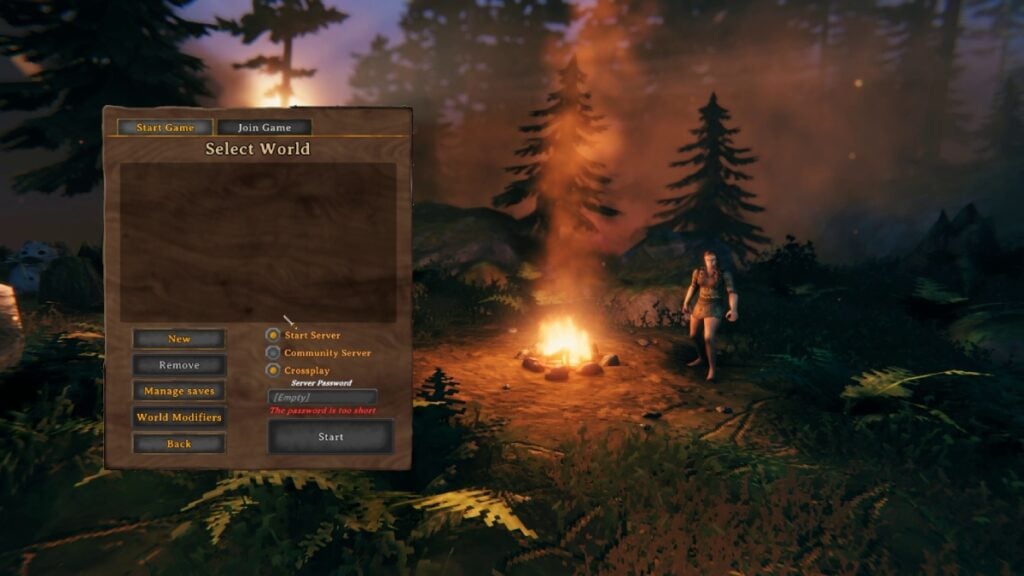
If you want to host your own server, head to the Select World tab after clicking Start and pick Start Server. Here, you can pick a few options, such as making it a Community Server, which is the public server option of sorts, enabling Crossplay to let players from other platforms join, and even adding world modifiers, which change the difficulty, building costs, death penalty, and so on. You can even add a seed if you have one, or let the game randomize it.

After you finish setting up all your server settings, you just have to enter the world and start sending invites, which will vary for all players. If you’re on Steam, you can invite them from your friends list. If they are playing on another platform, you can give them the Join Code, which is a six-digit code that will appear every time you’re in the pause menu. Remember that if you also set a password for your server, you also need to give it to everyone joining your world.
RuneScape: Dragonwilds vs Valheim: Which Does It Better?
Related: RuneScape: Dragonwilds vs Valheim: Which Does It Better?

If you’re the guest, you just need to wait for the code or invite. If you have played on another server, just head to the Join Game tab, and you can look at all the servers you’ve played on or that are labeled as Community Servers. But if you are joining the latter, remember to look at the modifiers, as some players like to make the game more challenging or a bit easier.

For dedicated servers, that will vary depending on the hosting service you pick. There are several out there, so we recommend Googling them if that’s something you want to do. Remember that dedicated servers are online all the time, while player-hosted servers only stay on when the host is on.
The truth is that the process is pretty straightforward, so just make sure to pick the right options for your co-op world and send the invites to those you want to bring along for this long-awaited 1.0 update of Valheim.


Related Topics
Guide Valheim
Share. Facebook Twitter LinkedIn Reddit Email
Julio La Pine
  • Website

News/Guide Writer for The Nerd Stash. When not working, you'll find him playing Final Fantasy 14, any good JRPG, and modding Project Zomboid.

SUGGESTED READS

Zelda: Ocarina of Time Remake Digital Price Confirmed at $59.99, $10 Cheaper Than Physical
Gaming

Zelda: Ocarina of Time Remake Digital Price Confirmed at $59.99, $10 Cheaper Than Physical

The Expanse Osiris Reborn Feels Like More Than the Next Mass Effect
Gaming

The Expanse: Osiris Reborn Feels Is Far More Than the Next Mass Effect

Monster Hunter Outlanders Might Finally Be the Mobile Monster Hunter I've Wanted
Gaming

Monster Hunter Outlanders Might Finally Be the Mobile Monster Hunter I’ve Wanted

Atelier Karia Release Date Announcement
Gaming

Atelier Karia: The Night Kingdom & The Guide of Memories Unveils Its Release Date, More Gameplay Details, and Cast Members

The Legend of Zelda 40th Anniversary Announcements
Gaming

Everything Announced at the Zelda 40th Anniversary Direct

The Most Fun I Had at Gamescom Came From These 2 Ridiculous Indie Games
Gaming

The Most Fun I Had at Gamescom Came From These 2 Ridiculous Indie Games

The Nerd Stash
Facebook X (Twitter) Instagram YouTube LinkedIn
  • About Us
  • Join Our Team
  • Meet the Team
  • Privacy Policy
  • DMCA Policy
  • Contact Us
  • Terms of Use
  • Sitemap
  • Editorial Guidelines
  • Advertising Policy
© 2026 The Nerd Stash. All Rights Reserved.

Type above and press Enter to search. Press Esc to cancel.



