

Close Menu
  • Gaming
    • Platforms
      • Nintendo
      • PC
      • PlayStation
      • Xbox
  • Entertainment
    • Movies
    • TV
    • Royals
  • Celebrity
    • Hollywood
  • Human Interest
  • Astrology
  • More
    • Reviews
Facebook X (Twitter) Instagram LinkedIn YouTube
  • About Us
  • Join Our Team
  • Meet the Team
  • Privacy Policy
  • DMCA Policy
  • Contact Us
  • Terms of Use
  • Sitemap
  • Editorial Guidelines
  • Advertising Policy
The Nerd Stash
  • Gaming
  • Celebrity
  • Hollywood
  • Human Interest
The Nerd Stash
Home»Gaming»What’s the Biggest Garage in GTA Online? Answered

What’s the Biggest Garage in GTA Online? Answered

A place to store cars and dreams.

Julio La PineBy Julio La PineJanuary 11, 20242 Mins Read
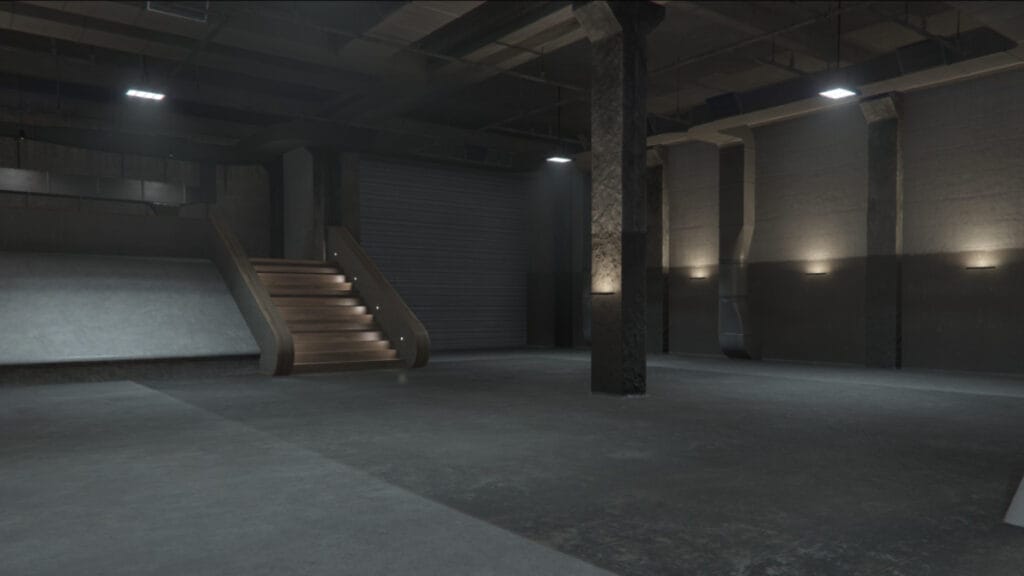
GTA Online Biggest Garage 2024
Image Source: Rockstar Games via The Nerd Stash
This article is over 2 years old and may contain outdated information.

New and veteran players might’ve noticed the egregious number of cars in GTA Online and wondered: what is the biggest garage you can get to store them all? With so many properties, to buy to store your hard-earned vehicles, it’s better to invest in the biggest of them all instead of buying many spread across the map. Thankfully, there is one place that has the right space for your cars, should you be willing to invest in it.

Where Is The Biggest Garage in GTA Online?

GTA Online Executive Office Menu
Image Source: Rockstar Games via The Nerd Stash

Believe it or not, the biggest garage you can get in GTA Online is the one inside your Executive Office. This is where you can become a CEO or boss, and while it already has some useful upgrades, the garage space it has is the best in the game, totaling 60 slots for vehicles. However, you must spend a lot of money to get the spaces. Here’s what you have to pay for each garage level:

  • Garage 1: $1,150,000.00
  • Garage 2: $855,000.00
  • Garage 3: $745,000.00

Each level includes 20 spaces, making it ideal for avid car collectors.

How To Unlock Office Garages

To get these places for your vehicles, you must do the following:

  1. Head to the Dynasty Executive website.
  2. Click on your currently owned office.
  3. Once you do that, an icon will pop up next to where your office is on the map.
  4. Click on it to see the garage options.

Related:

How To Make Money in GTA 5 Online for Beginners (Easy Tips & Tricks)

While it is tempting to have 60 slots for vehicles, we don’t recommend getting these as a priority. Most businesses come with their own parking spaces for free, so you can use that money to get other things. Ultimately, it’s better to collect the cars first than spend money on an empty garage. Furthermore, there are many ways to make money in the game, so you won’t struggle to have the cars of your dreams in one spot.


Related Topics
GTA Online Guide
Share. Facebook Twitter LinkedIn Reddit Email
Julio La Pine
  • Website

News/Guide Writer for The Nerd Stash. When not working, you'll find him playing Final Fantasy 14, any good JRPG, and modding Project Zomboid.

SUGGESTED READS

007 First Light Story Review
Gaming

007 First Light Launches Its Update #1 With New TacSim Content

XBOX Backward Compatibility on PC Could Support Xbox 360 Games Too, Dataminers Confirm
Gaming

XBOX Backward Compatibility on PC Could Support Xbox 360 Games Too, Dataminers Confirm

Aliens Fireteam Elite 2 Release Date
Gaming

Aliens: Fireteam Elite 2 Launches on August 25 With Movie-inspired DLC Packs

Sony Reportedly Knew the PlayStation Disc Shut Down Would 'Piss Everyone Off,' Warned Employees to Stay Silent
Gaming

Sony Reportedly Knew the PlayStation Disc Shut Down Would ‘Piss Everyone Off,’ Warned Employees to Stay Silent

How to play Halo: Campaign Evolved Co-Op
Gaming

Halo Campaign Evolved Co-Op Guide

Aliens Fireteam Elite 2 Horde Mode
Gaming

Aliens: Fireteam Elite 2 Has Revamped Its Horde Mode In the Best Possible Way

The Nerd Stash
Facebook X (Twitter) Instagram YouTube LinkedIn
  • About Us
  • Join Our Team
  • Meet the Team
  • Privacy Policy
  • DMCA Policy
  • Contact Us
  • Terms of Use
  • Sitemap
  • Editorial Guidelines
  • Advertising Policy
© 2026 The Nerd Stash. All Rights Reserved.

Type above and press Enter to search. Press Esc to cancel.



