
Close Menu
  • Gaming
    • Platforms
      • Nintendo
      • PC
      • PlayStation
      • Xbox
  • Entertainment
    • Movies
    • TV
    • Royals
  • Celebrity
    • Hollywood
  • Human Interest
  • Astrology
  • More
    • Reviews
Facebook X (Twitter) Instagram LinkedIn YouTube
  • About Us
  • Join Our Team
  • Meet the Team
  • Privacy Policy
  • DMCA Policy
  • Contact Us
  • Terms of Use
  • Sitemap
  • Editorial Guidelines
  • Advertising Policy
The Nerd Stash
  • Gaming
  • Celebrity
  • Hollywood
  • Human Interest
The Nerd Stash
Home»Gaming»Why Are Loadouts Locked In Destiny 2? Explained

Why Are Loadouts Locked In Destiny 2? Explained

When the Loadouts system is finally introduced in the Lightfall expansion, Destiny 2 players will feel like they have reached the Space Age. Being able…

Sidharta F. RasidiBy Sidharta F. RasidiAugust 23, 20233 Mins Read
Why Are Loadouts Locked In Destiny 2? Explained
Image source: Bungie, goddesign3d on Freepik via The Nerd Stash
This article is over 2 years old and may contain outdated information.

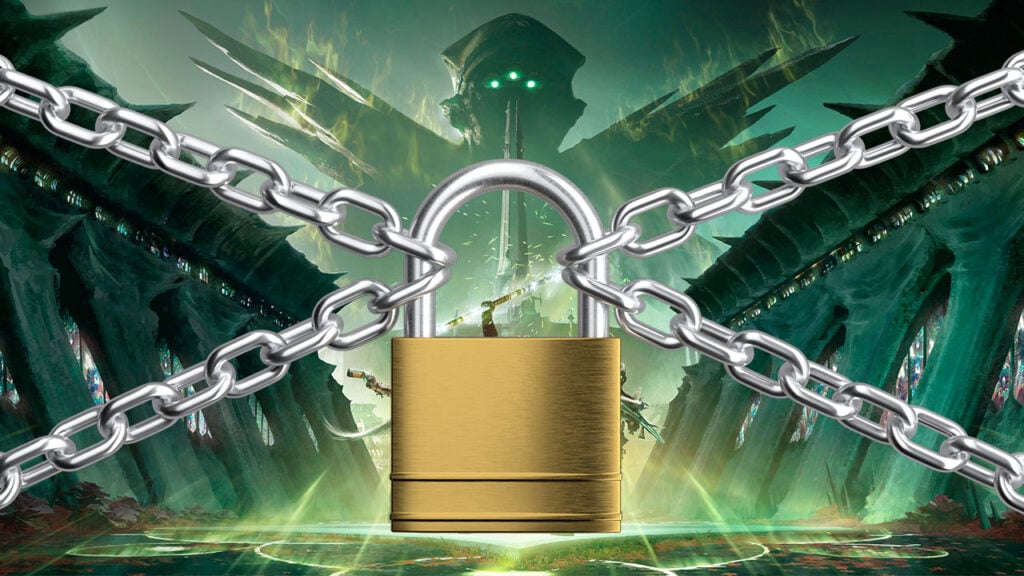
When the Loadouts system is finally introduced in the Lightfall expansion, Destiny 2 players will feel like they have reached the Space Age. Being able to quickly switch between a Guardian’s favorite gear sets is a godsend, especially in PvP. However, a piece of bad news just struck the community. Bungie has decided to temporarily lock the Loadouts function in Destiny 2.

The Reason Behind Bungie Locking Loadouts in Destiny 2
The Reason Behind Bungie Locking Loadouts in Destiny 2
Image source: Bungie

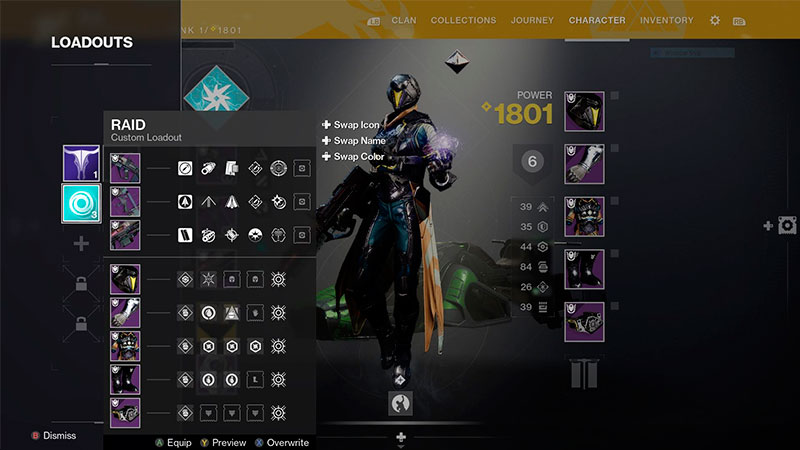
While it is a shame that for the time being, Guardians have to go back to the Stone Age, there is a serious issue behind the Loadouts lock. It turns out that the Loadouts system is currently causing a huge game and server-breaking glitch. By abusing very specific Loadout combinations, players can easily crash entire matches. This glitch also allows players to use any Raid mods on any armor pieces or weapon and fill all equipment slots with Exotics.

Even disregarding the server crash, abusing this Loadouts glitch can give an unfair advantage in both PvP and PvE modes. It also messed up the game’s balance and stability. Videos of players melting tough Raid bosses alone using Verity’s Brow quickly spread all over social media like YouTube. For that reason, Bungie has locked Destiny 2‘s new Loadouts feature for an unspecified amount of time.

Due to an issue, we have temporarily disabled the Loadouts function. This will appear in-game as Loadouts being locked behind Guardian Ranks. Any existing Loadouts will be saved and available to all players who have already unlocked them once a fix can be deployed.

Nevertheless, Guardians playing on PC can still utilize third-party apps like Destiny Item Manager, or DIM for short. This tool allows Destiny 2 players to switch Loadouts, although with limited capabilities. As an example, it mostly only works while you’re in the Tower and you can’t easily switch Mods.

This is not the first time that Destiny 2 has faced glitches or bugs that severely affected the game. Early this year, a number of Destiny 2 players found that their Guardians suddenly disappeared from their accounts. Some players have complained that Bungie should focus more on fixing existing issues rather than adding new content or features. Others have defended the game and said that glitches are inevitable in such a complex and dynamic game. Here’s hoping Bungie can fix this Loadouts locked problem fast and Destiny 2 players can go back to the Space Age of quick-gear-switching again.

Due to an issue, we have temporarily disabled the Loadouts function. This will appear in-game as Loadouts being locked behind Guardian Ranks.

Any existing Loadouts will be saved and available to all players who have already unlocked them once a fix can be deployed.

— Bungie Server Status (Formerly BungieHelp) (@BNGServerStatus) August 22, 2023

Related:

All Season of the Witch Season Pass Rewards and Ranks in Destiny 2

Destiny 2 is available on PC, PlayStation, and Xbox platforms.
Related Topics
Destiny 2 Guide
Share. Facebook Twitter LinkedIn Reddit Email
Sidharta F. Rasidi
  • Website

Since middle school, Sidharta has used his video game blog as a handy excuse to avoid studying. After graduating with a degree in Management Information Systems from Bina Nusantara University, he spent years honing his skills as a games journalist, working as an editor for a local gaming site and freelancing elsewhere. Nowadays, when he’s not busy crafting outrageous plots for his serialized comic, Sidharta covers niche games on his personal blog, StoPlayinGame.com. His favorite game series includes Monster Hunter, Earth Defense Force, THE iDOLM@STER, Road Trip Adventure, and KOEI Tecmo's Warriors.

SUGGESTED READS

How to get Radiant Gems In Palworld 1.0
Gaming

How to get Radiant Gems In Palworld 1.0

gamescom dev 2026 Adds Subnautica 2 Creative Director as Keynote Speaker, Reveals New Awards
Gaming

gamescom dev 2026 Adds Subnautica 2 Creative Director as Keynote Speaker, Reveals New Awards

Fortnite Summer Skins Censored Rumors
Gaming

Fortnite Fans Disappointed as Upcoming Summer Skins Have Been Allegedly Censored One Day After Their Reveal: ‘They Folded Without Any Pressure’

Where to Mine Soralite and Paloxite in Palworld
Gaming

Where to Mine Soralite and Paloxite in Palworld

Beast of Reincarnation Game Previews
Gaming

Beast of Reincarnation Previews Just Made It One of the Most Anticipated Games of 2026

Palworld 1.0 Patched the Tower Boss Glitch, but You Can Recruit Them Instead
Gaming

Palworld 1.0 Patched the Tower Boss Glitch, but You Can Recruit Them Instead

The Nerd Stash
Facebook X (Twitter) Instagram YouTube LinkedIn
  • About Us
  • Join Our Team
  • Meet the Team
  • Privacy Policy
  • DMCA Policy
  • Contact Us
  • Terms of Use
  • Sitemap
  • Editorial Guidelines
  • Advertising Policy
© 2026 The Nerd Stash. All Rights Reserved.

Type above and press Enter to search. Press Esc to cancel.