Close Menu
  • Gaming
    • Platforms
      • Nintendo
      • PC
      • PlayStation
      • Xbox
  • Entertainment
    • Movies
    • TV
    • Royals
  • Celebrity
    • Hollywood
  • Human Interest
  • Astrology
  • More
    • Reviews
Facebook X (Twitter) Instagram LinkedIn YouTube
  • About Us
  • Join Our Team
  • Meet the Team
  • Privacy Policy
  • DMCA Policy
  • Contact Us
  • Terms of Use
  • Sitemap
  • Editorial Guidelines
  • Advertising Policy
The Nerd Stash
  • Gaming
  • Celebrity
  • Hollywood
  • Human Interest
The Nerd Stash
Home»Features»Madden 23: How to Fix SSL connect error

Madden 23: How to Fix SSL connect error

Do you want to know how to fix the SSL connect error in Madden 23? Madden 23  is among the most popular football video games,…

Asanga WijeratneBy Asanga WijeratneJanuary 3, 20233 Mins Read
Madden 23 Patch Notes 1.14
This article is over 3 years old and may contain outdated information.

Do you want to know how to fix the SSL connect error in Madden 23? Madden 23  is among the most popular football video games, but it is not without occasional hiccups. The SSL connect error can be frustrating and make it challenging to play the game, but you can do a few things to try and fix this issue. This guide will tell you how to fix the SSL connect error in Madden 23.

What is  SSL connect error in Madden 23?

Experiencing an SSL connect error while playing Madden 23 can be highly frustrating, especially when preventing you from that much-needed gaming fix. The white screen with the annoying popup message “Something went wrong” and the error message “Error: 0x00000023, SSL Error” can signal an issue related to your system or the server. Diagnosing and repairing this issue as soon as possible is essential to get back into playing. This is also known as a “White Screen Error.”

Related:

Madden 23: How to fix White Screen Error

How to Fix the SSL connect error in Madden 23?

Madden 23: How to Fix SSL connect error

Unfortunately, there is not any standard method to fix this error. But according to YouTuber sadeqe info, this error can be fixed by accepting the EA Terms and Conditions in the EA account. This method was first mentioned in the EA answer forum by user Overclocked_Koa. Most players used this method and fixed the issue, while some still had not. Here are the steps you need to follow.

  1. Login to Your EA account Using the Playstation credentials. A window will pop up with the terms and conditions.
  2. Read and accept the Terms and Conditions.
  3. Login back to the game. If you follow the steps, your SSL connect error should be resolved.

If not, try restarting your console and check if it fixes the issue. Also, you can try playing the game offline and wait for a patch update from EA. You can also try common fixes, such as clearing your console cache or resetting your router.

Hopefully, this will help you fix the SSL connect error in Madden 23. If it doesn’t work, try troubleshooting your console and reach out to EA’s customer care for more personalized help.

We hope this guide has helped you resolve the SSL connect issue in Madden 23. If you have further questions or queries about this issue, contact us. We are always here to help!

Madden 23 is available on Xbox Series X|S, Xbox One, PS5, PS4, and PC.
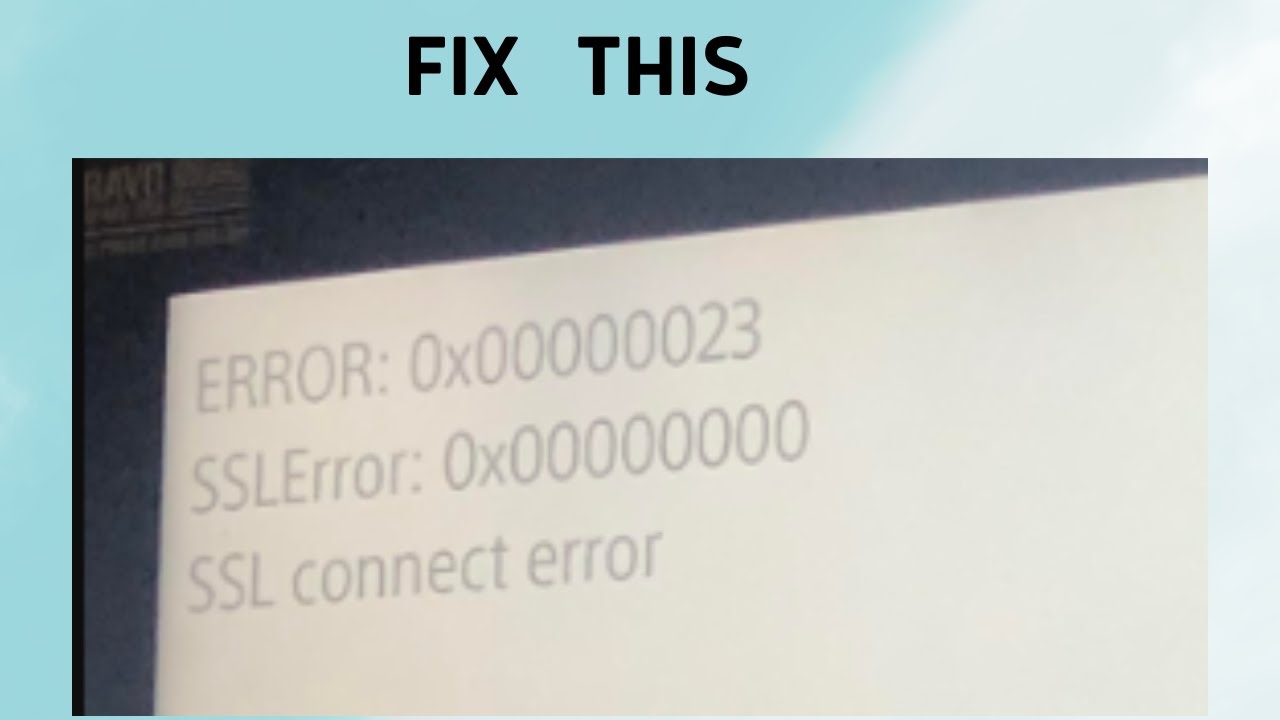
Source: Sadeq info

Related Topics
Guide Madden 23
Share. Facebook Twitter LinkedIn Reddit Email
Asanga Wijeratne
  • Website

SUGGESTED READS

XBOX Reportedly 'Wanted to Ensure' Physical Games Were Still Playable on Project Helix Before Company Reset
Gaming

XBOX Reportedly ‘Wanted to Ensure’ Physical Games Were Still Playable on Its Next Console Before Company Reset

Gears of War E-Day Multiplayer PC Preview
Gaming

Gears of War: E-Day Multiplayer Preview – The Legendary Shooter is Back

Final Fantasy 7 Revelation Director Isn't Sure the Game Could Get a Physical Edition: "We're Still Having Discussions"
Gaming

Final Fantasy 7 Revelation Director Isn’t Sure the Game Could Get a Physical Edition: ‘We’re Still Having Discussions’

XBOX is Giving Away 13 Ubisoft Games on PC for Free
Gaming

XBOX is Giving Away 13 Ubisoft Games on PC for Free

Endless Ragnarok PC Review
9
Gaming

Granblue Fantasy Relink: Endless Ragnarok Review – Once More Into Zegagrande

CS2 weapon skin collection
Gaming

The Smartest Ways to Start a CS2 Collection from Scratch

The Nerd Stash
Facebook X (Twitter) Instagram YouTube LinkedIn
  • About Us
  • Join Our Team
  • Meet the Team
  • Privacy Policy
  • DMCA Policy
  • Contact Us
  • Terms of Use
  • Sitemap
  • Editorial Guidelines
  • Advertising Policy
© 2026 The Nerd Stash. All Rights Reserved.

Type above and press Enter to search. Press Esc to cancel.