Close Menu
  • Gaming
    • Game Guides
    • Codes
    • Game News
    • Game Previews
    • Game Reviews
    • Game Features
    • Game Lists
    • Platforms
      • Nintendo
      • PC
      • PlayStation
      • Xbox
      • Mobile
  • Entertainment
    • Movies
    • Movie Features
    • Movie Reviews
    • TV
    • Reality TV
    • Royals
  • Celebrity
    • Hollywood
  • Human Interest
  • Astrology
  • More
    • Anime
    • Lists
    • Podcasts
    • Reviews
Facebook X (Twitter) Instagram LinkedIn YouTube
  • About Us
  • Join Our Team
  • Meet the Team
  • Privacy Policy
  • DMCA Policy
  • Contact Us
  • Terms of Use
  • Sitemap
  • Editorial Guidelines
  • Advertising Policy
The Nerd Stash
  • Gaming
  • Celebrity
  • Hollywood
  • Human Interest
The Nerd Stash
Home»Game Guides»How To Redeem Pre Order Bonuses in Street Fighter 6

How To Redeem Pre Order Bonuses in Street Fighter 6

Street Fighter 6 is now available for everyone to purchase and play. Like every major game, Street Fighter 6 also has various editions and pre-order bonuses that we’ve…

Masoud KazemiBy Masoud KazemiJune 5, 20233 Mins Read
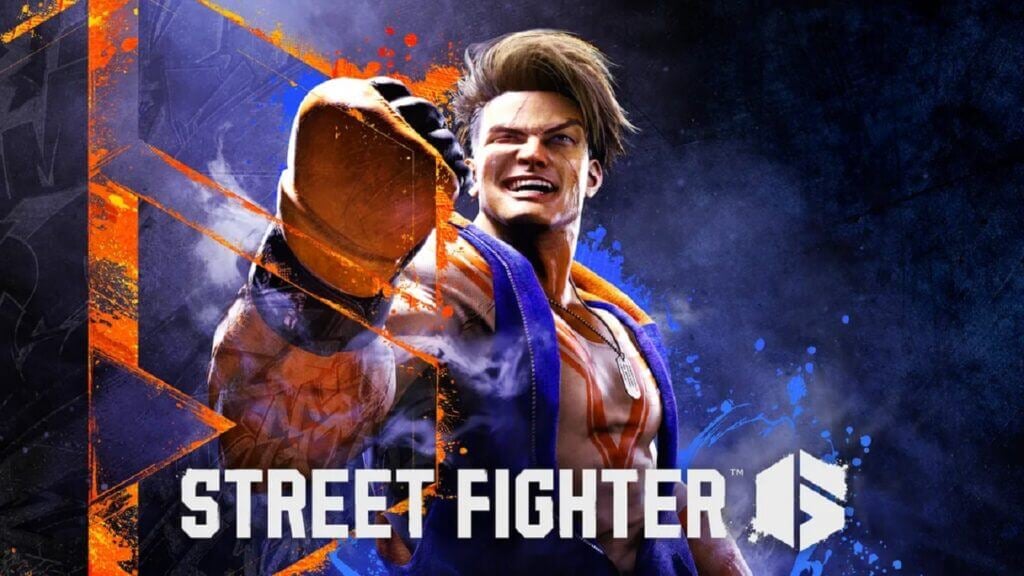
street fighter 6 luke
Image Source: Capcom
This article is over 2 years old and may contain outdated information.

Street Fighter 6 is now available for everyone to purchase and play. Like every major game, Street Fighter 6 also has various editions and pre-order bonuses that we’ve already covered. Each of those editions has various content, mostly different outfits and colors. Most players, especially PlayStation users, seem to have trouble getting their pre-orders or additional content they have paid for in Deluxe and Ultimate Editions. If you have the same issue, then here is the guide on how to redeem pre-order colors and additional bonuses in Street Fighter 6.

Redeeming Pre-Order Bonuses in Street Fighter 6
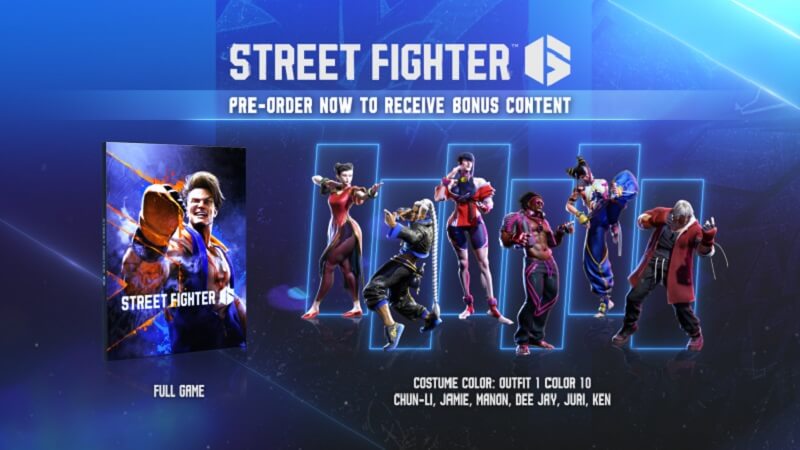
pre-order colors
Image Source: Capcom

Usually, when you pre-order a game for the bonus or additional content, the contents will be added to the game when you start the game. Not only in Street Fighter 6, but the majority of games work this way. Players that have pre-ordered the game on PlayStation are having issues with getting the items they have paid for. This is because of a bug or glitch that prevents the game from recognizing which version you’ve bought and whether you’ve pre-ordered the game or not.

Luckily, a Reddit user named Gunkokoko has found a trick to make the content available in the game. You need to download the PlayStation App on your mobile device first if you don’t have it. Then turn on your PlayStation and log in to your account on the console and mobile.

Then go to the Game Library on the PlayStation App, find Street Fighter 6, and select it. On that page, you should see the game saying purchased. Select the game and then press the Play on Console button. Luckily this method and trick will work for you.

There is also another trick that some users have stated helped them get the bonus content. All you have to do is go to the PlayStation Store, find a free application, start downloading, and then cancel it after a few seconds. It seems this will make the PlayStation Store recognize you’ve paid for a Deluxe or Ultimate Edition or if you’ve pre-ordered the game, and the content will be available for you.

Related:

How to Taunt in Street Fighter 6

Still, it is essential to know that none of these methods are official or guaranteed to work. These issues are usually from the store servers, especially when a big game like Street Fighter 6 comes out, and many players want to purchase and play the game as quickly as possible.

Street Fighter 6 is now available for PC, PS4, PS5, and Xbox Series X|S.

Related Topics
Guide Street Fighter 6
Share. Facebook Twitter LinkedIn Reddit Email
Masoud Kazemi
  • Website
  • X (Twitter)

I don't care about the real world. I cared only about the world of fiction. -Woody Allen

SUGGESTED READS

LEGO Batman Legacy of the Dark Knight Batcave
Game News

LEGO Batman: Legacy of the Dark Knight Could Oddly Be the Most Faithful Love Letter to the Caped Crusader

New York City Recording Artist Lana Del Rey Announced as Singer for 007 First Light Title Song
Gaming

New York City Recording Artist Lana Del Rey Announced as Singer for 007 First Light Title Song

Marvel Rivals Season 7.5 Preview
Game Previews

Marvel Rivals Season 7.5 Hands-On Preview – The Good, the Bad, and the Ugly

Leaked GTA Online Sales Suggest It Recoups GTA 6's $1B Budget in Just 2 Years, Skyrockets Take-Two Stock
Game News

Leaked GTA Online Sales Suggest It Recoups GTA 6’s $1B Budget in Just 2 Years, Skyrockets Take-Two Stock

Pragmata Solar Power Plant Mini Cabin Figures Locations
Game Guides

All Solar Power Plant Mini Cabin Locations in Pragmata

Pragmata Mass Production Array Mini Cabin Figures
Game Guides

All Mass Production Array Mini Cabin Figure Locations in Pragmata

The Nerd Stash
Facebook X (Twitter) Instagram YouTube LinkedIn
  • About Us
  • Join Our Team
  • Meet the Team
  • Privacy Policy
  • DMCA Policy
  • Contact Us
  • Terms of Use
  • Sitemap
  • Editorial Guidelines
  • Advertising Policy
© 2026 The Nerd Stash. All Rights Reserved.

Type above and press Enter to search. Press Esc to cancel.