
Close Menu
  • Gaming
    • Game Guides
    • Codes
    • Game News
    • Game Previews
    • Game Reviews
    • Game Features
    • Game Lists
    • Platforms
      • Nintendo
      • PC
      • PlayStation
      • Xbox
      • Mobile
  • Entertainment
    • Movies
    • Movie Features
    • Movie Reviews
    • TV
    • Reality TV
    • Royals
  • Celebrity
  • Human Interest
  • Astrology
  • Videos
  • More
    • Anime
    • Lists
    • Podcasts
    • Reviews
Facebook X (Twitter) Instagram LinkedIn YouTube
  • About Us
  • Join Our Team
  • Meet the Team
  • Privacy Policy
  • DMCA Policy
  • Contact Us
  • Terms of Use
  • Sitemap
  • Editorial Guidelines
  • Advertising Policy
The Nerd Stash
  • Gaming
  • Celebrity
  • Human Interest
  • Videos
The Nerd Stash
Home»Game Guides»How To Transfer Save to Steam in HoloCure

How To Transfer Save to Steam in HoloCure

Players want to know how to transfer their save file of HoloCure onto the new Stream version of the game. The title is an independent…

Misael DuranBy Misael DuranAugust 18, 20232 Mins Read
How To Transfer Save to Steam in HoloCure
Image Source: KayAnimate
This article is over 2 years old and may contain outdated information.

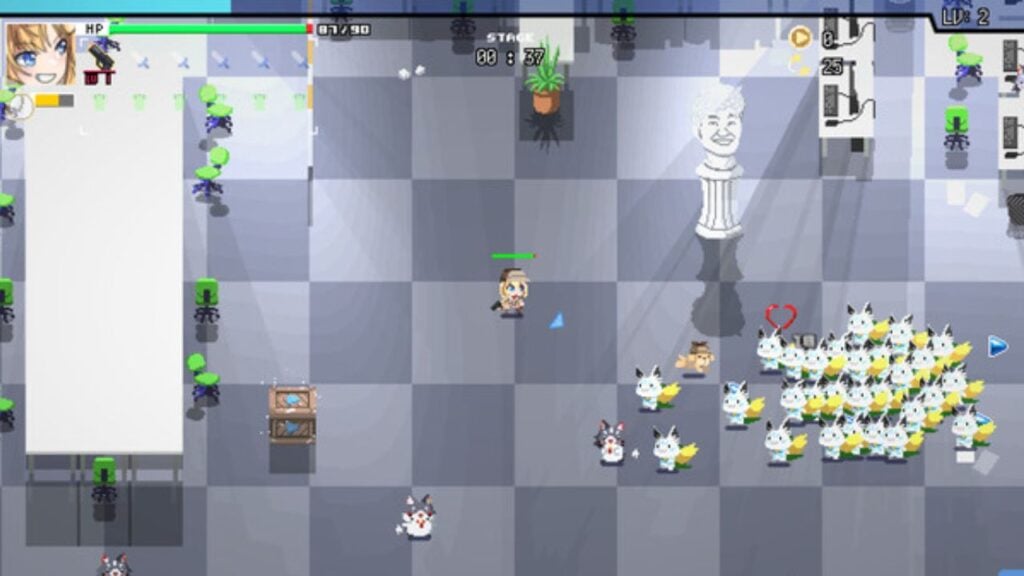
Players want to know how to transfer their save file of HoloCure onto the new Stream version of the game. The title is an independent game created by the indie studio KayAnimate. HoloCure – Save the Fans is a fan game based on virtual YouTubers tied to the Hololive Production agency. The game launched for free on Itch.io, an independent video game website where anyone can publish. The title is now available to download on Steam, but fans worry that their saved file on Itch.io won’t transfer to the new platform.

Can You Transfer Your Saved File of HoloCure to Steam?

Can You Transfer your Save in Steam in HoloCure, the Hololive Fan game?
Image Source: KayAnimate

Itch.io allows players to download HoloCure directly onto their computers free of charge. The game only takes up 158 MB of space on a Windows computer. HoloCure is a labor of love from the developers, who are not looking to monetize the game. The game features a gacha system, but the title uses only in-game currency.

You can transfer your saved file of HoloCure onto Steam. When the game launches on Steam, you can play the game through Steam’s library. As long as you still have the original version of the game on your computer, the save file should automatically download onto your Steam copy. The only thing you need to do is not delete your copy of the title from your computer and use the same computer that you downloaded HoloCure on.

The benefit of having HoloCure in your Steam library is that you don’t have to worry about the game taking up space on your computer. While you still need to download the game onto your hardware with Steam, you can always delete and re-download games on Steam. Steam will remember your game progression for you. On the other hand, if you have the game downloaded directly onto your computer, if you delete it, you could potentially lose everything.

Related:

How to Refund a Game on Steam

HoloCure – Save the Fans is a roguelike action fan game that uses pixelated graphics and stars 38 Hololive characters. The game launched on Steam on August 16 and is available in three languages – English, Indonesian, and Japanese.


Related Topics
Guide Holocure
Share. Facebook Twitter LinkedIn Reddit Email
Misael Duran
  • Website
  • Instagram

With over seven years of experience, I've worked on some of the biggest websites on the internet, including IGN, Comic Book Resource, and TheGamer.

SUGGESTED READS

Path of Exile 2 The Last of the Druids Update Preview
Features

One Of the Most Unique Druid Archetypes Is Ready to Land on Path of Exile 2: The Last of the Druids

Avatar TLA Fans Are Finally Getting the Open-World Game They've Been Waiting For: 'We Got Avatar's Creed Before GTA 6'
Game News

Avatar TLA Fans Are Finally Getting the Open-World Game They’ve Been Waiting For: ‘We Got Avatar’s Creed Before GTA 6’

Best Augments in Black Ops 7 Zombies
Game Guides

Best Augments You Need To Fully Research In Call of Duty: Black Ops 7 Zombies

All Steps in the Destiny 2 Renegades Campaign
Game Guides

How To Complete the Renegades Campaign in Destiny 2

Octopath Traveler 0 PS5 Review
9
Features

Octopath Traveler 0 Review – A Tale of Revenge and Restoration

Destiny 2 Renegades Eververse Store Items
Game Guides

All Destiny 2: Renegades Eververse Cosmetics

Trending
Path of Exile 2 The Last of the Druids Update Preview

One Of the Most Unique Druid Archetypes Is Ready to Land on Path of Exile 2: The Last of the Druids

Avatar TLA Fans Are Finally Getting the Open-World Game They've Been Waiting For: 'We Got Avatar's Creed Before GTA 6'

Avatar TLA Fans Are Finally Getting the Open-World Game They’ve Been Waiting For: ‘We Got Avatar’s Creed Before GTA 6’

Best Augments in Black Ops 7 Zombies

Best Augments You Need To Fully Research In Call of Duty: Black Ops 7 Zombies

All Steps in the Destiny 2 Renegades Campaign

How To Complete the Renegades Campaign in Destiny 2

The Nerd Stash
Facebook X (Twitter) Instagram YouTube LinkedIn
  • About Us
  • Join Our Team
  • Meet the Team
  • Privacy Policy
  • DMCA Policy
  • Contact Us
  • Terms of Use
  • Sitemap
  • Editorial Guidelines
  • Advertising Policy
© 2025 The Nerd Stash. All Rights Reserved.

Type above and press Enter to search. Press Esc to cancel.




