Close Menu
  • Gaming
    • Platforms
      • Nintendo
      • PC
      • PlayStation
      • Xbox
  • Entertainment
    • Movies
    • TV
    • Royals
  • Celebrity
    • Hollywood
  • Human Interest
  • Astrology
  • More
    • Reviews
Facebook X (Twitter) Instagram LinkedIn YouTube
  • About Us
  • Join Our Team
  • Meet the Team
  • Privacy Policy
  • DMCA Policy
  • Contact Us
  • Terms of Use
  • Sitemap
  • Editorial Guidelines
  • Advertising Policy
The Nerd Stash
  • Gaming
  • Celebrity
  • Hollywood
  • Human Interest
The Nerd Stash
Home»Gaming»How To Fix Backup Failed in Geometry Dash

How To Fix Backup Failed in Geometry Dash

Say no more to backup failed error.

Sidharta F. RasidiBy Sidharta F. RasidiDecember 22, 20232 Mins Read
How To Fix Backup Failed in Geometry Dash
Image source: RobTop Games via The Nerd Stash
This article is over 2 years old and may contain outdated information.

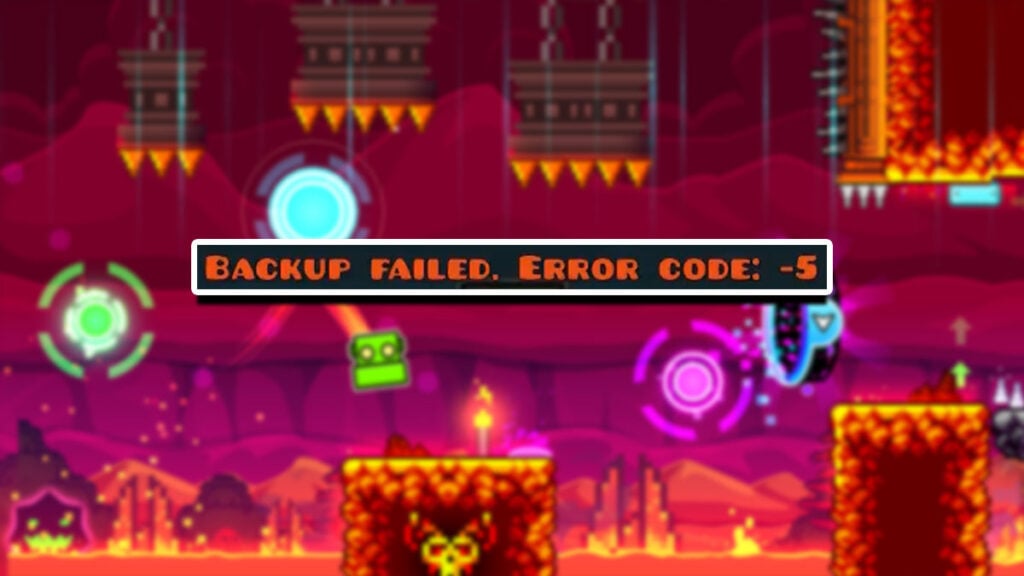
Thanks to the cloud backup system, this classic indie rhythm-platforming game has a cross-platform save feature between PC and mobile. This will let you save time grinding Diamonds, Mana Orbs, and Demon levels from one platform to the other. But sometimes, your Geometry Dash cloud backup save could fail when you’re trying to sync the data. Fortunately, the dedicated fanbase and community have found several ways that should help you fix the data syncing woes.

Geometry Dash: How Can You Fix Backup Failed Error?

Geometry Dash: How Can You Fix Backup Failed Error?
Image source: RobTop Games via SumChot screenshot

The cloud backup has a file size limit, and if you bypass it, the game could have a problem syncing the data. The rhythm title also has virtual memory limitations that could gimp the feature’s performance. Below are four methods that should help you fix the backup failed error in Geometry Dash.

Related:

How To Get the Music Unlocker in Geometry Dash
  1. Delete your saved levels.
    • Having too many saved levels can cause issues with your cloud backup. Open the “Create” menu and check Folder 0, try to keep less than 75 levels there.
    • If you have levels you haven’t played in a long while, delete them to save space.
    • Try deleting levels with too many objects since they can also bloat up your save file.
  2. Delete songs bigger than 100MB.
    • Cloud saving can also encounter errors when syncing something like True Values of Life and Snowy Roads, which take more than 30 minutes.
    • Occasionally, deleting all of your saved levels and songs could work too.
  3. Try the Refresh Login option.
    • For some reason, refreshing your Geometry Dash account could fix the backup failed error. Open the “Manage Account” menu through the “Settings,” “Account,” then “More” option. Afterward, pick the “Refresh Login” selection to change your password.
  4. Use the 4GB RAM Patch.
    • The 4GB RAM patch can be found here: ntcore.com/?page_id=371. Geometry Dash is an x86 application that cannot use more than 2GB RAM even if your PC has more. With the patch, you can run Geometry Dash beyond the memory limitation. Use the patch’s .exe file and select the GeometryDash.exe afterward.

Related:

Geometry Dash: Vault Codes (December 2023)

Geometry Dash is available on PC and iOS and Android mobile devices.

Related Topics
Guide
Share. Facebook Twitter LinkedIn Reddit Email
Sidharta F. Rasidi
  • Website

Since middle school, Sidharta has used his video game blog as a handy excuse to avoid studying. After graduating with a degree in Management Information Systems from Bina Nusantara University, he spent years honing his skills as a games journalist, working as an editor for a local gaming site and freelancing elsewhere. Nowadays, when he’s not busy crafting outrageous plots for his serialized comic, Sidharta covers niche games on his personal blog, StoPlayinGame.com. His favorite game series includes Monster Hunter, Earth Defense Force, THE iDOLM@STER, Road Trip Adventure, and KOEI Tecmo's Warriors.

SUGGESTED READS

Pal Awakening Guide - Palworld
Gaming

Complete Palworld Pal Awakening Guide

How to get Radiant Gems In Palworld 1.0
Gaming

How to get Radiant Gems In Palworld 1.0

gamescom dev 2026 Adds Subnautica 2 Creative Director as Keynote Speaker, Reveals New Awards
Gaming

gamescom dev 2026 Adds Subnautica 2 Creative Director as Keynote Speaker, Reveals New Awards

Fortnite Summer Skins Censored Rumors
Gaming

Fortnite Fans Disappointed as Upcoming Summer Skins Have Been Allegedly Censored One Day After Their Reveal: ‘They Folded Without Any Pressure’

Where to Mine Soralite and Paloxite in Palworld
Gaming

Where to Mine Soralite and Paloxite in Palworld

Beast of Reincarnation Game Previews
Gaming

Beast of Reincarnation Previews Just Made It One of the Most Anticipated Games of 2026

The Nerd Stash
Facebook X (Twitter) Instagram YouTube LinkedIn
  • About Us
  • Join Our Team
  • Meet the Team
  • Privacy Policy
  • DMCA Policy
  • Contact Us
  • Terms of Use
  • Sitemap
  • Editorial Guidelines
  • Advertising Policy
© 2026 The Nerd Stash. All Rights Reserved.

Type above and press Enter to search. Press Esc to cancel.