Close Menu
  • Gaming
    • Game Guides
    • Codes
    • Game News
    • Game Previews
    • Game Reviews
    • Game Features
    • Game Lists
    • Platforms
      • Nintendo
      • PC
      • PlayStation
      • Xbox
      • Mobile
  • Entertainment
    • Movies
    • Movie Features
    • Movie Reviews
    • TV
    • Reality TV
    • Royals
  • Celebrity
    • Hollywood
  • Human Interest
  • Astrology
  • Videos
  • More
    • Anime
    • Lists
    • Podcasts
    • Reviews
Facebook X (Twitter) Instagram LinkedIn YouTube
  • About Us
  • Join Our Team
  • Meet the Team
  • Privacy Policy
  • DMCA Policy
  • Contact Us
  • Terms of Use
  • Sitemap
  • Editorial Guidelines
  • Advertising Policy
The Nerd Stash
  • Gaming
  • Celebrity
    • Hollywood
  • Human Interest
  • Videos
The Nerd Stash
Home»Game Guides»How To Access The Dark Horizon DLC in Remnant 2

How To Access The Dark Horizon DLC in Remnant 2

I need directions

Giovanna De ItaBy Giovanna De ItaSeptember 24, 20242 Mins Read
Remnant 2 The Dark Horizon acces
Image Source: Gunfire Games via The Nerd Stash

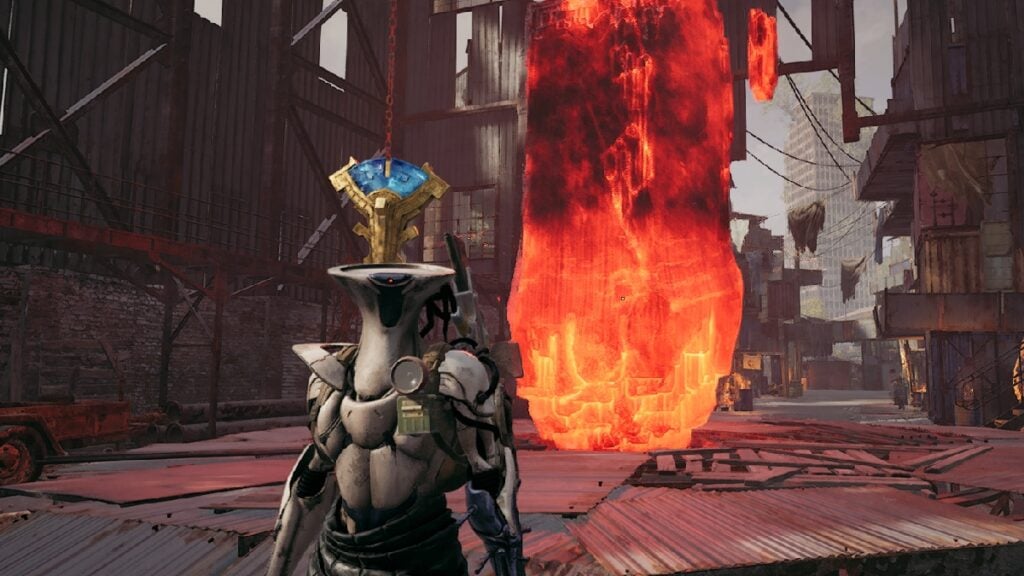
Players can access three planets in the base game: Yesha, Losomn, and N’Erud. But we could see a new part of Yesha and Losomn with the DLCs. However, the latest Remnant 2 DLC, The Dark Horizon, gives the Travelers access to N’Erud again, the final planet whose other side we had yet to see and explore. Although I fell in love with the fantasy feeling of the other two planets, N’Erud has nothing to envy with all the new things it has to offer. So grab that World Stone, and let’s go to The Dark Horizon quadrant.

Remnant 2: The Dark Horizon DLC Access Guide

Unfortunately, in Remnant 2, you can’t just start the story of any of the DLC if you are still in the middle of your campaign. To access the new N’Erud content, you need to do an Adventure Mode Reroll, which will erase all your invested hours. Don’t worry; you won’t lose any of your items or archetypes. If you are sure to go ahead and delete a slot in Remnant 2 to access The Dark Horizon DLC, follow these steps:

1. Go to Ward 13.

2. Interact with the World Stone.

3. In the circle of the worlds, go to the option at the bottom, “World Settings.” 

Remnant 2 World Map
Image Source: Gunfire Games via The Nerd Stash

4. Then select “Reroll Adventure Mode.” This will only erase your progress in the last DLC you played, if you have one.

Remnant 2 Game Mode
Image Source: Gunfire Games via The Nerd Stash

5. A new window will appear for you to select another world. Choose the “The Dark Horizon One Shot” option.

Remnant 2 The Dark Horizon One Shot Access
Image Source: Gunfire Games via The Nerd Stash

6. Select your difficulty level.

Related:

Remnant 2: The Dark Horizon DLC Hands-On Impressions – A Boundless N’Erudian Adventure

Even though the Remnant 2 map is procedural, the “One shot” option allows players to experience primarily new content. So, if you are playing The Dark Horizon DLC, it will be easier to find dungeons like Withered Necropolis, or you can fight Amalgam Kel’Roth boss; however, the items are mixed. If you replay the quest, the DLC and base game areas will be combined.

Related Topics
Guide Remnant 2
Share. Facebook Twitter LinkedIn Reddit Email
Giovanna De Ita
  • Website

Giovanna is a fan of every single game HoYoverse has launched. When she's not covering videogames, she writes her daily horoscopes and tarot readings for the astrology vertical in The Nerd Stash.

SUGGESTED READS

Minecraft Accused of Mocking Lonely Kids, Sparking Mental Health Backlash: 'One of the Ickiest Things I've Seen'
Features

Minecraft Accused of Mocking Lonely Kids, Sparking Mental Health Backlash: ‘One of the Ickiest Things I’ve Seen’

Destiny 2 Renegades PS5 Review
8.5
Features

Destiny 2: Renegades Review – The Shooter Strikes Back

Clair Obscur: Expedition 33 Loses GOTY, Other Award from Indie Game Awards Over Generative AI: 'Some Weird Performative BS'
Game News

GOTY Stripped Over AI?: Clair Obscur: Expedition 33 Loses Awards at Indie Game Awards, ‘Some Weird Performative BS’

Sony Patents Real-time AI Game Censorship Tech That Could Even Make GTA 6 Kid-Friendly
Game News

Sony Patents Real-Time AI Game Censorship Tech That Could Even Make GTA 6 Kid-Friendly

Zenless Zone Zero Version 2.5 Announcement
Game News

Zenless Zone Zero Version 2.5 Is Ready To Wrap Up the Year With Two New Agents and a Free Outfit

PC Gamers Can't Catch a Break as Nvidia Plans 40% GeForce GPU Production Cuts, Report: 'Who Needs a PC Anyways'
Game News

PC Gamers Can’t Catch a Break as Nvidia Reportedly Plans 40% GeForce GPU Production Cuts: ‘Who Needs a PC Anyways’

Trending
Minecraft Accused of Mocking Lonely Kids, Sparking Mental Health Backlash: 'One of the Ickiest Things I've Seen'

Minecraft Accused of Mocking Lonely Kids, Sparking Mental Health Backlash: ‘One of the Ickiest Things I’ve Seen’

Destiny 2 Renegades PS5 Review
8.5

Destiny 2: Renegades Review – The Shooter Strikes Back

Clair Obscur: Expedition 33 Loses GOTY, Other Award from Indie Game Awards Over Generative AI: 'Some Weird Performative BS'

GOTY Stripped Over AI?: Clair Obscur: Expedition 33 Loses Awards at Indie Game Awards, ‘Some Weird Performative BS’

Sony Patents Real-time AI Game Censorship Tech That Could Even Make GTA 6 Kid-Friendly

Sony Patents Real-Time AI Game Censorship Tech That Could Even Make GTA 6 Kid-Friendly

The Nerd Stash
Facebook X (Twitter) Instagram YouTube LinkedIn
  • About Us
  • Join Our Team
  • Meet the Team
  • Privacy Policy
  • DMCA Policy
  • Contact Us
  • Terms of Use
  • Sitemap
  • Editorial Guidelines
  • Advertising Policy
© 2025 The Nerd Stash. All Rights Reserved.

Type above and press Enter to search. Press Esc to cancel.