Close Menu
  • Gaming
    • Platforms
      • Nintendo
      • PC
      • PlayStation
      • Xbox
  • Entertainment
    • Movies
    • TV
    • Royals
  • Celebrity
    • Hollywood
  • Human Interest
  • Astrology
  • More
    • Reviews
Facebook X (Twitter) Instagram LinkedIn YouTube
  • About Us
  • Join Our Team
  • Meet the Team
  • Privacy Policy
  • DMCA Policy
  • Contact Us
  • Terms of Use
  • Sitemap
  • Editorial Guidelines
  • Advertising Policy
The Nerd Stash
  • Gaming
  • Celebrity
  • Hollywood
  • Human Interest
The Nerd Stash
Home»Features»Hogwarts Legacy: How to Fix Low Frame Rate and Stuttering

Hogwarts Legacy: How to Fix Low Frame Rate and Stuttering

Finally, after waiting for many years, Harry Potter fans can now live their dream of becoming a student in the School of Witchcraft and Wizardry…

Masoud KazemiBy Masoud KazemiFebruary 11, 20233 Mins Read
This article is over 3 years old and may contain outdated information.

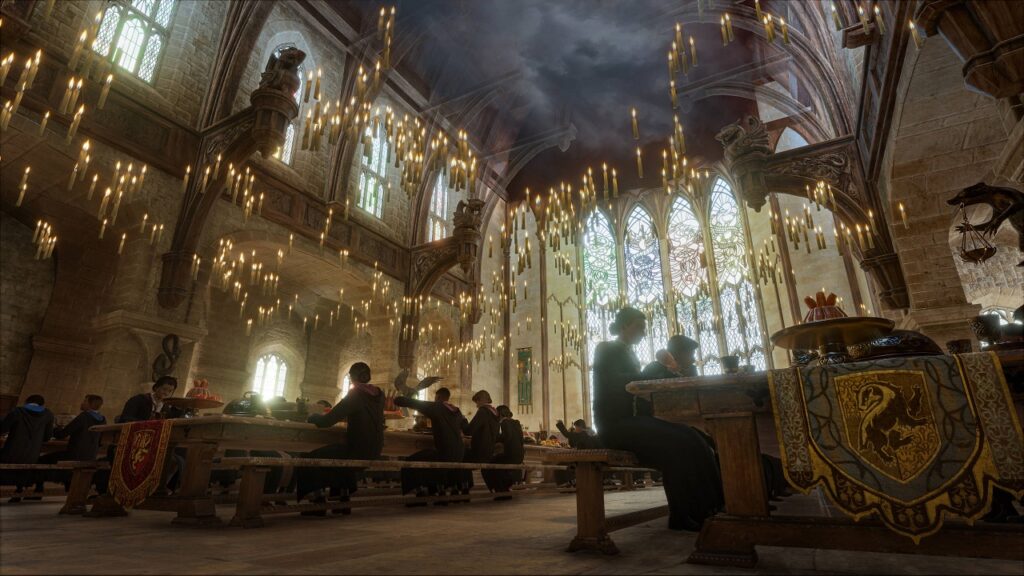
Finally, after waiting for many years, Harry Potter fans can now live their dream of becoming a student in the School of Witchcraft and Wizardry with Hogwarts Legacy. Although if you plan to play the game on your PC, it may not be the smoothest dream to live in because of FPS drops and stutters. So here is how to fix the low frame rate and stutters in Hogwarts Legacy.

How to Fix Low Frame Rate and Stutters in Hogwarts Legacy

In recent years, many games have suffered from low frame rates, sudden FPS drops, and stutters. This is because studios mainly focus on the console version of the game and less time on the PC version.

And that’s not all. When it comes to PC, there are hundreds of possibilities of which components you are using, while the PlayStation 5 or Xbox Series X system is the same for every console owner.

Still, there are methods you can test that might help improve the technical issues of stutters and low frame rates in the PC version of Hogwarts Legacy.

Before we get into what to change and tweak in the settings of your computer or Hogwarts Legacy, make sure your PC meets the system requirement of the game. You can read it here.

You also need to know if you have a Zen 4 Ryzen CPU, then you have to wait for the day one update or patch. It seems there is a problem with this series of CPUs that Hogwarts Legacy can’t use properly, even though it is powerful enough.

how to fix low frame rate and stuttering in hogwarts legacy

Make sure to check if the ray-tracing option is turned off. This is a demanding setting that needs a powerful graphic card and also needs optimization. So there is a good chance they haven’t optimized this setting, and it causes stutters in the game.

If you have a rather new Nvidia RTX graphic card, you might want to enable the DLSS (Deep Learning Super Sampling). This setting usually boosts FPS and also upscales resolution by using AI rather than raw GPU power.

Related:

How to Find and Use Knotgrass Sprig in Hogwarts Legacy

The last thing you must check is to see if your graphic drivers are updated. With the release of new games, both AMD and Nvidia release a new update to optimize the graphic card for the best possible performance.

If you still had these problems, even though you checked all the methods above, make sure to lower your graphic settings and see if it gets better or not. If it didn’t, then you have to wait for an update to fix these problems, unfortunately.

Hogwarts Legacy will be released on February 10 for PC, PS5, and Xbox Series X|S, April 4 for Xbox One and PS4, and July 25 for Nintendo Switch.

Related Topics
Guide Hogwarts Legacy
Share. Facebook Twitter LinkedIn Reddit Email
Masoud Kazemi
  • Website
  • X (Twitter)

I don't care about the real world. I cared only about the world of fiction. -Woody Allen

SUGGESTED READS

Two PlayStation Veterans Recreated Iconic PS4 Game Sharing Moment, Except There's No Game to Share This Time
Gaming

Two PlayStation Veterans Recreated Iconic PS4 Game Sharing Moment, Except There’s No Game to Share This Time

The Crew Motorfest Season 11 Preview
Gaming

The Crew Motorfest Season 11 Preview – The Road to Adventure

GTA 6 The Album Announcement
Gaming

Rockstar Games and Atlantic Records Unveil GTA 6: The Album, With 34 Original Tracks for the Game

Trails in the Sky 2nd Chapter Ambassador's Assignment Guide
Gaming

Trails in the Sky 2nd Chapter: Ambassador’s Assignment Quest Guide

Trails in the Sky 2nd Chapter Exhibit Enigma Guide
Gaming

Trails in the Sky 2nd Chapter: Exhibit Enigma Quest Guide

Trails in Sky 2nd Chapter Stolen Sign Guide
Gaming

Trails in the Sky 2nd Chapter: Stolen Sign Quest Guide

The Nerd Stash
Facebook X (Twitter) Instagram YouTube LinkedIn
  • About Us
  • Join Our Team
  • Meet the Team
  • Privacy Policy
  • DMCA Policy
  • Contact Us
  • Terms of Use
  • Sitemap
  • Editorial Guidelines
  • Advertising Policy
© 2026 The Nerd Stash. All Rights Reserved.

Type above and press Enter to search. Press Esc to cancel.