Close Menu
  • Gaming
    • Game Guides
    • Codes
    • Game News
    • Game Previews
    • Game Reviews
    • Game Features
    • Game Lists
    • Platforms
      • Nintendo
      • PC
      • PlayStation
      • Xbox
      • Mobile
  • Entertainment
    • Movies
    • Movie Features
    • Movie Reviews
    • TV
    • Reality TV
    • Royals
  • Celebrity
    • Hollywood
  • Human Interest
  • Astrology
  • Videos
  • More
    • Anime
    • Lists
    • Podcasts
    • Reviews
Facebook X (Twitter) Instagram LinkedIn YouTube
  • About Us
  • Join Our Team
  • Meet the Team
  • Privacy Policy
  • DMCA Policy
  • Contact Us
  • Terms of Use
  • Sitemap
  • Editorial Guidelines
  • Advertising Policy
The Nerd Stash
  • Gaming
  • Celebrity
    • Hollywood
  • Human Interest
  • Videos
The Nerd Stash
Home»Game Guides»How to Customize Clothes in Zelda: Tears of the Kingdom

How to Customize Clothes in Zelda: Tears of the Kingdom

Like any other true sandbox game, Tears of the Kingdom offers a lot of freedom to do things as you see fit. While many of…

Giovanna De ItaBy Giovanna De ItaMay 14, 20233 Mins Read
How to customize clothes in Zelda Tears of the Kingdom
Image via The Nerd Stash
This article is over 2 years old and may contain outdated information.

Like any other true sandbox game, Tears of the Kingdom offers a lot of freedom to do things as you see fit. While many of these things relate to gameplay only, there’s other stuff you can customize to add some personal touch to Link. If you’re a fan of the outfits but not so much of their colors, don’t worry; there is a way to make them look better. Today we’ve prepared a guide to show you how to customize clothes in Zelda Tears of the Kingdom. While not important when playing, no one can resist giving Link a brand-new and cool look.

How to Customize Clothes in Tears of the Kingdom
Zelda Tears of the Kingdom Customize Clothes
Image via The Nerd Stash

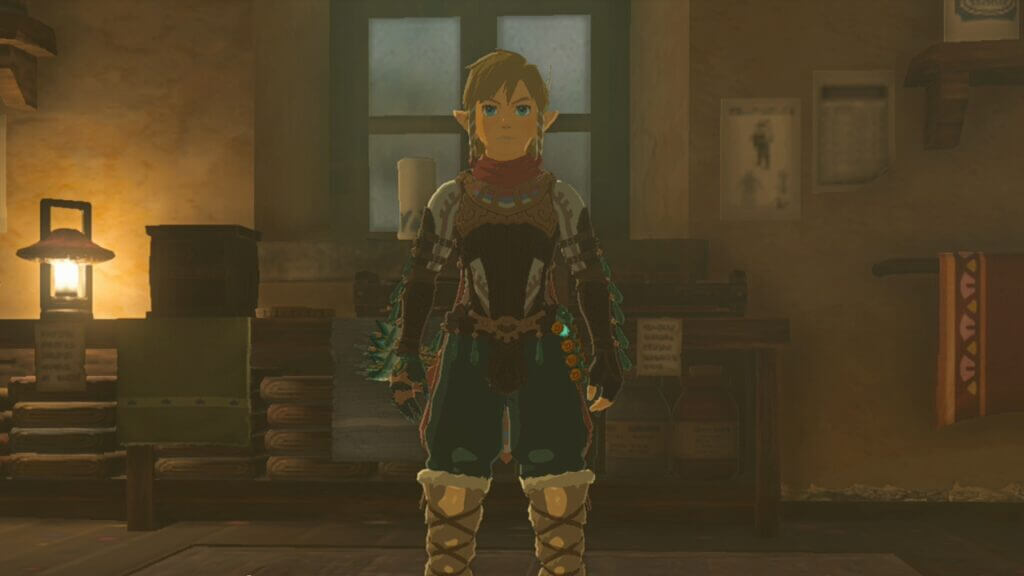
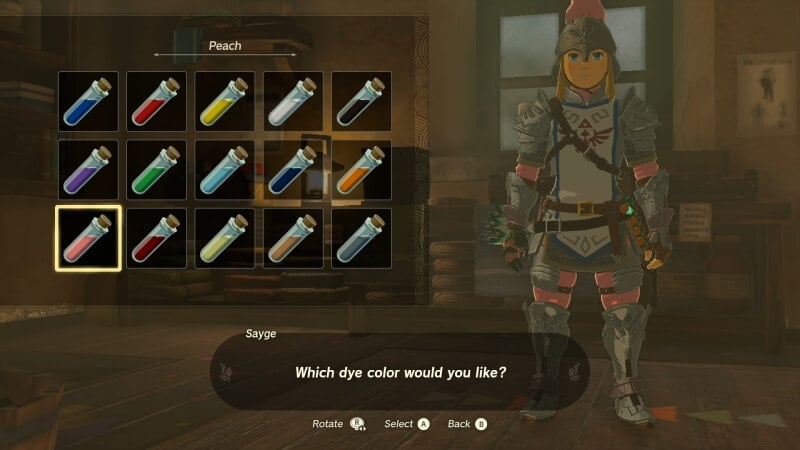
While many games out there let you change every piece of clothing in certain outfits, Tears of the Kingdom has a different approach t if you want to customize clothes. You can only dye your outfits in the game and change the paraglider design; today, we’ll focus on the former. If you want to customize clothes in the game, you’ll need to find Hateno Village first. Head to the Dye Shop to unlock this feature as soon as you arrive. Once you unlock it, you can bring items to the NPC to dye Link’s clothes with certain colors.

While it isn’t the largest customization system, it is nice to see Nintendo is giving us a way to give Link a different style. While sadly, most of the armors are the same as in Breath of the Wild; you can still find a way to customize them even further. Some can’t be colored, but the majority can, so don’t be afraid to try different combinations. Before trying that, though, remember to bring the required items.

You can use many colors in the game to customize clothes in Tears of the Kingdom, and most require items you’ll find in the wild. If you have ingredients like acorns or apples, don’t cook them yet, as you might use them to dye your outfit. This is one thing we like about the system because it even encourages the player to go out there and grab some items to get new looks.

As you can see, customizing clothes in Tears of the Kingdom is easy and shouldn’t take long. The most important thing is that you have the required items, and once you do, head to Hateno Village to get a fresh style.

The Legend of Zelda Tears of the Kingdom is available on the Nintendo Switch.

Related Topics
Guides Legend of Zelda Tears of Kingdom
Share. Facebook Twitter LinkedIn Reddit Email
Giovanna De Ita
  • Website

Giovanna is a fan of every single game HoYoverse has launched. When she's not covering videogames, she writes her daily horoscopes and tarot readings for the astrology vertical in The Nerd Stash.

SUGGESTED READS

Minecraft Accused of Mocking Lonely Kids, Sparking Mental Health Backlash: 'One of the Ickiest Things I've Seen'
Features

Minecraft Accused of Mocking Lonely Kids, Sparking Mental Health Backlash: ‘One of the Ickiest Things I’ve Seen’

Destiny 2 Renegades PS5 Review
8.5
Features

Destiny 2: Renegades Review – The Shooter Strikes Back

Clair Obscur: Expedition 33 Loses GOTY, Other Award from Indie Game Awards Over Generative AI: 'Some Weird Performative BS'
Game News

GOTY Stripped Over AI?: Clair Obscur: Expedition 33 Loses Awards at Indie Game Awards, ‘Some Weird Performative BS’

Sony Patents Real-time AI Game Censorship Tech That Could Even Make GTA 6 Kid-Friendly
Game News

Sony Patents Real-Time AI Game Censorship Tech That Could Even Make GTA 6 Kid-Friendly

Zenless Zone Zero Version 2.5 Announcement
Game News

Zenless Zone Zero Version 2.5 Is Ready To Wrap Up the Year With Two New Agents and a Free Outfit

PC Gamers Can't Catch a Break as Nvidia Plans 40% GeForce GPU Production Cuts, Report: 'Who Needs a PC Anyways'
Game News

PC Gamers Can’t Catch a Break as Nvidia Reportedly Plans 40% GeForce GPU Production Cuts: ‘Who Needs a PC Anyways’

Trending
Minecraft Accused of Mocking Lonely Kids, Sparking Mental Health Backlash: 'One of the Ickiest Things I've Seen'

Minecraft Accused of Mocking Lonely Kids, Sparking Mental Health Backlash: ‘One of the Ickiest Things I’ve Seen’

Destiny 2 Renegades PS5 Review
8.5

Destiny 2: Renegades Review – The Shooter Strikes Back

Clair Obscur: Expedition 33 Loses GOTY, Other Award from Indie Game Awards Over Generative AI: 'Some Weird Performative BS'

GOTY Stripped Over AI?: Clair Obscur: Expedition 33 Loses Awards at Indie Game Awards, ‘Some Weird Performative BS’

Sony Patents Real-time AI Game Censorship Tech That Could Even Make GTA 6 Kid-Friendly

Sony Patents Real-Time AI Game Censorship Tech That Could Even Make GTA 6 Kid-Friendly

The Nerd Stash
Facebook X (Twitter) Instagram YouTube LinkedIn
  • About Us
  • Join Our Team
  • Meet the Team
  • Privacy Policy
  • DMCA Policy
  • Contact Us
  • Terms of Use
  • Sitemap
  • Editorial Guidelines
  • Advertising Policy
© 2025 The Nerd Stash. All Rights Reserved.

Type above and press Enter to search. Press Esc to cancel.