Close Menu
  • Gaming
    • Platforms
      • Nintendo
      • PC
      • PlayStation
      • Xbox
  • Entertainment
    • Movies
    • TV
    • Royals
  • Celebrity
    • Hollywood
  • Human Interest
  • Astrology
  • More
    • Anime
    • Reviews
Facebook X (Twitter) Instagram LinkedIn YouTube
  • About Us
  • Join Our Team
  • Meet the Team
  • Privacy Policy
  • DMCA Policy
  • Contact Us
  • Terms of Use
  • Sitemap
  • Editorial Guidelines
  • Advertising Policy
The Nerd Stash
  • Gaming
  • Celebrity
  • Hollywood
  • Human Interest
The Nerd Stash
Home»Gaming»How to Earn Daisy Coins in Disney Dreamlight Valley (Boutique Challenge)

How to Earn Daisy Coins in Disney Dreamlight Valley (Boutique Challenge)

Hoarding wealth like Scrooge McDuck.

Patrick ArmstrongBy Patrick ArmstrongMay 2, 20243 Mins Read
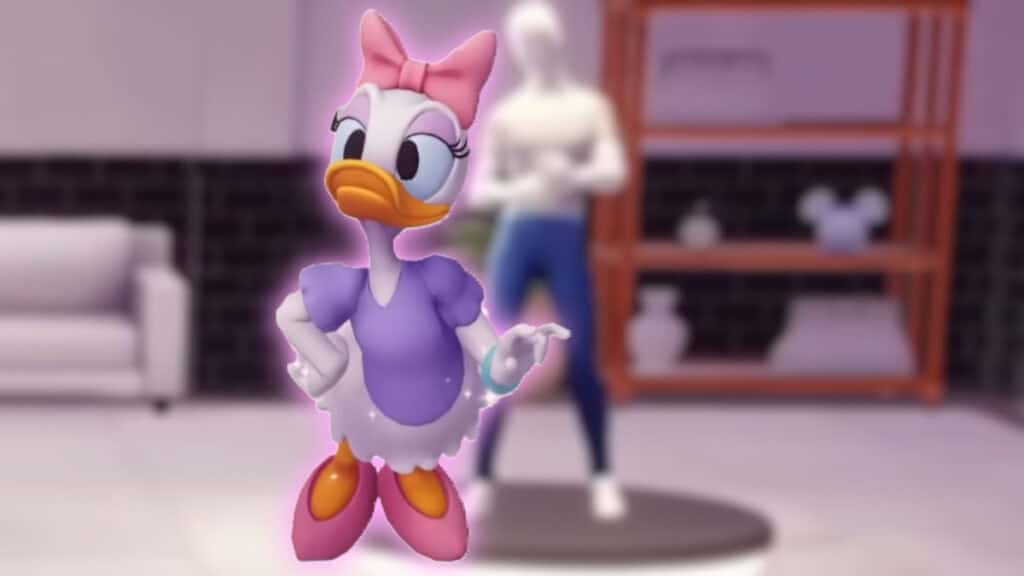
Daisy poses beside a mannequin in Disney Dreamlight Valley
Image Source: Serroh YouTube via The Nerd Stash
This article is over 2 years old and may contain outdated information.

Fabulous fashion and delicious decorations are a big part of Disney‘s charm. Disney Dreamlight Valley allows you to decorate much more than your house, extending your creative touch throughout the Valley. Whether you’re perfecting your Mickey-inspired threads or picking the perfect position for that Well of Souls, there’s always a way to embrace your fashionable side. Daisy Duck’s on the same page. With a little help from you, she’ll even open a boutique in the valley, giving you access to all new looks and mechanics. Here’s how to earn Daisy Coins and complete the Boutique Challenge in Disney Dreamlight Valley.

Disney Dreamlight Valley Boutique Challenge Guide

The Boutique Challenge to get Daisy Coins in Disney Dreamlight Valley
Image Source: Serroh YouTube via The Nerd Stash

You won’t be able to help Daisy out if she isn’t even in the Valley, so the first thing you’ll need to do is speak with Mickey to get the “You’ve Got Mail” quest. After placing Daisy’s house, speak with her to get a miniature version of the Boutique. Place it somewhere in the Valley, then head inside. It seems Daisy’s heard about the interior design skills you’ve developed between hanging out with Classic Friends and building a business empire. Here’s what you’ll need to do next:

  1. Speak with Daisy inside the Boutique
  2. Select “What’s the challenge today?”
  3. Look at the challenge requirements (displayed to the right of the item selection menu)
  4. Use the menu to place wardrobe items and furniture that meet the challenge requirements
  5. Once there’s a checkmark beside every requirement, speak with Daisy again
  6. Select “Did I complete the challenge?”

Related:

Disney Dreamlight Valley: Does Not Compute Quest Guide

Your goal is to decorate the display area (up the steps opposite the Boutique’s entrance) with clothing and furniture that matches the requirements of the daily Boutique Challenge. Whether she’s looking for something Casual or Simple, there’s an easy way to find the pieces you need. Just navigate through Wardrobe and Furniture menu to the filters, select the appropriate one, and then choose from the new selection. In no time you’ll have a display even Jafar could enjoy.

Spending Daisy Coins

You’ll earn 100 Daisy Coins for completing the Boutique Challenge in Disney Dreamlight Valley. Unfortunately, you can only complete one challenge every 24 hours, and some of the more expensive Boutique items can cost as much as 1,000 Daisy Coins. It’ll take a while to unlock everything, but at least that means there’s something else to stay busy with until the Valley’s next resident arrives. Fingers crossed that it’s Spider-Man, eh?

Disney Dreamlight Valley is available for PC, PlayStation 4, PlayStation 5, Xbox One, Xbox Series X/S, and Nintendo Switch.

Related Topics
disney dreamlight valley Guide
Share. Facebook Twitter LinkedIn Reddit Email
Patrick Armstrong
  • Website

Artist and writer with a lifelong love of video games. Their favorite games include Dead by Daylight, Meet Your Maker, and Project Zomboid.

SUGGESTED READS

Outward 2 PC Preview
Features

Outward 2 Preview – Nothing Is Given, Everything Is Earned

Fatal Fury City of the Wolves Hands-On Preview Mr Karate
Features

Fatal Fury: City of the Wolves Mr. Karate Hands-On Preview – Patience is Key

Honkai Star Rail Version 4.3 Announcements
Gaming

Honkai: Star Rail Version 4.3 Unveils Blade’s New Form and More Fate Collab Characters

Take-Two CEO Reveals Fans Will Be Forced To Wait a Bit Longer for GTA 6 News 'This Summer,' But Insiders Disagree
Gaming

Take-Two CEO Reveals Fans Will Be Forced To Wait a Bit Longer for GTA 6 News ‘This Summer,’ But Insiders Disagree

007 First Light Launch Trailer
Gaming

007 First Light Celebrates the Long-Awaited Return of James Bond With Its Launch Trailer

Destiny 2 Final Update
Features

Destiny 2 Is Dead: Bungie’s Divisive Franchise Going on Maintenance Mode With Its Last Update Launching on June 9

The Nerd Stash
Facebook X (Twitter) Instagram YouTube LinkedIn
  • About Us
  • Join Our Team
  • Meet the Team
  • Privacy Policy
  • DMCA Policy
  • Contact Us
  • Terms of Use
  • Sitemap
  • Editorial Guidelines
  • Advertising Policy
© 2026 The Nerd Stash. All Rights Reserved.

Type above and press Enter to search. Press Esc to cancel.