
Close Menu
  • Gaming
    • Platforms
      • Nintendo
      • PC
      • PlayStation
      • Xbox
  • Entertainment
    • Movies
    • TV
    • Royals
  • Celebrity
    • Hollywood
  • Human Interest
  • Astrology
  • More
    • Anime
    • Reviews
Facebook X (Twitter) Instagram LinkedIn YouTube
  • About Us
  • Join Our Team
  • Meet the Team
  • Privacy Policy
  • DMCA Policy
  • Contact Us
  • Terms of Use
  • Sitemap
  • Editorial Guidelines
  • Advertising Policy
The Nerd Stash
  • Gaming
  • Celebrity
  • Hollywood
  • Human Interest
The Nerd Stash
Home»Gaming»How to Find and Search Weapon Case in Fortnite

How to Find and Search Weapon Case in Fortnite

You Are Worthy of Good Weapons

Masoud KazemiBy Masoud KazemiDecember 4, 20233 Mins Read
Where to Find Weapon Case in Fortnite
Image Source: Epic Games via HarryNinetyFour Screenshot
This article is over 2 years old and may contain outdated information.

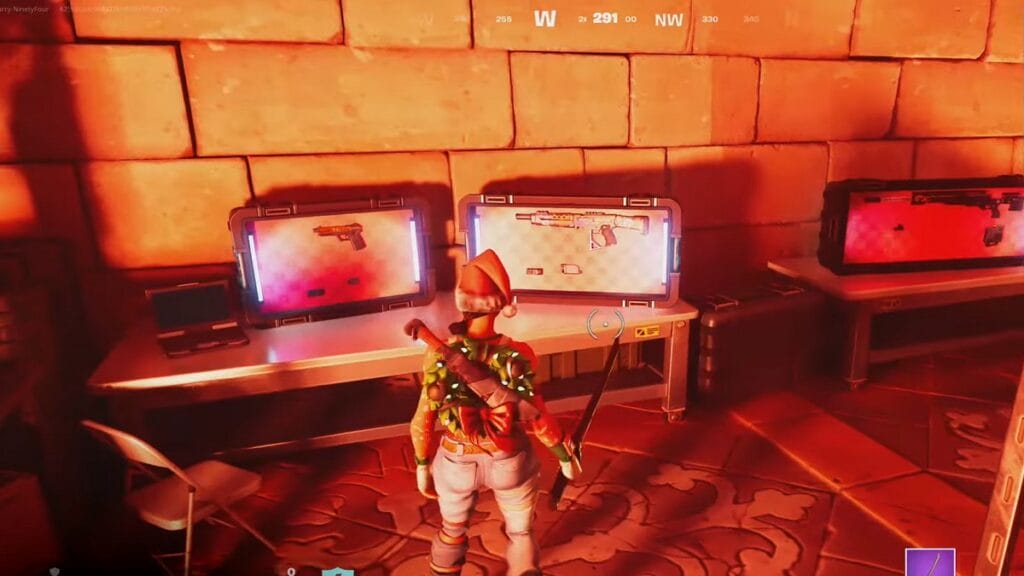
Like the start of every new season in Fortnite, Season 1 of Chapter 5 has added a bunch of new stuff to the game, including Weapon Cases. As the name suggests, these are cases scattered around the map containing weapons and ammo inside it. If you want to know how to find and search Weapon Case in Fortnite, then you’ve come to the right place.

Where to Find Weapon Case in Fortnite
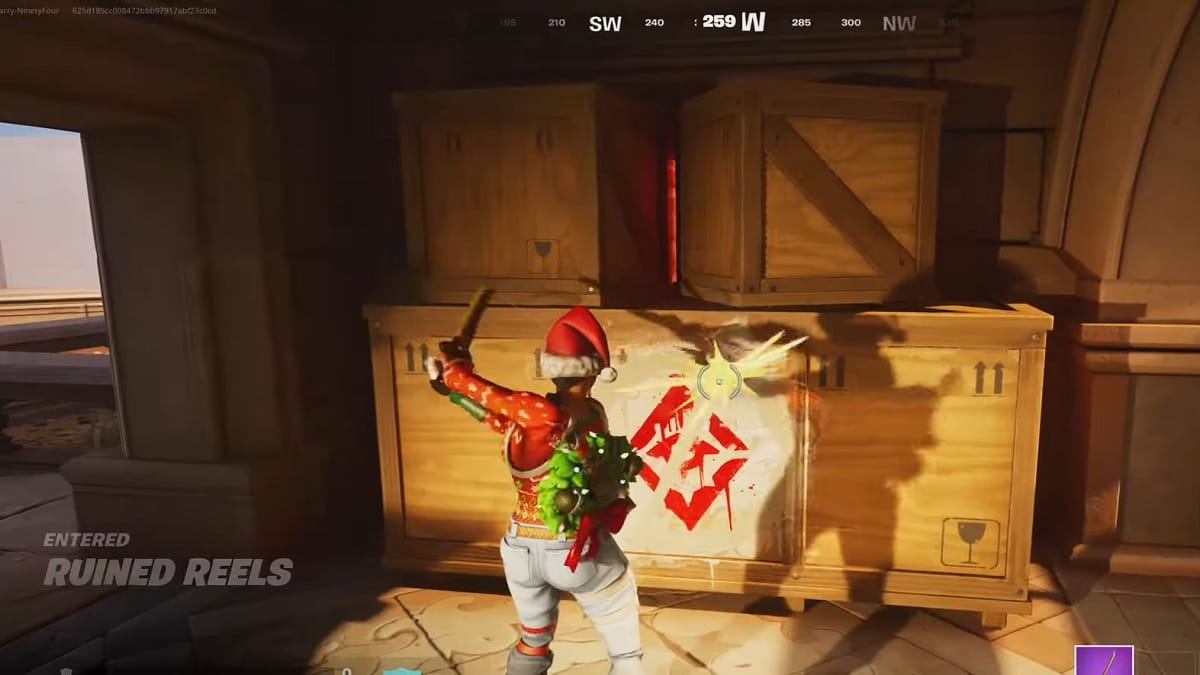
Fortnite Weapon Case
Image Source: Epic Games via HarryNinetyFour Screenshot

If you have been playing the season for a few hours, you’ve probably encountered a Weapon Case. If that is not the case, then you’ve always gone to the POIs that didn’t have those. There is a total of seven different locations where you can find Weapon Case:

  • Ritzy Riviera
  • East of Classy Courts
  • Hazy Hillside
  • South West of Pleasant Piazza
  • Rebel’s Roost
  • Reckless Railways
  • West of Fencing Fields

We also recommend watching KingAlexHD’s video on where to find these weapon cases in the game as well.

Where to find Weapon Case Location in Fortnite! (How to Get Weapon Case Location)

Whether you drop straight into these locations or go there in the middle of the match, look for graffiti that will direct you to a secret area. In these secret areas, you are bound to find a few weapon cases and, in some areas, even a Weapon Mod Bench to modify your weapon.

Related:

How To Find (& Use) Weapon Mods in Fortnite

Bear in mind that you are not the only player who would like to find these weapon cases. So make sure you are always on your toes, and your guard is up in case you face other players. For that reason, it is best to avoid dropping into these locations at the start of the match if you are a beginner. It is also safer to find some weapons and healing items first and then try to find good weapons.

How to Open and Search a Weapon Case
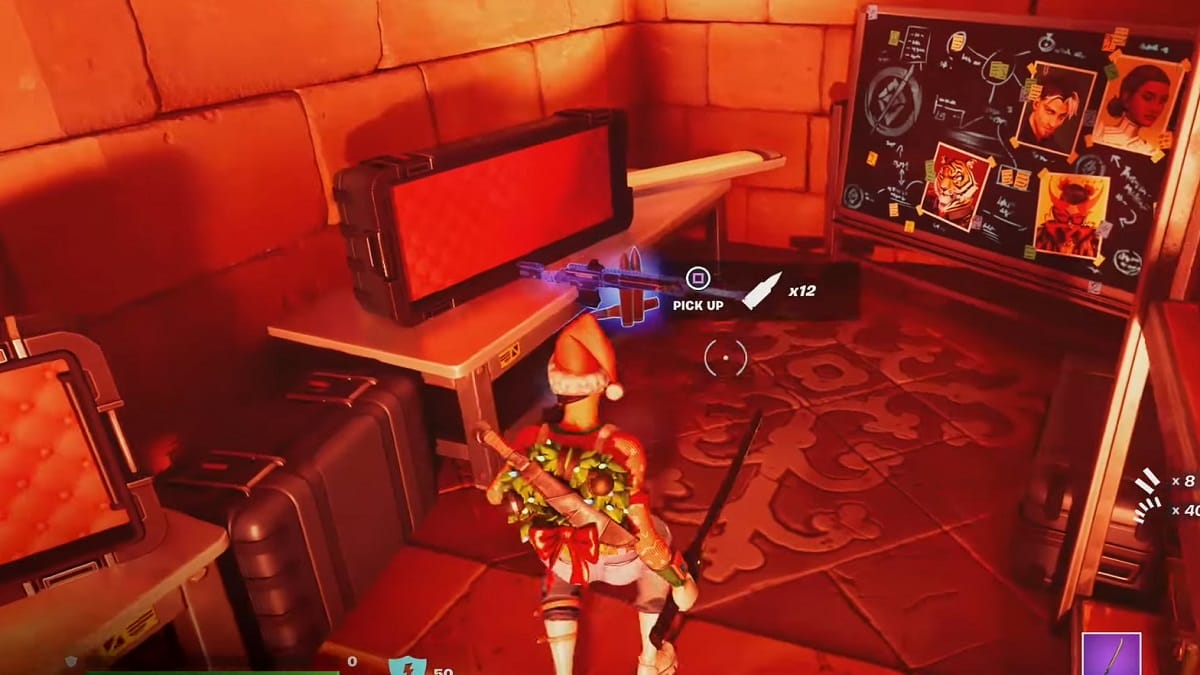
Fortnite - How to Search Weapon Case
Image Source: Epic Games via HarryNinetyFour Screenshot

Searching for a Weapon Case is quite easy in Fortnite. Once you’ve found a weapon case, simply press the interact button on your controller or keyboard, and then all the weapons and ammo inside it will come out. The best thing about these weapon cases is that they provide several options, from short to long-range weapons. Usually, you will get weapons that already have modifications, and most of them are Rare.

That was everything about weapon cases in Fortnite. With the start of new seasons, we publish new guides every day, so make sure to check our website for more content.
Fortnite is available for free on PC, PlayStation 5, PlayStation 4, Xbox One, Xbox Series X|S, iOS, and Android devices.

Related Topics
Fortnite Guide
Share. Facebook Twitter LinkedIn Reddit Email
Masoud Kazemi
  • Website
  • X (Twitter)

I don't care about the real world. I cared only about the world of fiction. -Woody Allen

SUGGESTED READS

World of Tanks HEAT Closed Beta Preview
Features

World of Tanks HEAT Hands-On Preview – Faster, Flashier, and Just as Tactical

Where to Find the Secret Fall Shop in Roblox Adopt Me
Gaming

Where to Find the Secret Fall Shop in Roblox Adopt Me

Diablo 4 Lord of Hatred Review
10
Features

Diablo 4: Lord of Hatred Review – Breaking the Cycle

Shuhei Yoshida Says He Was Fired From Playstation Studios for Saying 'No' to Jim Ryan: 'He Asked For Ridiculous Things'
Gaming

Shuhei Yoshida Says He Was Fired From Playstation Studios for Saying ‘No’ to Jim Ryan: ‘He Asked For Ridiculous Things’

Splinter Cell Remake Shows Signs of Life Despite Recent Layoffs at Ubisoft Toronto
Gaming

Splinter Cell Remake Shows Signs of Life Despite Recent Layoffs at Ubisoft Toronto

Fastest Ways to Get a Purrowl in Roblox Adopt Me
Gaming

Fastest Ways to Get a Purrowl & Trade Value in Roblox Adopt Me

The Nerd Stash
Facebook X (Twitter) Instagram YouTube LinkedIn
  • About Us
  • Join Our Team
  • Meet the Team
  • Privacy Policy
  • DMCA Policy
  • Contact Us
  • Terms of Use
  • Sitemap
  • Editorial Guidelines
  • Advertising Policy
© 2026 The Nerd Stash. All Rights Reserved.

Type above and press Enter to search. Press Esc to cancel.




