

Close Menu
  • Gaming
    • Platforms
      • Nintendo
      • PC
      • PlayStation
      • Xbox
  • Entertainment
    • Movies
    • TV
    • Royals
  • Celebrity
    • Hollywood
  • Human Interest
  • Astrology
  • More
    • Anime
    • Reviews
Facebook X (Twitter) Instagram LinkedIn YouTube
  • About Us
  • Join Our Team
  • Meet the Team
  • Privacy Policy
  • DMCA Policy
  • Contact Us
  • Terms of Use
  • Sitemap
  • Editorial Guidelines
  • Advertising Policy
The Nerd Stash
  • Gaming
  • Celebrity
  • Hollywood
  • Human Interest
The Nerd Stash
Home»Gaming»How To Fix Error Code OLIVE in Destiny 2

How To Fix Error Code OLIVE in Destiny 2

Something’s not working right.

Jordan MoyerBy Jordan MoyerMarch 1, 20242 Mins Read
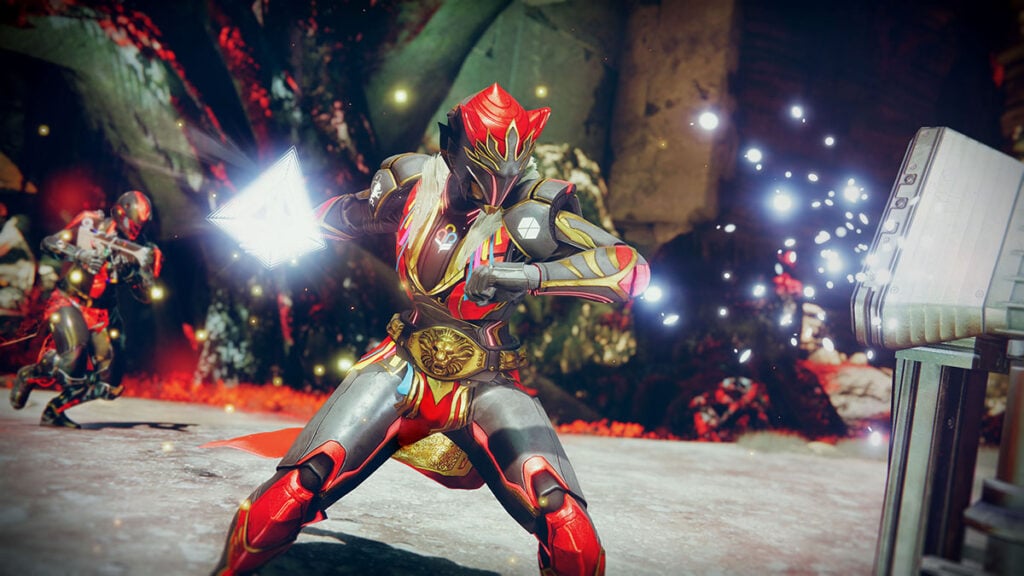
How To Fix Error Code OLIVE in Destiny 2
Image Source: Bungie
This article is over 2 years old and may contain outdated information.

With every game there are bound to be bugs, glitches, and just straight up errors that cause messages like Destiny 2‘s OLIVE error code. It’s not uncommon to see a few error codes here and there for a larger online game like Destiny 2, but sometimes those error codes appear much more often than normal. Lately, we’ve been seeing a whole lot of the OLIVE error code, which means we need to understand how to fix it. Oftentimes, Bungie will fix their own in-game issues so that we don’t see as much of a certain error code, but when Bungie doesn’t step up to the plate, it’s time for us to take matters into our own hands. Let’s take a look at how to fix the OLIVE error code in Destiny 2.

How To Fix the OLIVE Error Code in Destiny 2

How To Fix the OLIVE Error Code in Destiny 2
Image Source: Bungie

If you’re having issues and seeing the OLIVE error code, there are some steps you can take to make sure you’re doing everything you can.

  1. Double check to see if the OLIVE error code is appearing due to as server issue. Check out some forums, or even the @BungieHelp account on Twitter/X to keep up with server issues. It might not just be you having these problems.
  2. Restart your game. Sometime Destiny 2 error codes only appear during your specific session in the game and restarting the application altogether can fix it.
  3. Connect a Bungie account to Destiny 2. This method might not always get the problem fixed up for you, but it can help every once in a while, and you only have to do it once.

The OLIVE error code in Destiny 2 doesn’t have a guaranteed reason for happening, but we are sure that Bungie is trying its hardest to fix it with maintenance. We will update the article when a specific guaranteed fix for Error code Olive is discovered.

Related:

Destiny 2 Server Status – Is Destiny 2 Down?

Destiny 2 is now available on PC, Xbox, and PlayStation consoles.

Related Topics
Destiny 2 Guide
Share. Facebook Twitter LinkedIn Reddit Email
Jordan Moyer
  • Website
  • X (Twitter)

Jordan is an experienced fantasy writer who spends hours behind her laptop, and lost in the pages of a book. She strives to be a successful gaming blogger, and has no complaint about the hours of game time she used to increase her knowledge of all things “geek”. She primarily writes gaming articles and fantasy novels. Ark: Survival Evolved is a favorite, along with Diablo 3, Warframe and Minecraft lately, though you can’t forget the good old Magic the Gathering card game! Writing about games truly gives her joy as it gives her another perspective to look at games from, a reason to really look into the mechanics of the game.

SUGGESTED READS

LEGO Batman Legacy of the Dark Knight PC Review
9
Gaming

LEGO Batman: Legacy of the Dark Knight Review – A Hero Rises

Call of Duty: Modern Warfare 4 Launching This October on Next-Gen Consoles & Switch 2, But Not Game Pass
Gaming

Call of Duty: Modern Warfare 4 Launching This October on Next-Gen Consoles & Switch 2, But Not Game Pass

Hideo Kojima Teams Up With Prada for an AI Film, And Fans Aren't Happy: 'Beyond Incredibly Disappointing'
Gaming

Hideo Kojima Teams Up With Prada for an AI Film, And Fans Aren’t Happy: ‘Beyond Incredibly Disappointing’

The Witcher 3 Songs of the Past expansion
Gaming

A Witcher 3 Leak Just Forced CD Projekt Red to Announce a Brand-New Expansion: Songs of the Past

CDPR Announces The Witcher 3 'Special Anniversary Stream' Amid New Massive DLC Rumor
Gaming

CDPR Announces The Witcher 3 ‘Special Anniversary Stream’ Amid New Massive DLC Expansion Rumor

007 First Light All Challenges
Gaming

All Challenges in 007 First Light

The Nerd Stash
Facebook X (Twitter) Instagram YouTube LinkedIn
  • About Us
  • Join Our Team
  • Meet the Team
  • Privacy Policy
  • DMCA Policy
  • Contact Us
  • Terms of Use
  • Sitemap
  • Editorial Guidelines
  • Advertising Policy
© 2026 The Nerd Stash. All Rights Reserved.

Type above and press Enter to search. Press Esc to cancel.




