Close Menu
  • Gaming
    • Game Guides
    • Codes
    • Game News
    • Game Previews
    • Game Reviews
    • Game Features
    • Game Lists
    • Platforms
      • Nintendo
      • PC
      • PlayStation
      • Xbox
      • Mobile
  • Entertainment
    • Movies
    • Movie Features
    • Movie Reviews
    • TV
    • Reality TV
    • Royals
  • Celebrity
    • Hollywood
  • Human Interest
  • Astrology
  • Videos
  • More
    • Anime
    • Lists
    • Podcasts
    • Reviews
Facebook X (Twitter) Instagram LinkedIn YouTube
  • About Us
  • Join Our Team
  • Meet the Team
  • Privacy Policy
  • DMCA Policy
  • Contact Us
  • Terms of Use
  • Sitemap
  • Editorial Guidelines
  • Advertising Policy
The Nerd Stash
  • Gaming
  • Celebrity
    • Hollywood
  • Human Interest
  • Videos
The Nerd Stash
Home»Game Guides»How To Fix Steam Error Code E20

How To Fix Steam Error Code E20

The error is troubling players for a long time. But still some have been able to fix it.

Asanga WijeratneBy Asanga WijeratneJanuary 2, 20242 Mins Read
How To Fix Steam Error Code E20
Image Source: Steam
This article is over 2 years old and may contain outdated information.

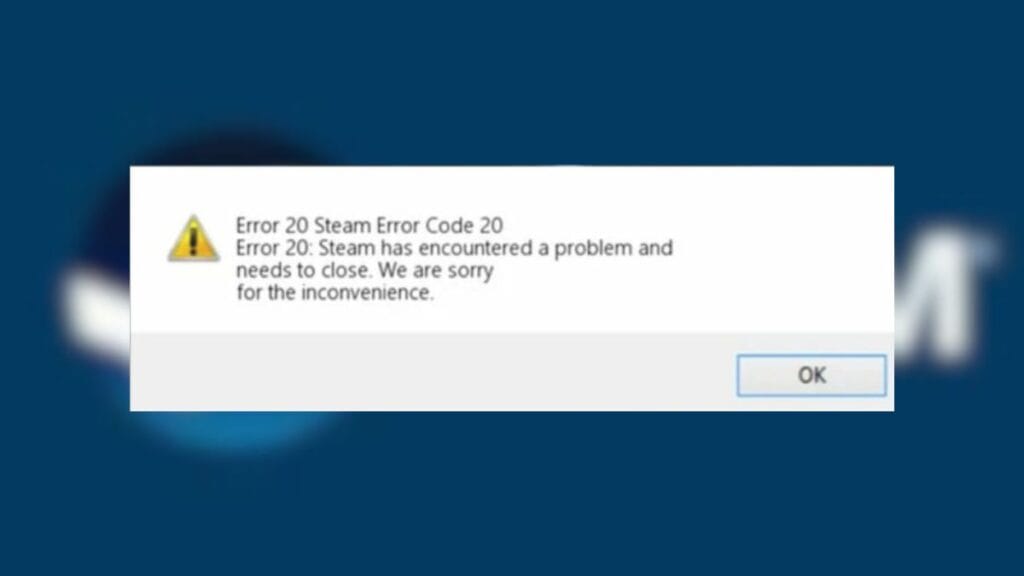
Error Code E20 was annoying many players for so many months, preventing them from accessing the game library. The error message says, ” Error 20: Steam has encountered a problem and needs to close. We are sorry for the inconvenience. ” The error can pop up for several reasons, often related to internet connection problems. However, some players have overcome the problem and returned to their games. Here are some possible solutions to fix the Steam Error Code E20.

Potential Solutions To Fix Steam Error Code E20

Steam Error Code E20
Image Source: Steam

The most workable fixes for this error are Switching IP addresses, Entering offline mode and restarting Steam, Changing the Account, and Deleting the Cache. Below are the details.

Switch Ip Addresses

Disconnect from the current network and reconnect to a different network. The process may be a bit different according to your router type. However, most of the devices have a reset button. You can hold down this button and restart the device again. This is one of the successful methods to fix Steam Error Code E20.

Enter Offline Mode and Restart Steam

Open Steam and go to the “Steam” menu in the top corner. Then select “Go Offline,” restart the Steam offline and return to inline mode. Check whether you have fixed the Steam Error Code E20.

Related:

The Day Before Servers Closing In January, Steam Giving Mass Refunds

Change the Account

Sometimes, this issue occurs due to reasons with your current account. So, change the account and see whether it is fixing the problem.

Delete Cache

Deleting Cache files is the most effective way to fix any Steam error, including Error Code E20. However, this solution might not work for all users. To delete cache. Locate the HTML cache file in your folder and delete everything in it.

The above methods are the most workable solution to fix this problem. You may also try standard error-fixing methods such as restarting your computer, checking for updates, and verifying the game files. But still, the above are the most successful methods other players use to sort the problem.


Related Topics
Guide Steam
Share. Facebook Twitter LinkedIn Reddit Email
Asanga Wijeratne
  • Website

SUGGESTED READS

Stellar Blade Studio CEO Says AI Is Necessary to Compete With China's Ever-Growing Gaming Industry: 'One Person Can Do the Work of 100'
Features

Stellar Blade Studio CEO Says AI Is Necessary to Compete With China’s Ever-Growing Gaming Industry: ‘One Person Should Do the Work of 100’

The Expanse Osiris Reborn Romance
Game News

The Expanse: Osiris Reborn Is Not Forgetting Its Sci-Fi Drama Roots With Romance and Tough Choices

Avowed, Grounded 2, and Towerborne Updates
Game News

Xbox Kicks Off 2026 By Announcing Huge Updates to 3 Of Its Games

The Blood of the Dawnwalker New Game Plus Show
Game News

The Blood of Dawnwalker Unveils More Gameplay and Lore Details

Warner Bros. Games Lays Off Team Behind Free-to-Play Projects Amid Netflix Acquisition
Game News

Warner Bros Games Lays Off Team Behind Free-to-Play Projects Amid Netflix Acquisition

Persona 4 Revival Announcements
Game News

Persona Producer Just Confirmed Persona 4 Revival Is Progressing Steadily, and Teased New Announcements for The Series’ 30th Anniversary

Trending
Stellar Blade Studio CEO Says AI Is Necessary to Compete With China's Ever-Growing Gaming Industry: 'One Person Can Do the Work of 100'

Stellar Blade Studio CEO Says AI Is Necessary to Compete With China’s Ever-Growing Gaming Industry: ‘One Person Should Do the Work of 100’

The Expanse Osiris Reborn Romance

The Expanse: Osiris Reborn Is Not Forgetting Its Sci-Fi Drama Roots With Romance and Tough Choices

Avowed, Grounded 2, and Towerborne Updates

Xbox Kicks Off 2026 By Announcing Huge Updates to 3 Of Its Games

The Blood of the Dawnwalker New Game Plus Show

The Blood of Dawnwalker Unveils More Gameplay and Lore Details

The Nerd Stash
Facebook X (Twitter) Instagram YouTube LinkedIn
  • About Us
  • Join Our Team
  • Meet the Team
  • Privacy Policy
  • DMCA Policy
  • Contact Us
  • Terms of Use
  • Sitemap
  • Editorial Guidelines
  • Advertising Policy
© 2026 The Nerd Stash. All Rights Reserved.

Type above and press Enter to search. Press Esc to cancel.