
Close Menu
  • Gaming
    • Game Guides
    • Codes
    • Game News
    • Game Previews
    • Game Reviews
    • Game Features
    • Game Lists
    • Platforms
      • Nintendo
      • PC
      • PlayStation
      • Xbox
      • Mobile
  • Entertainment
    • Movies
    • Movie Features
    • Movie Reviews
    • TV
    • Reality TV
    • Royals
  • Celebrity
    • Hollywood
  • Human Interest
  • Astrology
  • Videos
  • More
    • Anime
    • Lists
    • Podcasts
    • Reviews
Facebook X (Twitter) Instagram LinkedIn YouTube
  • About Us
  • Join Our Team
  • Meet the Team
  • Privacy Policy
  • DMCA Policy
  • Contact Us
  • Terms of Use
  • Sitemap
  • Editorial Guidelines
  • Advertising Policy
The Nerd Stash
  • Gaming
  • Celebrity
    • Hollywood
  • Human Interest
  • Videos
The Nerd Stash
Home»Game Guides»How To Get Different Times in Destiny 2 (& God Roll)

How To Get Different Times in Destiny 2 (& God Roll)

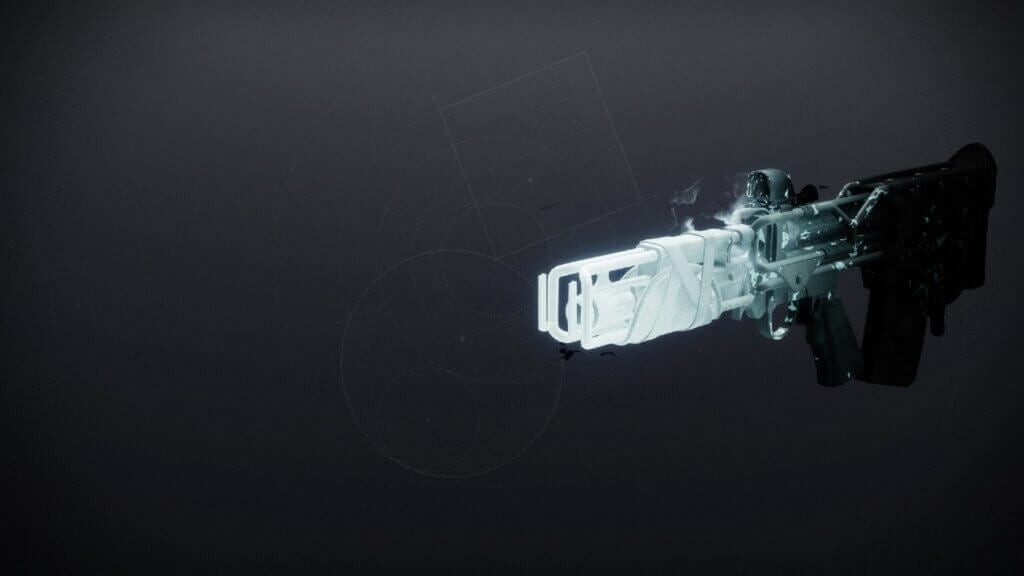
Season of the Deep has arrived in Destiny 2, and with it comes the return of Taken Weapons to the franchise. Taken Weapons were a…

Joseph ThomaselliBy Joseph ThomaselliMay 28, 20233 Mins Read
Destiny 2 Taken Weapon
Image Source: Light.gg

Skip To...

  • How To Obtain The Different Times Pulse Rifle In Destiny 2
  • Different Times Pulse Rifle God Roll
This article is over 2 years old and may contain outdated information.

Season of the Deep has arrived in Destiny 2, and with it comes the return of Taken Weapons to the franchise. Taken Weapons were a popular gun design from Destiny 1, and fans eagerly awaited their return. With the arrival of the new Season, one of the guns in particular, the Different Times Pulse Rifle, has been a hot topic to discuss. With that in mind, it’s time to discuss how to get the Different Times Pulse Rifle and what the God Roll for it is in Destiny 2.

How To Obtain The Different Times Pulse Rifle In Destiny 2
Destiny 2 Seasonal Activity
Image Source: TheNerdStash

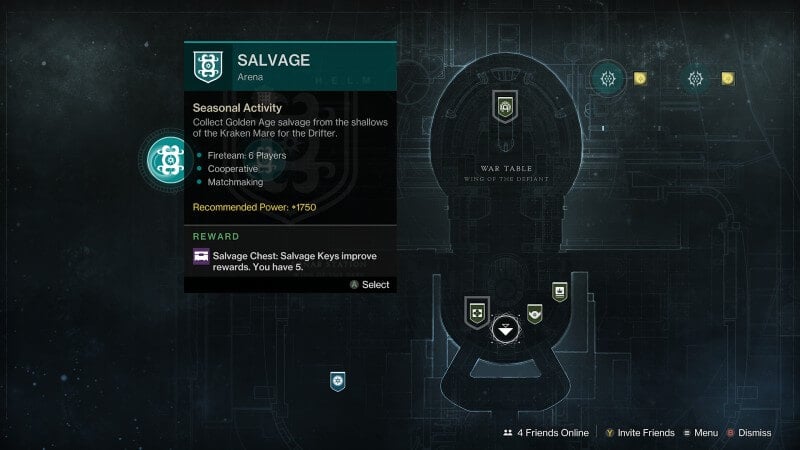
For the short and sweet answer, you’ll need to play the new Seasonal activities, Salvage and Deep Dive, to obtain the new Different Times Pulse Rifle. Each one grants a small opportunity to drop the gun amongst the other Taken Weapons and new armor. The real chore is trying to earn it at least once, as obtaining more copies becomes significantly easier after you do.

After securing at least one, you can make your way back to the Helm and visit the Sonar Station. You can specifically focus and purchase the gun by using four Deep Engrams. Another method would be to spend two Deep Engrams on Deep Weapon Focusing and hope one drops from there. Either way, there are various ways of earning more after securing the first copy, and even Fishing is a solid option!

With the knowledge of how to obtain the gun in Destiny 2, it’s time to talk about what rolls you should be looking for.

Different Times Pulse Rifle God Roll
Destiny 2 Different Times God Roll
Image Source: TheNerdStash

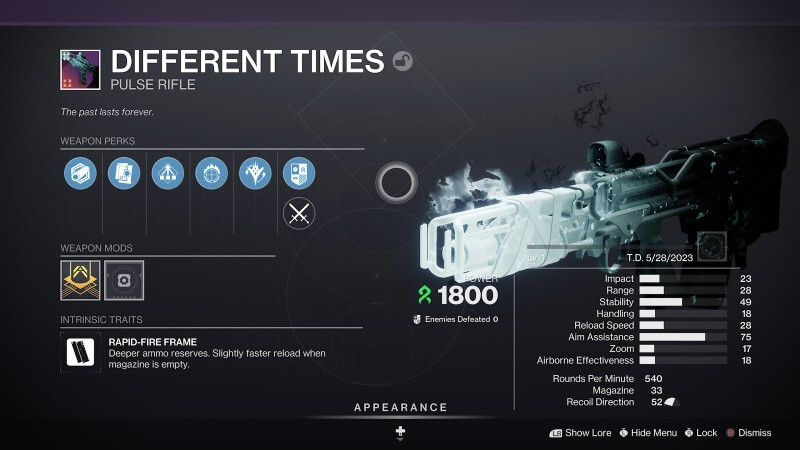
Not all of the Taken Weapons in Destiny 2 have great perk pools, but the Different Times is an exception. With perks that can be used in PvE and PvP, it’s hard to say which combo is the best. However, one combo, in particular, stands out amongst the rest. Therefore, the God Roll you should be looking for is Moving Target and Headseeker.

Moving Target grants increased movement speed and target acquisition when aiming down sights. On the other hand, Headseeker will increase precision damage based on how many body shots you hit. This combo is deadly in the hands of an experienced PvP player. In particular, Headseeker is extremely strong in the current PvP sandbox, so any weapon with access to it will work wonders this Season.

Overall, as the first Strand Pulse Rifle, the Different Times Pulse Rifle is a great option to use no matter the activity you choose.


Related Topics
Destiny 2 Guide
Share. Facebook Twitter LinkedIn Reddit Email
Joseph Thomaselli
  • Website

SUGGESTED READS

Minecraft Accused of Mocking Lonely Kids, Sparking Mental Health Backlash: 'One of the Ickiest Things I've Seen'
Features

Minecraft Accused of Mocking Lonely Kids, Sparking Mental Health Backlash: ‘One of the Ickiest Things I’ve Seen’

Destiny 2 Renegades PS5 Review
8.5
Features

Destiny 2: Renegades Review – The Shooter Strikes Back

Clair Obscur: Expedition 33 Loses GOTY, Other Award from Indie Game Awards Over Generative AI: 'Some Weird Performative BS'
Game News

GOTY Stripped Over AI?: Clair Obscur: Expedition 33 Loses Awards at Indie Game Awards, ‘Some Weird Performative BS’

Sony Patents Real-time AI Game Censorship Tech That Could Even Make GTA 6 Kid-Friendly
Game News

Sony Patents Real-Time AI Game Censorship Tech That Could Even Make GTA 6 Kid-Friendly

Zenless Zone Zero Version 2.5 Announcement
Game News

Zenless Zone Zero Version 2.5 Is Ready To Wrap Up the Year With Two New Agents and a Free Outfit

PC Gamers Can't Catch a Break as Nvidia Plans 40% GeForce GPU Production Cuts, Report: 'Who Needs a PC Anyways'
Game News

PC Gamers Can’t Catch a Break as Nvidia Reportedly Plans 40% GeForce GPU Production Cuts: ‘Who Needs a PC Anyways’

Trending
Minecraft Accused of Mocking Lonely Kids, Sparking Mental Health Backlash: 'One of the Ickiest Things I've Seen'

Minecraft Accused of Mocking Lonely Kids, Sparking Mental Health Backlash: ‘One of the Ickiest Things I’ve Seen’

Destiny 2 Renegades PS5 Review
8.5

Destiny 2: Renegades Review – The Shooter Strikes Back

Clair Obscur: Expedition 33 Loses GOTY, Other Award from Indie Game Awards Over Generative AI: 'Some Weird Performative BS'

GOTY Stripped Over AI?: Clair Obscur: Expedition 33 Loses Awards at Indie Game Awards, ‘Some Weird Performative BS’

Sony Patents Real-time AI Game Censorship Tech That Could Even Make GTA 6 Kid-Friendly

Sony Patents Real-Time AI Game Censorship Tech That Could Even Make GTA 6 Kid-Friendly

The Nerd Stash
Facebook X (Twitter) Instagram YouTube LinkedIn
  • About Us
  • Join Our Team
  • Meet the Team
  • Privacy Policy
  • DMCA Policy
  • Contact Us
  • Terms of Use
  • Sitemap
  • Editorial Guidelines
  • Advertising Policy
© 2025 The Nerd Stash. All Rights Reserved.

Type above and press Enter to search. Press Esc to cancel.




