Close Menu
  • Gaming
    • Platforms
      • Nintendo
      • PC
      • PlayStation
      • Xbox
  • Entertainment
    • Movies
    • TV
    • Royals
  • Celebrity
    • Hollywood
  • Human Interest
  • Astrology
  • More
    • Reviews
Facebook X (Twitter) Instagram LinkedIn YouTube
  • About Us
  • Join Our Team
  • Meet the Team
  • Privacy Policy
  • DMCA Policy
  • Contact Us
  • Terms of Use
  • Sitemap
  • Editorial Guidelines
  • Advertising Policy
The Nerd Stash
  • Gaming
  • Celebrity
  • Hollywood
  • Human Interest
The Nerd Stash
Home»Gaming»How To Gift Items in Enshrouded

How To Gift Items in Enshrouded

‘Tis the time for giving.

Giovanna La PineBy Giovanna La PineJanuary 24, 20242 Mins Read
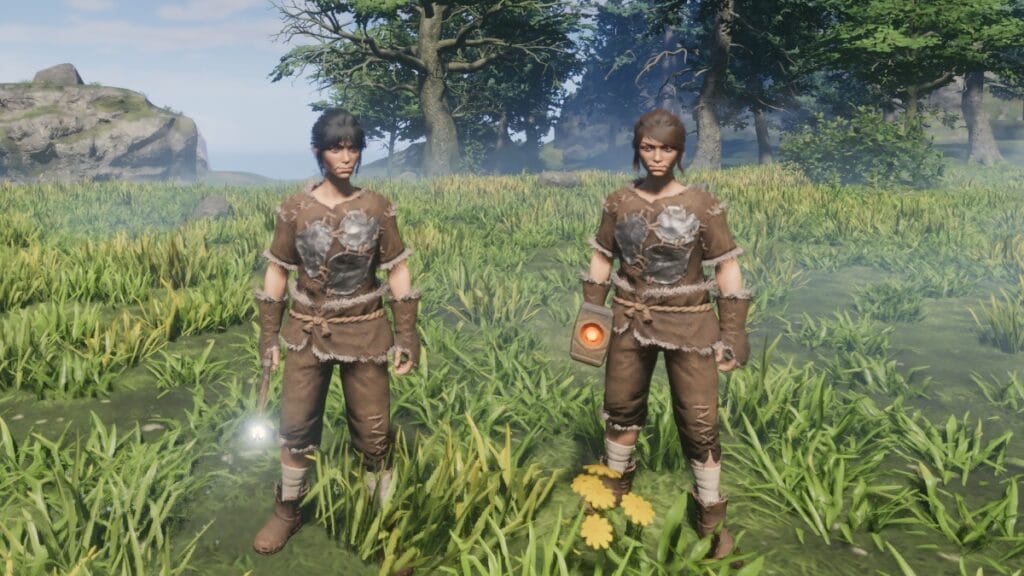
Enshrouded Gift Items
Image Source: Keen Games via The Nerd Stash
This article is over 2 years old and may contain outdated information.

The world of Enshrouded can be dangerous for solo players, but bringing a few friends can make things more bearable and entertaining. Besides, this title has several multiplayer mechanics that, while simple, are a welcome quality-of-life upgrade compared to other games of the genre. One that might help you as you play, and it isn’t talked about much, is the ability to gift things in Enshrouded, which is a big help for those looking to share the spoils of their journey with others.

How To Give Items to Other Players in Enshrouded
Enshrouded Give Items
Image Source: Keen Games via The Nerd Stash

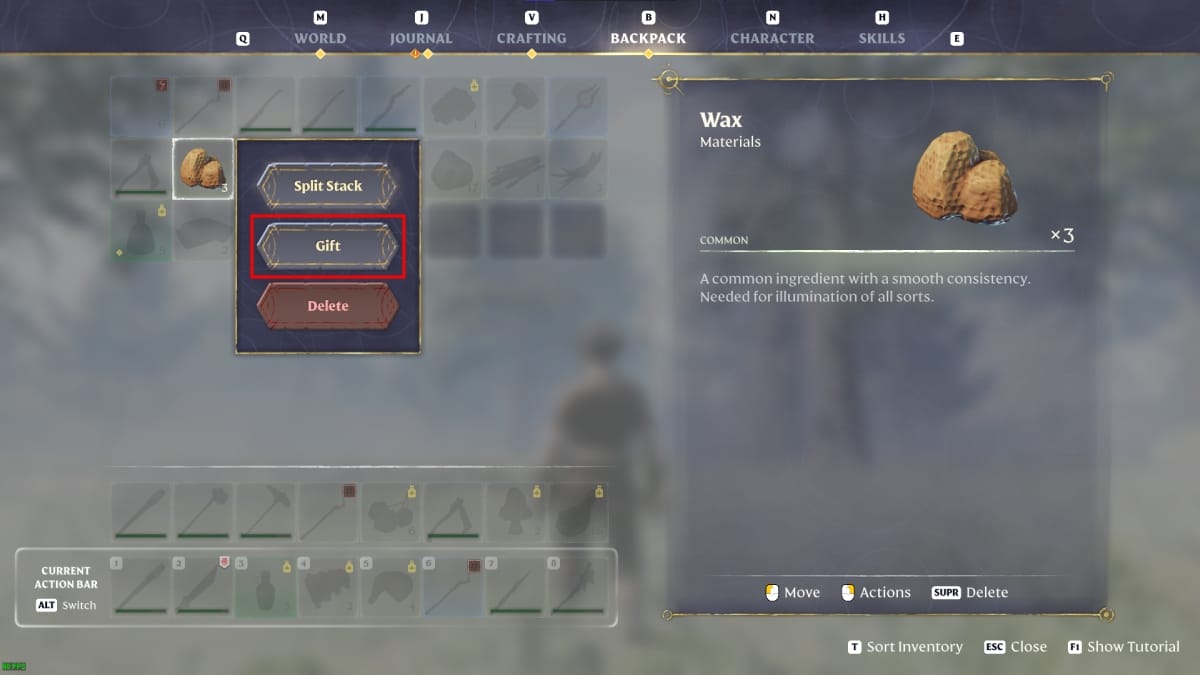
In other survival-crafting games, whenever you want to give items to another player, you have to put them in a chest or drop them on the ground, and while that works in Enshrouded, there’s a much simpler way. Here’s what you have to do:

  1. Open your inventory.
  2. Navigate it until you find the item you want to give to another player.
  3. Right-click on it, and the “gift” option will appear.
  4. Select how much of said item you want to send and click on “gift.”

There are a few requirements before you can gift items to other travelers in Enshrouded, though. First, you must make sure you and the other player are close to one another. You can’t send stuff to your friends from across the map. Also, they should have space in their inventory to receive it.

Related:

Steam Next Fest Surprise Hit Enshrouded Gets a Cheeky Release Date Trailer

So far, we haven’t seen any other restrictions when sending objects to other members of a server. You can even send any of the epic and legendary weapons you find without an issue. Initially, this might not seem like the most useful mechanic, but it is. If you’re building something together, you don’t have to go all the way to a chest to deposit the things. All you must do is be close to each other and start embracing the spirit of gifting items in Enshrouded.


Related Topics
Enshrouded Guide
Share. Facebook Twitter LinkedIn Reddit Email
Giovanna La Pine
  • Website

Giovanna is a fan of every single game HoYoverse has launched. When she's not covering videogames, she writes her daily horoscopes and tarot readings for the astrology vertical in The Nerd Stash.

SUGGESTED READS

Marvel Rivals Season 9 Hands-On Preview
Gaming

Marvel Rivals Season 9 Hands-On Impressions: Feels Like a Whole New Game

Diablo 4 x Overwatch Collab
Gaming

Diablo 4 x Overwatch Impressions: Something of an Inconsistent Bag

Late game blink theory in Dota 2
Gaming

Why Dota 2 Modern Late Game Doesn’t Forgive A Single Blink

7.5
Gaming

EA Sports College Football 27 Review – The Best On-Field Experience With a Bit Too Much NIL Simulation

Assassin's Creed Black Flag Resynced New Content List
Gaming

All New Content in Assassin’s Creed Black Flag Resynced

Assassin's Creed Black Flag Resynced Hideout Upgrades Guide
Gaming

Best Hideout Upgrades to Get First in Assassin’s Creed Black Flag Resynced

The Nerd Stash
Facebook X (Twitter) Instagram YouTube LinkedIn
  • About Us
  • Join Our Team
  • Meet the Team
  • Privacy Policy
  • DMCA Policy
  • Contact Us
  • Terms of Use
  • Sitemap
  • Editorial Guidelines
  • Advertising Policy
© 2026 The Nerd Stash. All Rights Reserved.

Type above and press Enter to search. Press Esc to cancel.