
Close Menu
  • Gaming
    • Game Guides
    • Codes
    • Game News
    • Game Previews
    • Game Reviews
    • Game Features
    • Game Lists
    • Platforms
      • Nintendo
      • PC
      • PlayStation
      • Xbox
      • Mobile
  • Entertainment
    • Movies
    • Movie Features
    • Movie Reviews
    • TV
    • Reality TV
    • Royals
  • Celebrity
    • Hollywood
  • Human Interest
  • Astrology
  • More
    • Anime
    • Lists
    • Podcasts
    • Reviews
Facebook X (Twitter) Instagram LinkedIn YouTube
  • About Us
  • Join Our Team
  • Meet the Team
  • Privacy Policy
  • DMCA Policy
  • Contact Us
  • Terms of Use
  • Sitemap
  • Editorial Guidelines
  • Advertising Policy
The Nerd Stash
  • Gaming
  • Celebrity
  • Hollywood
  • Human Interest
The Nerd Stash
Home»Game Guides»How To Play Halo Infinite Firefight

How To Play Halo Infinite Firefight

It’s here, and it’s great.

Chase RichardsonBy Chase RichardsonOctober 18, 20232 Mins Read
This article is over 2 years old and may contain outdated information.

Season 5 of Halo Infinite launched on October 17th; the reviews have been stellar. The player count is rising for the first time since the game’s launch, and long-time fans are optimistic! Cross-core customization, new maps, and a new weapon variant are all reasons for this newfound success. However, one feature in particular has worked wonders in generating hype for this season: Halo Infinite Firefight.

Playing Firefight In Halo Infinite

Halo infinite firefight lobby
Image Source: 343 via The Nerd Stash

As of right now, 343 has made the interesting decision not to include a public playlist for Firefight. We assume that this will be added at some point during season five, but there is a simple solution for the time being, thanks to Forge. 343 has implemented full support for Firefight into Forge, allowing any player to create a custom lobby with the game mode. Below, we will detail the exact steps to get your own firefight lobby up and running.

  1. Navigate to the Custom Game browser and press ‘Create Match.’
  2. Select a map that is compatible with Halo Infinite’s firefight game mode. This can be made easier by searching ‘Firefight’ in the keyword filter. So far, some of the best firefight maps we’ve seen are ‘Lone Wolf’, ‘Zeta Ark’, and ‘Outskirts.’
  3. Select the corresponding firefight game mode. Whichever map you select will list the correct game mode in its description. Once again, use the keyword filter if you are having difficulty locating what you are looking for.
  4. If you want to play online, be sure to leave the lobby as ‘open.’

Alternatively, you can head over to the ‘Customs Browser’ and join a firefight match that someone else has already created. Thankfully, Firefight is new to Halo Infinite, so the browser is usually full of other players wanting to try it out. As we mentioned previously, be sure that whichever server you select uses corresponding maps and game modes, or you will be disappointed.
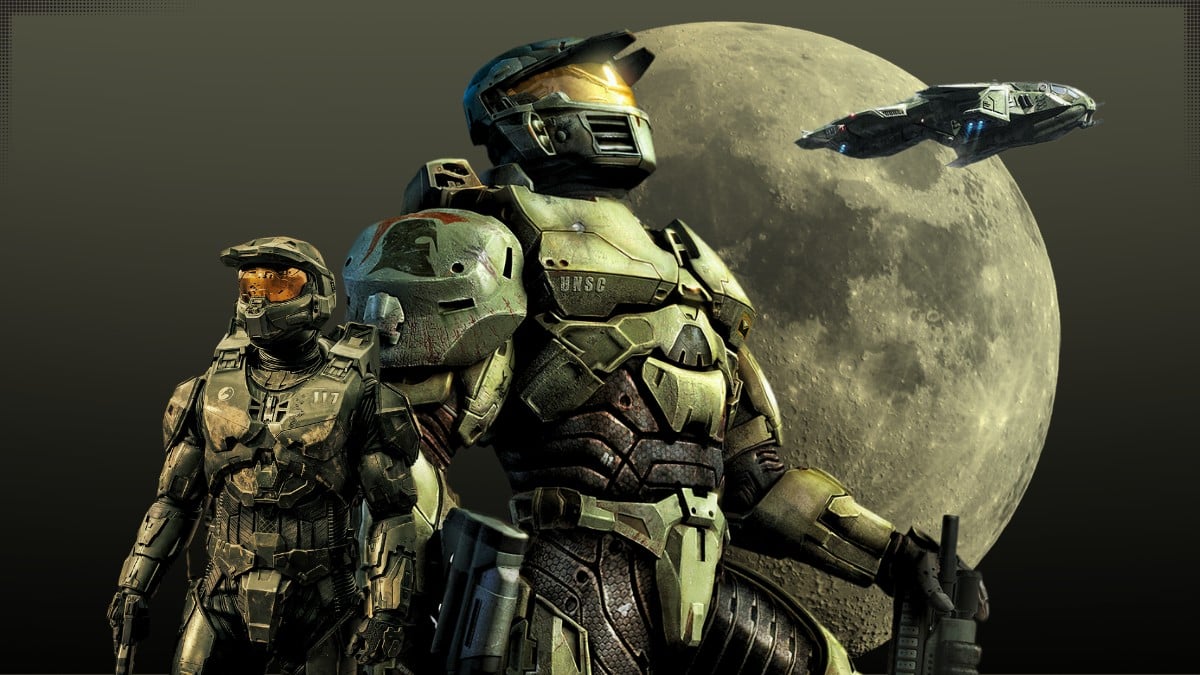
Where Does Halo Stand In The Current Era Of Gaming? – Power Up And Game #109
Related: Where Does Halo Stand In The Current Era Of Gaming? – Power Up And Game #109

One of the most popular updates in season five is the new ability to earn XP in custom games. Now, you can level up in Halo Infinite by playing Firefight. No sweaty competition is needed.


Related Topics
Guide Halo Infinite
Share. Facebook Twitter LinkedIn Reddit Email
Chase Richardson
  • Website

Chase has written for several of the biggest gaming news outlets around and enjoys every second of it. Getting his attention is as easy as mentioning Star Wars, Dark Souls, or MTG.

SUGGESTED READS

Crimson Desert Community Tips and Tricks
Game Guides

I Played Crimson Desert for 90 Hours and STILL Learned These 10 Tricks From Social Media

Doom Co-creator and Wife Say The Current Game Industry Is 'Crashier' Than the '80s Crash: 'It Can't Stay Like This Forever'
Game News

Doom Co-Creator and Wife Say the Current Game Industry Is ‘Crashier’ Than the ’80s Crash: ‘It Can’t Stay Like This Forever’

Marathon PC Review
9.5
Game Features

Marathon Review – Bungie’s Finest

XBox Partner Preview November 2025 Announcements
Game Features

Every Major Announcement at the Xbox Partner Preview (March 2026)

A Single AAA Game Budget Now Hits $300M, Cost the Same as Buying 600 Houses
Game News

A Single AAA Game Budget Now Hits $300M, Costs the Same as Buying 600 Houses

World of Warcraft Midnight Review
8
Game Features

World of Warcraft: Midnight Review – Light and Shadow

The Nerd Stash
Facebook X (Twitter) Instagram YouTube LinkedIn
  • About Us
  • Join Our Team
  • Meet the Team
  • Privacy Policy
  • DMCA Policy
  • Contact Us
  • Terms of Use
  • Sitemap
  • Editorial Guidelines
  • Advertising Policy
© 2026 The Nerd Stash. All Rights Reserved.

Type above and press Enter to search. Press Esc to cancel.




