Close Menu
  • Gaming
    • Game Guides
    • Codes
    • Game News
    • Game Previews
    • Game Reviews
    • Game Features
    • Game Lists
    • Platforms
      • Nintendo
      • PC
      • PlayStation
      • Xbox
      • Mobile
  • Entertainment
    • Movies
    • Movie Features
    • Movie Reviews
    • TV
    • Reality TV
    • Royals
  • Celebrity
    • Hollywood
  • Human Interest
  • Astrology
  • Videos
  • More
    • Anime
    • Lists
    • Podcasts
    • Reviews
Facebook X (Twitter) Instagram LinkedIn YouTube
  • About Us
  • Join Our Team
  • Meet the Team
  • Privacy Policy
  • DMCA Policy
  • Contact Us
  • Terms of Use
  • Sitemap
  • Editorial Guidelines
  • Advertising Policy
The Nerd Stash
  • Gaming
  • Celebrity
    • Hollywood
  • Human Interest
  • Videos
The Nerd Stash
Home»Game Guides»How To Save Both Universes in Entangled in Starfield

How To Save Both Universes in Entangled in Starfield

It’s still possible to save everyone

Asanga WijeratneBy Asanga WijeratneSeptember 23, 20232 Mins Read
How To Save Both Universes in Entangled in Starfield
Image Source: Bethesda Softworks via The Nerd Stash
This article is over 2 years old and may contain outdated information.

[Updated on September 28, 2024, to revise outdated formatting and improve readability.]

You can save both universes in Entangled in Starfield by disengaging and engaging the switches in each universe and activating the primary calibration in both realities. If you choose one of the universes, you must clear the switches in the relevant universe and shut down the probe. Below are the steps you need to follow.

Clearing Out Enemies

You must clear out the enemies in both universes before proceeding to save both universes in Entangled in Starfield. You must eliminate all robots in the normal universe and all aliens in the burnt universe. Once the enemies are cleared, you can begin with the calibration process.

Getting the Probe Calibration Protocol

The Probe Calibration Protocol is a crucial item you must retrieve from Rafael’s body in the real universe to save both universes in the Starfield Entangled mission. You can find Rafael’s body beneath the control room. The Calibration Protocol explains the steps you need to follow if you want to save both universes.

Completing the Degaussing Process.

Switch off and on each of the seven switches in both worlds. Make sure not to touch any switches relevant to the other world.

Setting the Frequencies

This is the additional step you need to do if you are saving both universes in the Starfield Entangled mission. The probe has different frequencies for different universes. You need to set the frequency to 40GHz in the normal universe and 24GHz in the burnt universe. These frequencies are crucial for activating the primary calibration and saving both realities from destruction.

Activating the Primary Calibration

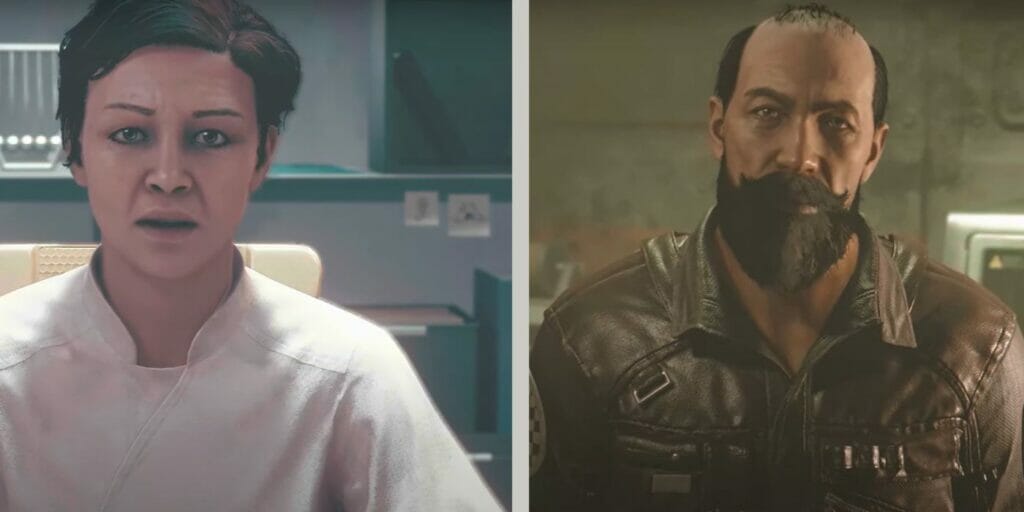
Once all steps have been completed, you can activate the primary calibration next to the Artifact. A cutscene will follow, and you will see Director Patel, Maria, and Rafael in the room, saving both universes in Entangled in Starfield. At the end of the cutscene, you will see Rafael’s dead body and the living one in one frame. You will get 2,435 XP, an Incendiary Calibrated Experimental Nishina Space Suit, a Calibrated Experimental Nishina Helmet, 19000 credits, and Artifact Lambda as rewards.

Related Topics
Guide Starfield
Share. Facebook Twitter LinkedIn Reddit Email
Asanga Wijeratne
  • Website

SUGGESTED READS

Blizzard 2026 Game Showcases
Game News

Blizzard Is Gearing Up for 2026 With Showcases for World of Warcraft, Diablo, Overwatch, and Hearthstone

Arknights Endfield Preview
8
Features

Arknights: Endfield Review: Bigger, Better, But a Bit Overwhelming

Akira Toriyama's Final Designs? New Dragon Ball Game 'AGE 1000' Project Hints at Now-Defunct Dragon Ball Online Ties
Game News

Akira Toriyama’s Final Designs? New Dragon Ball Game ‘AGE 1000’ Project Hints at Now-Defunct Dragon Ball Online Ties

Samson Gameplay Details
Game News

Samson Is Bringing the Gritty, Urban Crime Experience We’ve Missed Since Sleeping Dogs

PS6 Expected to Be Delayed 'Longer' Than Anticipated as PS5 Lifecycle Is 'Extended': Report
Game News

PS6 Expected to Be Delayed ‘Longer’ Than Anticipated as PS5 Lifecycle Is Reportedly ‘Extended’

Arknights Endfield operator rarity
Game Guides

How Does Operator Rarity Work in Arknights Endfield? 6-Star & 5-Star Characters, Explained

The Nerd Stash
Facebook X (Twitter) Instagram YouTube LinkedIn
  • About Us
  • Join Our Team
  • Meet the Team
  • Privacy Policy
  • DMCA Policy
  • Contact Us
  • Terms of Use
  • Sitemap
  • Editorial Guidelines
  • Advertising Policy
© 2026 The Nerd Stash. All Rights Reserved.

Type above and press Enter to search. Press Esc to cancel.