Close Menu
  • Gaming
    • Platforms
      • Nintendo
      • PC
      • PlayStation
      • Xbox
  • Entertainment
    • Movies
    • TV
    • Royals
  • Celebrity
    • Hollywood
  • Human Interest
  • Astrology
  • More
    • Anime
    • Reviews
Facebook X (Twitter) Instagram LinkedIn YouTube
  • About Us
  • Join Our Team
  • Meet the Team
  • Privacy Policy
  • DMCA Policy
  • Contact Us
  • Terms of Use
  • Sitemap
  • Editorial Guidelines
  • Advertising Policy
The Nerd Stash
  • Gaming
  • Celebrity
  • Hollywood
  • Human Interest
The Nerd Stash
Home»Gaming»How To Save Your Game in Baldur’s Gate 3

How To Save Your Game in Baldur’s Gate 3

Do you want to know how to save your game in Baldur’s Gate 3? The game will initially be released for PC but later on other platforms.…

Asanga WijeratneBy Asanga WijeratneAugust 3, 20233 Mins Read
How to Save Your Game in Baldur's Gate 3
Image Source: Larian Studios via The Nerd Stash
This article is over 2 years old and may contain outdated information.

Do you want to know how to save your game in Baldur’s Gate 3? The game will initially be released for PC but later on other platforms. At the initial stage of the game, you need to know how the game’s save mechanics work. Similar to any other game, it is essential to save to avoid losing all the progress you have made. Here is a quick guide on how to save your game.

Baldur’s Gate 3: Saving Your Game
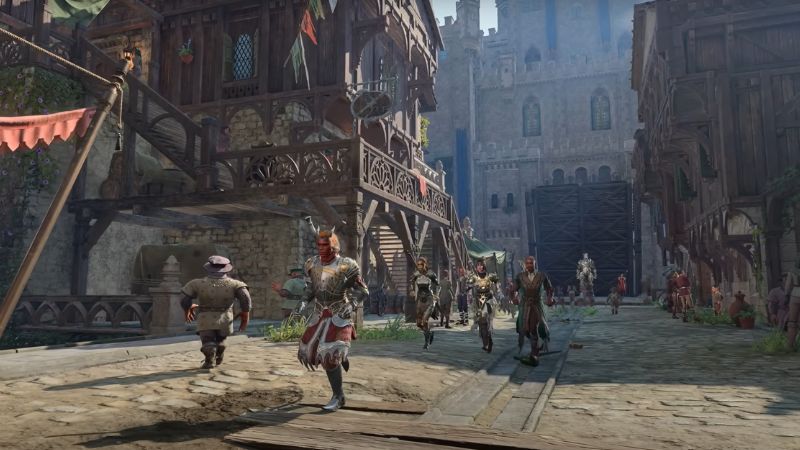
How to Save in Baldur's Gate 3
Image Source: Larian Studios via The Nerd Stash

You can quickly save your game in Baldur’s Gate 3 by pressing F5. Also, you can press ESC and select the save option from the options menu under the Gameplay tab. You can save the game to a new file or overwrite an existing one using the save option.

In addition, you can change the quick save button and the number of auto-save files you can have. Once you reach the maximum amount of files, the oldest file will be replaced. In the same way, you can adjust the amount of quick save and manual files you can keep. You can have 15 saved files in the game at one time.

However, remember, Baldur’s Gate 3 has a robust auto-saving mechanism allowing you to resume the game from your last save point. Whenever you start a new match or are about to start a boss fight, your game progression will be saved, and you will get an auto-save notification. Using this feature when playing for extended periods; helps avoid any potential issues with corrupted files.

How To Delete a Saved File

As the release date of Baldur’s Gate 3 approaches, it’s crucial to understand the importance of managing and deleting your saved files, particularly if you have been participating in the game’s early access phase. This is because your early access files may be overwritten with the final release version of the game. Below are the steps you need to follow:

  1. Launch the game and press the load game button on the main menu
  2. Select your game character, and you will see all the saved files under the character.
  3. Select the files you want to delete and then select the delete option in the corner.

Deleting the saved files in-game is quite straightforward. However, also you can delete these files by going to Baldur’s Gate 3 folder in the App Data file on your device. Following these steps, you can quickly manage your saved game files in Baldur’s Gate 3. Now that you know how to save and delete files, it’s time to jump into the exciting world of Faerûn! 

Related:

Baldur’s Gate 3: Should You Save Druid Grove?

If you still need visual guidance on deleting files, the below video from VikanGaming will help:

Related Topics
Baldur's Gate 3 Guide
Share. Facebook Twitter LinkedIn Reddit Email
Asanga Wijeratne
  • Website

SUGGESTED READS

Path of Exiles 2 Build Planner Guide
Gaming

How To Use the Build Planner in Path of Exile 2

Adopt Me Kicks Off Summer With Journey to Summer Camp Update, Here's All The New Week 1 Pets & Rewards
Gaming

Roblox Adopt Me Launches Journey to Summer Camp Update, Here’s All the Week 1 Pets & Rewards

LEGO Batman Legacy of the Dark Knight PC Review
9
Gaming

LEGO Batman: Legacy of the Dark Knight Review – A Hero Rises

Call of Duty: Modern Warfare 4 Launching This October on Next-Gen Consoles & Switch 2, But Not Game Pass
Gaming

Call of Duty: Modern Warfare 4 Launching This October on Next-Gen Consoles & Switch 2, But Not Game Pass

Hideo Kojima Teams Up With Prada for an AI Film, And Fans Aren't Happy: 'Beyond Incredibly Disappointing'
Gaming

Hideo Kojima Teams Up With Prada for an AI Film, And Fans Aren’t Happy: ‘Beyond Incredibly Disappointing’

The Witcher 3 Songs of the Past expansion
Gaming

A Witcher 3 Leak Just Forced CD Projekt Red to Announce a Brand-New Expansion: Songs of the Past

The Nerd Stash
Facebook X (Twitter) Instagram YouTube LinkedIn
  • About Us
  • Join Our Team
  • Meet the Team
  • Privacy Policy
  • DMCA Policy
  • Contact Us
  • Terms of Use
  • Sitemap
  • Editorial Guidelines
  • Advertising Policy
© 2026 The Nerd Stash. All Rights Reserved.

Type above and press Enter to search. Press Esc to cancel.