Close Menu
  • Gaming
    • Game Guides
    • Codes
    • Game News
    • Game Previews
    • Game Reviews
    • Game Features
    • Game Lists
    • Platforms
      • Nintendo
      • PC
      • PlayStation
      • Xbox
      • Mobile
  • Entertainment
    • Movies
    • Movie Features
    • Movie Reviews
    • TV
    • Reality TV
    • Royals
  • Celebrity
    • Hollywood
  • Human Interest
  • Astrology
  • Videos
  • More
    • Anime
    • Lists
    • Podcasts
    • Reviews
Facebook X (Twitter) Instagram LinkedIn YouTube
  • About Us
  • Join Our Team
  • Meet the Team
  • Privacy Policy
  • DMCA Policy
  • Contact Us
  • Terms of Use
  • Sitemap
  • Editorial Guidelines
  • Advertising Policy
The Nerd Stash
  • Gaming
  • Celebrity
    • Hollywood
  • Human Interest
  • Videos
The Nerd Stash
Home»Game Guides»How To Sell Items in Dave The Diver

How To Sell Items in Dave The Diver

Sell that loot!

Sidharta F. RasidiBy Sidharta F. RasidiNovember 25, 20233 Mins Read
How To Sell Items in Dave The Diver
Image source: MINTROCKET
This article is over 2 years old and may contain outdated information.

As you swim deep and collect loot from the depths, you will need to a place to sell items in Dave The Diver. Selling items in the game is necessary to keep your inventory clean, but the money can also be used to upgrade your Harpoon and recruit more Staff for the Sushi Bar. There are actually two places where you can trade unneeded items for money in the game. One spot lets you sell food ingredients and the other accepts ocean-floor treasures. Here’s how you can sell items, from unnecessary Fish to Gold Bars and Pearls, in Dave The Diver.

Selling Items in Dave the Diver Explained

Cobra's Shop in Dave The Diver
Image source: The Nerd Stash via MINTROCKET

In Dave The Diver, you can sell items as well as ingredients in two different locations: The Sushi Bar and Cobra’s Shop. Once you have completed The Sushi Bar tutorial, you should be able to access the Ingredients menu while in Bancho’s Sushi. Inside the menu, you can see all Seasonings and Fish that you have obtained. At the bottom of the item description, you should see the Sell button. Press it to sell any items you deem unnecessary.

However, do not be too quick to sell items in Dave The Diver! First, Fish and Seasonings will never go bad, so you can stock up on them practically forever. With that in mind, the only food item you should sell is cooked sushi that no one bought. But if you do have tons of low-end Fish, then it’s a good idea to throw them out for some cash too. Always save high-end Fish for the more expensive menu that you can serve in Bancho’s Sushi.

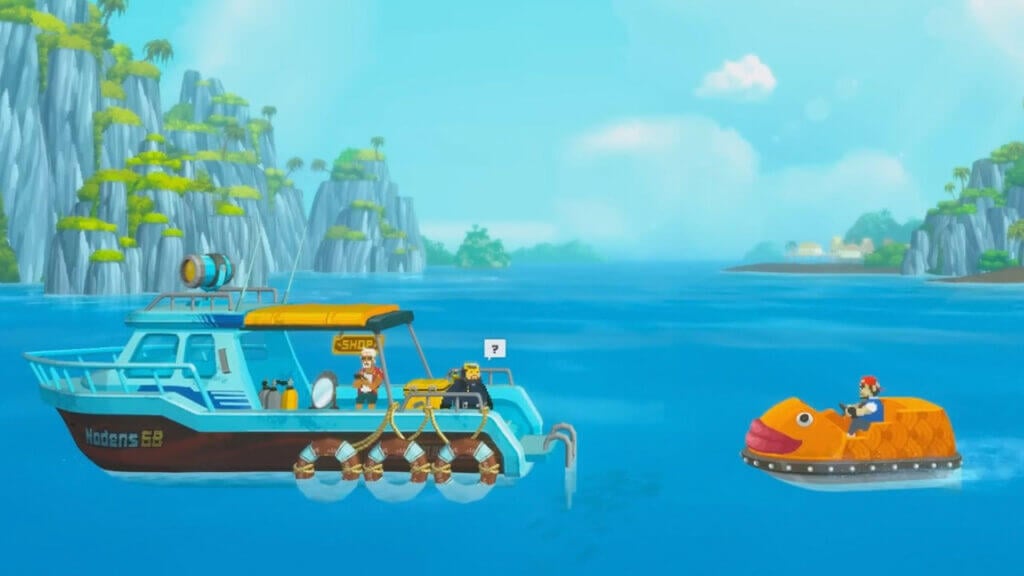
The second place to sell items in Dave The Diver is at the Cobra’s Shop. This will be unlocked a bit later in the game after you have finished the “Where the Current Flows” quest. Complete it, wait for an in-game day, and Cobra will open shop on the boat. Here, you can buy non-cooking related like Harpoon upgrade materials as well. Simply change the Shop tab between Buy and Sell to get rid of the items you do not need.

The best items to sell in Dave The Diver Cobra Shop are things like Gold Bars and Pearls. And remember that you cannot buy back items sold in Cobra’s Shop, so be careful when you are on a selling spree.

Related:

What To Upgrade First in Dave The Diver

Dave the Diver is available for Microsoft Windows via Steam.

Related Topics
Dave the Diver Guide
Share. Facebook Twitter LinkedIn Reddit Email
Sidharta F. Rasidi
  • Website

An ordinary Indonesian who enjoys playing and talking about video games. His favorite games are Monster Hunter: World, Space Invader Extreme 2, THE iDOLM@STER SP, Road Trip Adventure, Halo series, and KOEI Tecmo's Warriors series.

SUGGESTED READS

Day of the Devs 2025 TGA Edition
Game Features

Days of the Devs 2025 (The Game Awards Edition): All Reveals and Announcements

Todd Howard See 'All Those Comments' on Fallout 3 and New Vegas Remaster Demands: 'We're Working on a Whole Bunch of Stuff'
Game News

Todd Howard Sees ‘All Those Comments’ on Fallout 3 and New Vegas Remaster Demands: ‘We’re Working on a Whole Bunch of Stuff’

Call of Duty: Black Ops 7 revealed
Game Features

Call of Duty: Black Ops 7: Everything you Need to Know About the New Shooter

Mr Big in Fatal Fury
Game Previews

Fatal Fury: City of the Wolves Mr. Big Hands-On Preview – An Electrifying Finale

Skate Story
9.0
Game Reviews

Skate Story Review – Pop Love It

Players Struggle In Black Ops 7 Zombies Season 1 Ashes of the Damned
Game Features

‘YouTubers Ruined It’: Players Say Black Ops 7 Zombies Is Now Harder After Season 1 Changes

Trending
Day of the Devs 2025 TGA Edition

Days of the Devs 2025 (The Game Awards Edition): All Reveals and Announcements

Todd Howard See 'All Those Comments' on Fallout 3 and New Vegas Remaster Demands: 'We're Working on a Whole Bunch of Stuff'

Todd Howard Sees ‘All Those Comments’ on Fallout 3 and New Vegas Remaster Demands: ‘We’re Working on a Whole Bunch of Stuff’

Call of Duty: Black Ops 7 revealed

Call of Duty: Black Ops 7: Everything you Need to Know About the New Shooter

Mr Big in Fatal Fury

Fatal Fury: City of the Wolves Mr. Big Hands-On Preview – An Electrifying Finale

The Nerd Stash
Facebook X (Twitter) Instagram YouTube LinkedIn
  • About Us
  • Join Our Team
  • Meet the Team
  • Privacy Policy
  • DMCA Policy
  • Contact Us
  • Terms of Use
  • Sitemap
  • Editorial Guidelines
  • Advertising Policy
© 2025 The Nerd Stash. All Rights Reserved.

Type above and press Enter to search. Press Esc to cancel.