
Close Menu
  • Gaming
    • Platforms
      • Nintendo
      • PC
      • PlayStation
      • Xbox
  • Entertainment
    • Movies
    • TV
    • Royals
  • Celebrity
    • Hollywood
  • Human Interest
  • Astrology
  • More
    • Anime
    • Reviews
Facebook X (Twitter) Instagram LinkedIn YouTube
  • About Us
  • Join Our Team
  • Meet the Team
  • Privacy Policy
  • DMCA Policy
  • Contact Us
  • Terms of Use
  • Sitemap
  • Editorial Guidelines
  • Advertising Policy
The Nerd Stash
  • Gaming
  • Celebrity
  • Hollywood
  • Human Interest
The Nerd Stash
Home»Gaming»How to Toggle UI Navigation and Get Moving Again on Roblox

How to Toggle UI Navigation and Get Moving Again on Roblox

HUD hijinks

Patrick ArmstrongBy Patrick ArmstrongNovember 12, 20242 Mins Read
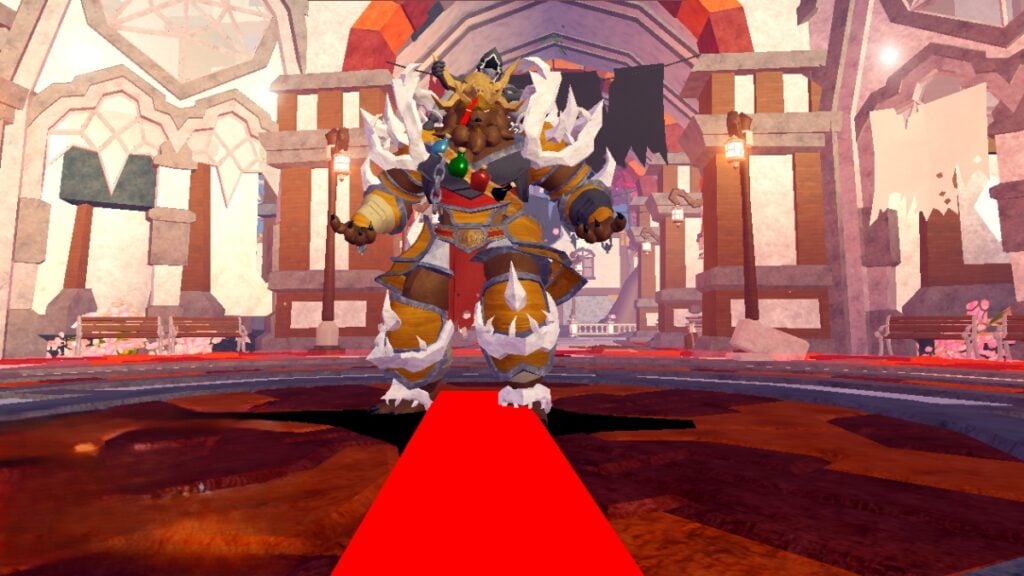
The player confronts a towering boss in Fabled Legacy
Image Source: Fabled Legacy via The Nerd Stash
This article is over 1 years old and may contain outdated information.

A dragon soars above you, mouth dripping fire. The forest is burnt, and the houses are crushed, leaving only one blackened boulder as cover. As the dragon wheels about in the sky, you try to dash for safety, but your character stops. You’re frozen, but it wasn’t magic that halted you. You accidentally toggled UI Navigation (aka UI Selection), and now instead of controlling your character, you’re stuck in menus. Although this problem won’t always get you eaten by an ancient serpent, it’s better to know how to get yourself unstuck. Here’s how to toggle UI Navigation and give yourself the freedom to move again in Roblox.

Roblox UI Navigation Guide
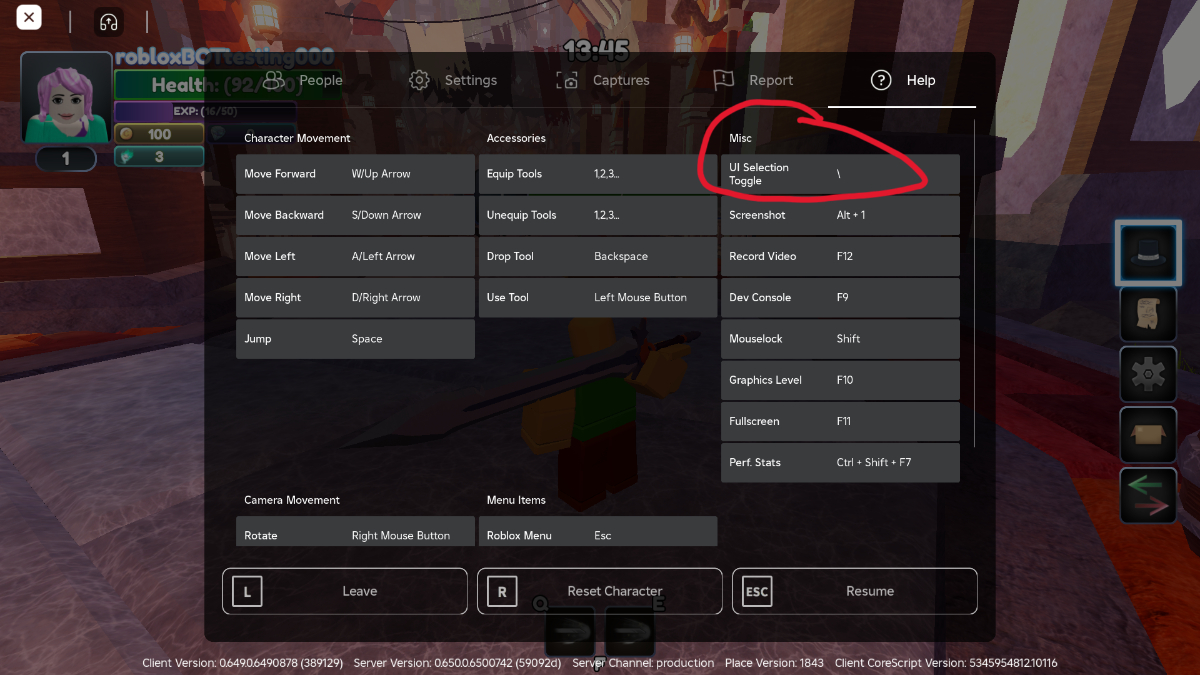
The settings menu with the UI navigation toggle in Roblox
Image Source: Fabled Legacy via The Nerd Stash

The first step to getting unstuck is to understand how you got stuck in the first place. When it comes to UI Selection, the culprit is usually a misclick. On PC, the UI Selection toggle is bound to “\” by default, and it only takes one accidental tap to disable your character’s movements. Although UI Selection can be useful for navigating cumbersome menus in certain games, triggering it in the middle of battle is a good way to lose your current mission. Here’s how to adjust your settings and fix the problem:

  1. Open the pause menu
  2. Open “Settings”
  3. Navigate to “Help”
  4. Look for “UI Selection Toggle” under “Misc”
  5. Exit the pause menu and press the UI Selection Toggle key to get unstuck
  6. Optionally, you can also rebind UI selection to another, less troublesome key
How to Follow People and Stay Up to Date on Roblox
Related: How to Follow People and Stay Up to Date on Roblox

Because UI Navigation snaps the game’s focus to the HUD instead of your character controls, one tap is enough to halt your movement or get you going again. Once you’ve identified the problem, you’re unlikely to fall victim to it again, but it never hurts to double-check your keybindings upon starting a new game. It’s a good way to familiarize yourself with new controls anyway, so you might as well fix any problematic bindings while you’re at it. The next dragon’s in for a surprise.


Related Topics
Guide Roblox
Share. Facebook Twitter LinkedIn Reddit Email
Patrick Armstrong
  • Website

Artist and writer with a lifelong love of video games. Their favorite games include Dead by Daylight, Meet Your Maker, and Project Zomboid.

SUGGESTED READS

LEGO Batman Legacy of the Dark Knight PC Review
9
Gaming

LEGO Batman: Legacy of the Dark Knight Review – A Hero Rises

Call of Duty: Modern Warfare 4 Launching This October on Next-Gen Consoles & Switch 2, But Not Game Pass
Gaming

Call of Duty: Modern Warfare 4 Launching This October on Next-Gen Consoles & Switch 2, But Not Game Pass

Hideo Kojima Teams Up With Prada for an AI Film, And Fans Aren't Happy: 'Beyond Incredibly Disappointing'
Gaming

Hideo Kojima Teams Up With Prada for an AI Film, And Fans Aren’t Happy: ‘Beyond Incredibly Disappointing’

The Witcher 3 Songs of the Past expansion
Gaming

A Witcher 3 Leak Just Forced CD Projekt Red to Announce a Brand-New Expansion: Songs of the Past

CDPR Announces The Witcher 3 'Special Anniversary Stream' Amid New Massive DLC Rumor
Gaming

CDPR Announces The Witcher 3 ‘Special Anniversary Stream’ Amid New Massive DLC Expansion Rumor

007 First Light All Challenges
Gaming

All Challenges in 007 First Light

The Nerd Stash
Facebook X (Twitter) Instagram YouTube LinkedIn
  • About Us
  • Join Our Team
  • Meet the Team
  • Privacy Policy
  • DMCA Policy
  • Contact Us
  • Terms of Use
  • Sitemap
  • Editorial Guidelines
  • Advertising Policy
© 2026 The Nerd Stash. All Rights Reserved.

Type above and press Enter to search. Press Esc to cancel.



