

Close Menu
  • Gaming
    • Platforms
      • Nintendo
      • PC
      • PlayStation
      • Xbox
  • Entertainment
    • Movies
    • TV
    • Royals
  • Celebrity
    • Hollywood
  • Human Interest
  • Astrology
  • More
    • Anime
    • Reviews
Facebook X (Twitter) Instagram LinkedIn YouTube
  • About Us
  • Join Our Team
  • Meet the Team
  • Privacy Policy
  • DMCA Policy
  • Contact Us
  • Terms of Use
  • Sitemap
  • Editorial Guidelines
  • Advertising Policy
The Nerd Stash
  • Gaming
  • Celebrity
  • Hollywood
  • Human Interest
The Nerd Stash
Home»Gaming»How To Use Photo Mode in Final Fantasy 7 Rebirth

How To Use Photo Mode in Final Fantasy 7 Rebirth

Taking pictures, aren’t you?

Nat CollazoBy Nat CollazoFebruary 28, 20242 Mins Read
How to Use Photo Mode in Final Fantasy 7 Rebirth
Image Source: Square Enix via The Nerd Stash
This article is over 2 years old and may contain outdated information.

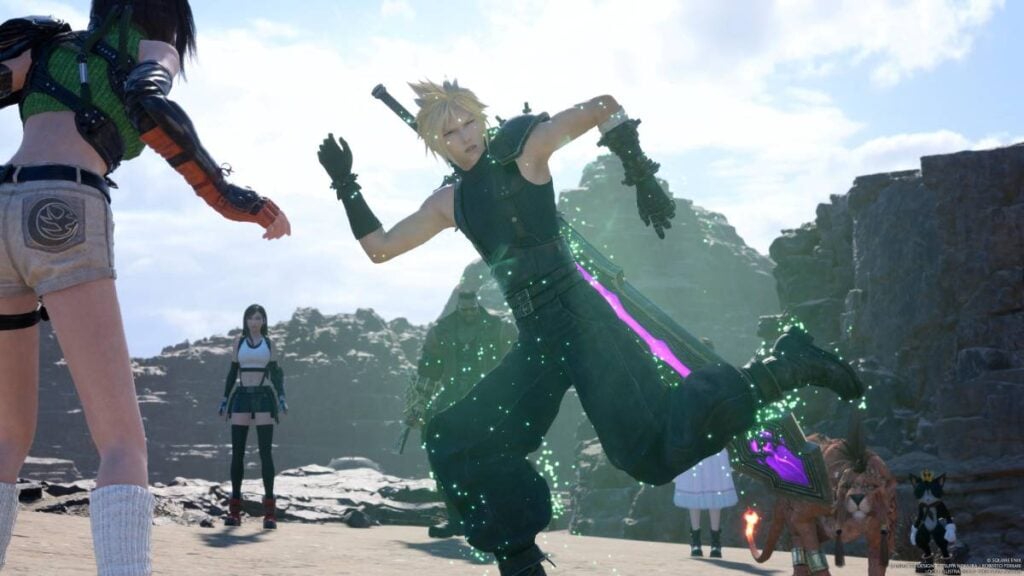
To be clear, there really isn’t a dedicated photo mode in Final Fantasy 7 Rebirth. There is a feature allowing you to take screenshots of whatever your party is doing on screen. However, it’s pretty limiting and doesn’t really allow you to do much. Nonetheless, it’s there to let you snap some incredibly epic shots taken from memorable moments.

Where Is the Photo Mode in Final Fantasy 7 Rebirth?
How to Use Photo Mode in Final Fantasy 7 Rebirth
Image Source: Square Enix via The Nerd Stash

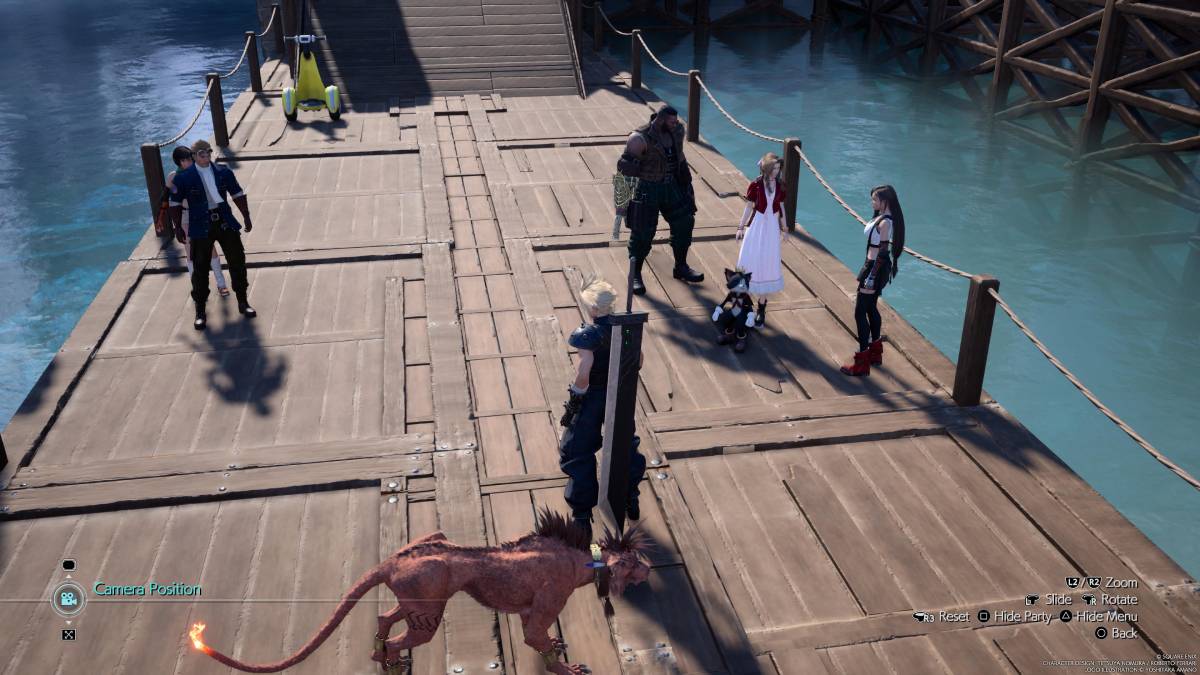
There are two ways to take screenshots while playing Final Fantasy 7 Rebirth.

  1. Press the Pause button whenever you’re in a cutscene to bring yourself to the Paused menu.
    • Here, press the Square button to go into the cutscenes photo mode.
    • You are not able to change the camera angle, camera position, or anything else during this specific photo mode.
  2. Press the Pause button whenever you’re in the overworld to go into the game’s menu.
    • Here, press the Square button to go into a more customizable photo mode.
    • This photo mode is more comprehensive and allows you to change the angle, exposure, and more.

Regardless of which photo mode you use, there aren’t many customizable aspects to them. You won’t be able to do things like pose your character or change which expression they’re using. I guarantee that you’ll get some really awesome scenic shots.

What Can You Do in Photo Mode?

Within the photo mode of Final Fantasy 7 Rebirth, you can:

  • Change the photo’s frame.
    • You can get more frames as you progress.
  • Change the camera position.
  • Change the filters.
  • Change the exposure.
  • Change the tilt.
  • Change the angle.
  • Hide your party.

Related:

Final Fantasy 7 Rebirth Review – New Instruments Playing an Old Familiar Melody

Final Fantasy 7 Rebirth is available now on the PS5.

Related Topics
Final Fantasy 7 Rebirth Guide
Share. Facebook Twitter LinkedIn Reddit Email
Nat Collazo
  • Website
  • X (Twitter)
  • Instagram

I am a game journalist and guide writer with ten years of experience as well as the CEO/ Founder of Frowns Marketing, a marketing company that caters to indie games, tabletop games, and board games to help developers get more wishlists, backers, and players!

SUGGESTED READS

Take-Two CEO Reveals Fans Will Be Forced To Wait a Bit Longer for GTA 6 News 'This Summer,' But Insiders Disagree
Gaming

Take-Two CEO Reveals Fans Will Be Forced To Wait a Bit Longer for GTA 6 News ‘This Summer,’ But Insiders Disagree

007 First Light Launch Trailer
Gaming

007 First Light Celebrates the Long-Awaited Return of James Bond With Its Launch Trailer

Destiny 2 Final Update
Features

Destiny 2 Is Dead: Bungie’s Divisive Franchise Going on Maintenance Mode With Its Last Update Launching on June 9

GTA Studio's Secrets Stay Buried Forever as Rockstar Reportedly Enforces 'Lifetime NDAs' on Ex-Developers
Gaming

GTA Studio’s Secrets Stay Buried Forever as Rockstar Reportedly Enforces ‘Lifetime NDAs’ on Ex-Developers

Warhammer 40,000 Boltgun 2 Hands-On Preview
Features

Warhammer 40,000: Boltgun 2 Hands-On Preview – Retro-Shooting for the Emperor

Warhammer Age of Sigmar Deathmaster Reveal
Features

The Skaven Take the Spotlight in Warhammer Age of Sigmar: Deathmaster

The Nerd Stash
Facebook X (Twitter) Instagram YouTube LinkedIn
  • About Us
  • Join Our Team
  • Meet the Team
  • Privacy Policy
  • DMCA Policy
  • Contact Us
  • Terms of Use
  • Sitemap
  • Editorial Guidelines
  • Advertising Policy
© 2026 The Nerd Stash. All Rights Reserved.

Type above and press Enter to search. Press Esc to cancel.




