Close Menu
  • Gaming
    • Game Guides
    • Codes
    • Game News
    • Game Previews
    • Game Reviews
    • Game Features
    • Game Lists
    • Platforms
      • Nintendo
      • PC
      • PlayStation
      • Xbox
      • Mobile
  • Entertainment
    • Movies
    • Movie Features
    • Movie Reviews
    • TV
    • Reality TV
    • Royals
  • Celebrity
    • Hollywood
  • Human Interest
  • Astrology
  • Videos
  • More
    • Anime
    • Lists
    • Podcasts
    • Reviews
Facebook X (Twitter) Instagram LinkedIn YouTube
  • About Us
  • Join Our Team
  • Meet the Team
  • Privacy Policy
  • DMCA Policy
  • Contact Us
  • Terms of Use
  • Sitemap
  • Editorial Guidelines
  • Advertising Policy
The Nerd Stash
  • Gaming
  • Celebrity
    • Hollywood
  • Human Interest
  • Videos
The Nerd Stash
Home»Features»Madden 23: How to Taunt and Celebrate

Madden 23: How to Taunt and Celebrate

Want to know how to taunt and celebrate in Madden 23? A new installment in the NFL Madden games series brings a lot of new…

Artur NovichenkoBy Artur NovichenkoAugust 18, 20222 Mins Read
madden-23-how-to-taunt-and-celebrate
This article is over 3 years old and may contain outdated information.

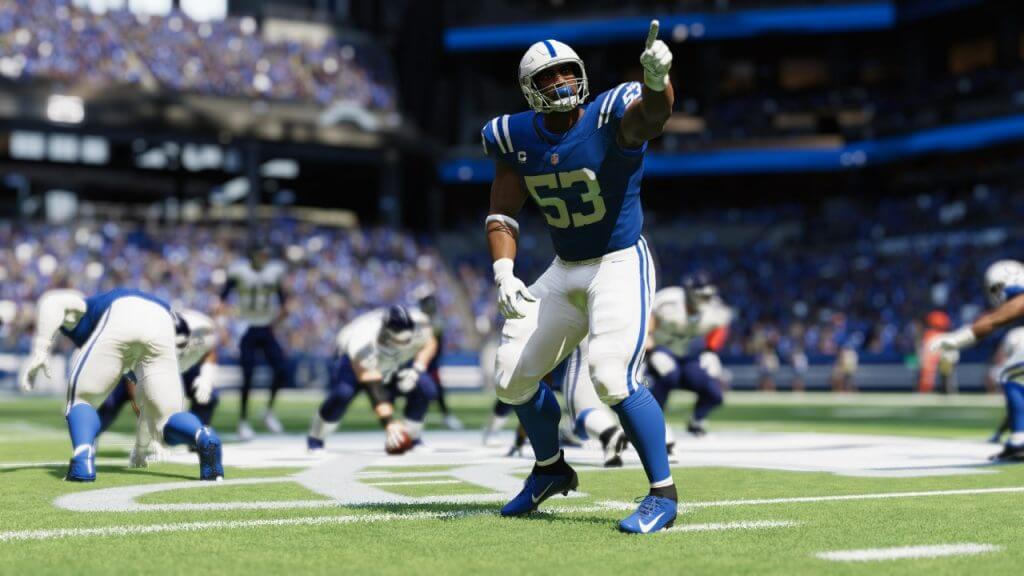
Want to know how to taunt and celebrate in Madden 23? A new installment in the NFL Madden games series brings a lot of new things for loyal fans. Update lists of the best players for each position, updated graphics, and several new features. But at the same time, they did not forget about the old and so much loved by the player’s Taunt and Celebrate features. Controls and key combinations have changed compared to previous versions and are slightly different on different devices. But in fact, everything is as simple as before, and in our guide, we will tell you what you should do to taunt and celebrate in Madden 23.

How to Taunt and Celebrate in Madden 23

Depending on which device you’re playing Madden 23 on, you’ll need to do slightly different actions to taunt and celebrate:

  • PC: Left-mouse button + Left-Ctrl.
  • Play Station: L2+R2+X.
  • Xbox: LT+RT+A.

By doing these actions, you are celebrating but do not forget that even during the celebration, you can and should control your character. Of course, if you are already at the finish line or it is the end of the game, you can celebrate at any time. But if you want to do it during a match, try to be more careful. During the celebration, you slow down a bit, and as a result, the enemy defender will be able to catch up with you and intercept the ball.

Related:

Madden 23: How to Speed Boost in the Game

By the way, you can celebrate in a slightly different way. Once you’ve almost reached the end zone, hold down Square on the Play Station or X on the Xbox to make you look spectacular when you cross the line.

Upon reaching the final zone, you will be asked to choose one of four types of celebration. Using the keyboard and mouse or the joystick, select any of them. It is worth noting that some of the proposed celebration options reflect actual celebration movements in some players. However, some moves are still unique to Madden 23. In any case, celebrating a victory or a point earned allows you to make the game more lively and dynamic. And, if only for a moment, but to believe that you are in a real game.

Madden 23 is available on Xbox Series X|S, Xbox One, PS5, PS4, and PC.

Related Topics
Guide Madden 23
Share. Facebook Twitter LinkedIn Reddit Email
Artur Novichenko
  • Website

Artur is a copywriter and SEO specialist, as well as a small business owner. In his free time, he loves to play computer games and is glad that he was able to connect his professional career with his hobby.

SUGGESTED READS

Minecraft Accused of Mocking Lonely Kids, Sparking Mental Health Backlash: 'One of the Ickiest Things I've Seen'
Features

Minecraft Accused of Mocking Lonely Kids, Sparking Mental Health Backlash: ‘One of the Ickiest Things I’ve Seen’

Destiny 2 Renegades PS5 Review
8.5
Features

Destiny 2: Renegades Review – The Shooter Strikes Back

Clair Obscur: Expedition 33 Loses GOTY, Other Award from Indie Game Awards Over Generative AI: 'Some Weird Performative BS'
Game News

GOTY Stripped Over AI?: Clair Obscur: Expedition 33 Loses Awards at Indie Game Awards, ‘Some Weird Performative BS’

The NeverEnding Story Dragon
Features

This ’80s Classic Movie Is Way Darker Than You Remember

Sony Patents Real-time AI Game Censorship Tech That Could Even Make GTA 6 Kid-Friendly
Game News

Sony Patents Real-Time AI Game Censorship Tech That Could Even Make GTA 6 Kid-Friendly

Zenless Zone Zero Version 2.5 Announcement
Game News

Zenless Zone Zero Version 2.5 Is Ready To Wrap Up the Year With Two New Agents and a Free Outfit

Trending
Minecraft Accused of Mocking Lonely Kids, Sparking Mental Health Backlash: 'One of the Ickiest Things I've Seen'

Minecraft Accused of Mocking Lonely Kids, Sparking Mental Health Backlash: ‘One of the Ickiest Things I’ve Seen’

Destiny 2 Renegades PS5 Review
8.5

Destiny 2: Renegades Review – The Shooter Strikes Back

Clair Obscur: Expedition 33 Loses GOTY, Other Award from Indie Game Awards Over Generative AI: 'Some Weird Performative BS'

GOTY Stripped Over AI?: Clair Obscur: Expedition 33 Loses Awards at Indie Game Awards, ‘Some Weird Performative BS’

The NeverEnding Story Dragon

This ’80s Classic Movie Is Way Darker Than You Remember

The Nerd Stash
Facebook X (Twitter) Instagram YouTube LinkedIn
  • About Us
  • Join Our Team
  • Meet the Team
  • Privacy Policy
  • DMCA Policy
  • Contact Us
  • Terms of Use
  • Sitemap
  • Editorial Guidelines
  • Advertising Policy
© 2025 The Nerd Stash. All Rights Reserved.

Type above and press Enter to search. Press Esc to cancel.