Close Menu
  • Gaming
    • Platforms
      • Nintendo
      • PC
      • PlayStation
      • Xbox
  • Entertainment
    • Movies
    • TV
    • Royals
  • Celebrity
    • Hollywood
  • Human Interest
  • Astrology
  • More
    • Reviews
Facebook X (Twitter) Instagram LinkedIn YouTube
  • About Us
  • Join Our Team
  • Meet the Team
  • Privacy Policy
  • DMCA Policy
  • Contact Us
  • Terms of Use
  • Sitemap
  • Editorial Guidelines
  • Advertising Policy
The Nerd Stash
  • Gaming
  • Celebrity
  • Hollywood
  • Human Interest
The Nerd Stash
Home»Gaming»Where Is Superstar Mode in Madden 24? Explained

Where Is Superstar Mode in Madden 24? Explained

Madden 24 players are looking forward to diving into the returning and upgraded Superstar Mode. But for some reason, the mode is missing from the…

Sidharta F. RasidiBy Sidharta F. RasidiAugust 20, 20233 Mins Read
Where Is Superstar Mode in Madden 24? Explained
Image source: Electronic Arts
This article is over 2 years old and may contain outdated information.

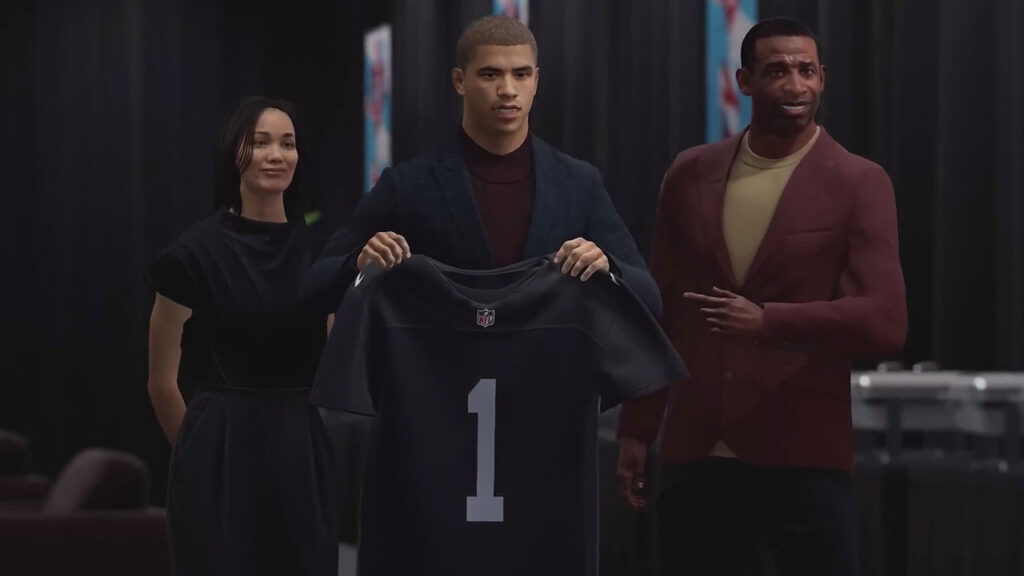
Madden 24 players are looking forward to diving into the returning and upgraded Superstar Mode. But for some reason, the mode is missing from the main menu and players can only find Ultimate Team or Franchise Mode. Gamers then have taken to social media to share their struggles. Luckily, we’ve got the answer to your plight and solutions that are easier than scoring a touchdown. Here’s how you can bring the elusive Superstar Mode back to your Madden 24.

Why Superstar Mode Is Unavailable in Madden 24? Answered

(Updated on October 11, 2024 – updated links and format)

This problem seems to not only affect a specific platform since PC, PlayStation, and Xbox players all shared their grievances. However, there are two things you have to remember if you can’t find Superstar Mode in Madden 24. First, Superstar Mode is only available for Xbox Series X|S, PS5, and PC. Unfortunately, previous-gen players on Xbox One and PS4 will not be able to enjoy this revamped create-your-avatar story mode.

Second, the EA Help page mentioned that Superstar Mode is an online-only mode. Which means it is only playable when you are connected to the internet. Because of this, if you’re on Xbox Series X, PS5, or PC and cannot find Superstar Mode, here are some things that should help you out:

  1. Check the official Madden 24 social media accounts for server outages or maintenance:
    • @MaddenNFLDirect
    • @EAMaddenNFL
    • @EAHelp
  2. Keep an eye on Down Detector for third-party reports about Madden 24 Superstar Mode server issues.
  3. Close your game and wait for at least 5 minutes before restarting it.
    • Make sure you don’t just leave it on standby mode or minimized it.
  4. Restart your gaming device and router or modem to refresh your internet connection.
  5. Check your console’s server availability:
    • PlayStation Network.
    • Xbox Live.
  6. Make sure you can access Madden 24 Superstar Mode by testing your gaming device’s internet connectivity:
    1. For PC, run Command Prompt and type “ping google.com -t” without quotes. Now, if the time exceeds 100ms or there is a Request timed out, your connection may not be very reliable.
    2. Xbox Series X players can open the Profile & System menu. Then choose the General option in the Settings. Afterward, navigate to Network settings and pick Test network connection.
    3. PS5 users want to open Settings, go to the Network menu, and pick Test Internet Connection.

Related:

How To Get MUT Coins Fast & Easy in Madden 24

Have you taken the necessary steps to ensure that your console or PC can connect to the internet with our tips? Then, you are all set to conquer the gridiron with your newly restored Superstar Mode.


Related Topics
Guide Madden 24
Share. Facebook Twitter LinkedIn Reddit Email
Sidharta F. Rasidi
  • Website

Since middle school, Sidharta has used his video game blog as a handy excuse to avoid studying. After graduating with a degree in Management Information Systems from Bina Nusantara University, he spent years honing his skills as a games journalist, working as an editor for a local gaming site and freelancing elsewhere. Nowadays, when he’s not busy crafting outrageous plots for his serialized comic, Sidharta covers niche games on his personal blog, StoPlayinGame.com. His favorite game series includes Monster Hunter, Earth Defense Force, THE iDOLM@STER, Road Trip Adventure, and KOEI Tecmo's Warriors.

SUGGESTED READS

Where to Find All Echobones & Catch Panthalus in Palworld 1.0
Gaming

Where to Find All Echobones & Catch Panthalus in Palworld 1.0

Transport Fever 3 Features
Gaming

Transport Fever 3 Is Gearing Up for Launch With New Footage Showcasing Several Features for Transport Tycoon Fans

9.5
Gaming

Rhythm Heaven Groove Review – Harmonic Perfection

Marvel Rivals Season 9 Hands-On Preview
Gaming

Marvel Rivals Season 9 Hands-On Impressions: Feels Like a Whole New Game

Diablo 4 x Overwatch Collab
Gaming

Diablo 4 x Overwatch Impressions: Something of an Inconsistent Bag

Late game blink theory in Dota 2
Gaming

Why Dota 2 Modern Late Game Doesn’t Forgive A Single Blink

The Nerd Stash
Facebook X (Twitter) Instagram YouTube LinkedIn
  • About Us
  • Join Our Team
  • Meet the Team
  • Privacy Policy
  • DMCA Policy
  • Contact Us
  • Terms of Use
  • Sitemap
  • Editorial Guidelines
  • Advertising Policy
© 2026 The Nerd Stash. All Rights Reserved.

Type above and press Enter to search. Press Esc to cancel.