Close Menu
  • Gaming
    • Platforms
      • Nintendo
      • PC
      • PlayStation
      • Xbox
  • Entertainment
    • Movies
    • TV
    • Royals
  • Celebrity
    • Hollywood
  • Human Interest
  • Astrology
  • More
    • Anime
    • Reviews
Facebook X (Twitter) Instagram LinkedIn YouTube
  • About Us
  • Join Our Team
  • Meet the Team
  • Privacy Policy
  • DMCA Policy
  • Contact Us
  • Terms of Use
  • Sitemap
  • Editorial Guidelines
  • Advertising Policy
The Nerd Stash
  • Gaming
  • Celebrity
  • Hollywood
  • Human Interest
The Nerd Stash
Home»Gaming»How To Change Your House’s Exterior in Disney Dreamlight Valley

How To Change Your House’s Exterior in Disney Dreamlight Valley

Finally, it’s time for a new paint job

Mykel BrightAsanga WijeratneBy Mykel Bright and Asanga WijeratneSeptember 30, 20243 Mins Read
dreamlight valley house exterior
Image Source: Gameloft edit via The Nerd Stash
This article is over 1 years old and may contain outdated information.

Disney Dreamlight Valley prides itself on immersion. Of course, it doesn’t have nearly the extensive character creator like some RPGs, but it offers enough to feel like your character is truly you. Decorating your house is where some of that magic comes in. And even though the interior designing phase could use some help, Disney Dreamlight Valley gives you the freedom to change the exterior of your house too once Mirabel joined the Valley. It’s no Casita, but it’s all yours.

[Updated September 30, 2024 – revamped with more info about the requirements needed]

How to Unlock Your House’s Exterior Options

upgrade house exterior dreamlight valley
Image Source: Gameloft via The Nerd Stash

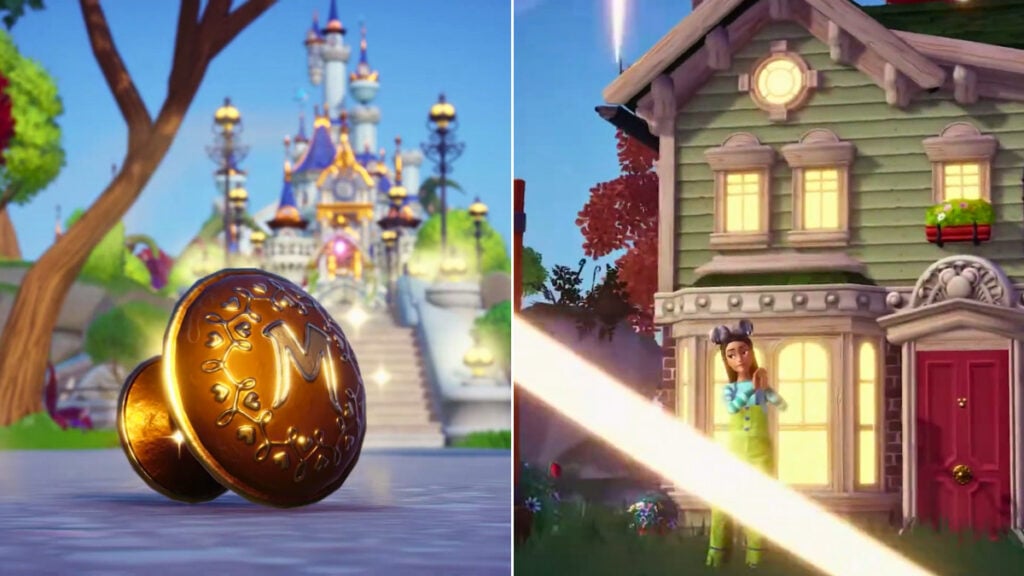
Although the Dreamlight Valley updated so every player can change their house’s exterior skin, that doesn’t mean it’s automatically available. There is a requirement before you can enjoy this feature. You must upgrade your house.

Interacting with the sign outside your home will summon Scrooge, and the first upgrade costs 2,000 Star Coins. Seems like nothing, right? But subsequent upgrades will take quite a bit from your coin purse. The next upgrade is 20,000 Star Coins, but that also requires you to have all three connecting interior rooms regardless of the size. Finally, the last upgrade is 75,000 Star Coins. 

These also improve the storage space you’ll have. With the outside fully complete, you can finally change the exterior skin.

Changing the Exterior of Your Dreamlight Valley House

If yellow’s not your favorite, don’t worry. You’re not stuck with the standard exterior house paint job forever in Disney Dreamlight Valley. Instead, you can choose from over a dozen different options. Some focus on just changing the color swatches but keep the same style. Other choices will give your exterior a complete makeover to the point you won’t even recognize it. Note that a re-skin can change the size, so you may need more room to cover it.

Related:

How to Make Sea Turtle a Companion in Disney Dreamlight Valley

Now that you’re in the market for something new, let’s work on your Dreamlight Valley house exterior. And you can do it all in a few short steps. The longest time you’ll have is deciding on an option:

  1. Under the Inventory menu, head to the Furniture tab
  2. Enter Edit Mode and select your house
  3. You should now see a “Replace” button in the lower right corner of your screen
  4. Select “Replace” to view another menu with all the available exterior options

Once you settle on an option, all you have to do is select it and that’s it. You’ve officially become an exterior house decorator in Disney Dreamlight Valley.

Unlocking More Exterior House Options in Dreamlight Valley

If you don’t see that many options, there’s nothing wrong with your game. It’s just that numerous exterior skins are hidden behind premium options. So, you need to head to the shop to expand the offerings. Of course, this will cost you. If you’re unwilling to pay, then you can simply enjoy the free choices as they’re more than enough to spruce up the Valley.


Related Topics
disney dreamlight valley Guide
Share. Facebook Twitter LinkedIn Reddit Email
Mykel Bright, Asanga Wijeratne
  • Website

Since childhood, Mykel has had a passion for writing, drawing, comic books, video games, and all things horror. She finds various ways to blend her loves such as sketching out ideas for potential comics and working out ideas for choice-based visual novels.

Mykel Bright, Asanga Wijeratne
  • Website

Since childhood, Mykel has had a passion for writing, drawing, comic books, video games, and all things horror. She finds various ways to blend her loves such as sketching out ideas for potential comics and working out ideas for choice-based visual novels.

SUGGESTED READS

Vampire Survivors Developer Goes Wild With Over 15 New Games, Expands to Japan and Italy: 'Profit Is Not a Priority'
Gaming

Vampire Survivors Developer Goes Wild With Over 15 New Projects, Expands to Japan and Italy: ‘Profit Is Not a Priority’

Gaming

The Expanse: Osiris Reborn Is Owlcats Most Ambitious Leap Yet ‘A stunning jump forward’

World of Tanks HEAT Closed Beta Preview
Features

World of Tanks HEAT Hands-On Preview – Faster, Flashier, and Just as Tactical

Where to Find the Secret Fall Shop in Roblox Adopt Me
Gaming

Where to Find the Secret Fall Shop in Roblox Adopt Me

Diablo 4 Lord of Hatred Review
10
Features

Diablo 4: Lord of Hatred Review – Breaking the Cycle

Shuhei Yoshida Says He Was Fired From Playstation Studios for Saying 'No' to Jim Ryan: 'He Asked For Ridiculous Things'
Gaming

Shuhei Yoshida Says He Was Fired From Playstation Studios for Saying ‘No’ to Jim Ryan: ‘He Asked For Ridiculous Things’

The Nerd Stash
Facebook X (Twitter) Instagram YouTube LinkedIn
  • About Us
  • Join Our Team
  • Meet the Team
  • Privacy Policy
  • DMCA Policy
  • Contact Us
  • Terms of Use
  • Sitemap
  • Editorial Guidelines
  • Advertising Policy
© 2026 The Nerd Stash. All Rights Reserved.

Type above and press Enter to search. Press Esc to cancel.