
Close Menu
  • Gaming
    • Game Guides
    • Codes
    • Game News
    • Game Previews
    • Game Reviews
    • Game Features
    • Game Lists
    • Platforms
      • Nintendo
      • PC
      • PlayStation
      • Xbox
      • Mobile
  • Entertainment
    • Movies
    • Movie Features
    • Movie Reviews
    • TV
    • Reality TV
    • Royals
  • Celebrity
    • Hollywood
  • Human Interest
  • Astrology
  • Videos
  • More
    • Anime
    • Lists
    • Podcasts
    • Reviews
Facebook X (Twitter) Instagram LinkedIn YouTube
  • About Us
  • Join Our Team
  • Meet the Team
  • Privacy Policy
  • DMCA Policy
  • Contact Us
  • Terms of Use
  • Sitemap
  • Editorial Guidelines
  • Advertising Policy
The Nerd Stash
  • Gaming
  • Celebrity
    • Hollywood
  • Human Interest
  • Videos
The Nerd Stash
Home»Features»How to Get the Scanner Tablet in Roblox DOORS

How to Get the Scanner Tablet in Roblox DOORS

Do you want to know how to get the Scanner Tablet in Roblox DOORS? Roblox Doors is just one of many Roblox experiences available to…

Nikola PajticBy Nikola PajticMarch 21, 20233 Mins Read
How to Get Scanner Tablet in Roblox Doors Feature
via Roblox
This article is over 2 years old and may contain outdated information.

Do you want to know how to get the Scanner Tablet in Roblox DOORS? Roblox Doors is just one of many Roblox experiences available to play. However, it has become one of the most popular horror experiences thanks to its simple and yet addictive gameplay.

While you manage through different rooms opening many doors, you will be on the prowl for unique items, fighting your way against different entities. One such item is Scanner Tablet, which is the ultimate item if you want to progress fast in the campaign. This guide will show you how to get Scanner Tablet in Roblox Doors.

Where to Find Scanner Tablet in Roblox Doors?

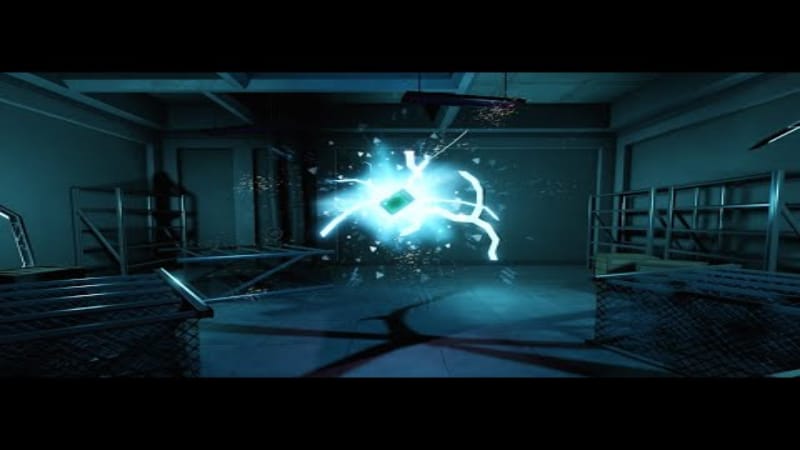
You can get Scanner Tablet in Roblox Doors behind the Doors A-1000. However, this is not an easy feat. Nevertheless, we are here to guide you through the process.
Scanner Tablet Roblox Doors
via Roblox

Before starting your adventure to get Scanner Tablet in Roblox Doors, you need to have two lockpicks and a Skeleton Key on you.

Once you get these items, you will be ready to start your journey. Follow these simple steps to get Scanner Tablet:

  1. First, you need to go through the area known as ‘The Rooms’. You will find this in the room behind Door 61.
  2. Now, descend into the basement and flip the switch that you will see on the wall.
  3. Next, return and exit through Door 61. You should now locate an opening in the wall behind the bookcase.
  4. Progress through the narrow passageway until you reach a painting and unlocked doors.
  5. This will lead you to a completely new door marked with A-000. This door has a skull and chains on them. Use the lockpicks and the Skeleton key to unlock the door. You are halfway through getting the Scanner Tablet in Roblox Doors.
  6. Now the hard part. You need to get all the way to Door A-1000 without dying.
  7. Once you enter through Door A-1000, you will be able to snatch yourself a Scanner tablet. You will find it on a plank of the wooden bridge.

This is a powerful tool as it highlights progression items, including room keys, switches, breaker switches, and library books, through the walls, marking them with a star. Moreover, it allows night vision. Now that you know how to get it, go out there and don’t be scared. Remember, you need to survive all the way up to Door A-1000.

Related:

Roblox Doors: How to Reach A-1000 Secret Ending (Hotel Update)

Roblox Doors is available for PC, iOS, Android, and Xbox One.

Related Topics
Guide Roblox
Share. Facebook Twitter LinkedIn Reddit Email
Nikola Pajtic
  • Website

Nikola has been a gamer his whole life, and you can find him playing AAA titles but also unknown indie games.

SUGGESTED READS

Destiny 2 Shadow and Order Delay
Game News

‘At This Point, I Don’t Think It’s Enough to Save the Game,’ Destiny 2 Players Heartbroken After Shadow and Order Delay

How to Spectate a Trade in Adopt Me on Roblox
Game Guides

How to Spectate a Trade in Adopt Me on Roblox

People of Note Release Date
Game News

Musical RPG, People of Note, Announces Its Release Date and Launches Public Demo

People of Note Demo Hands-on Impressions
Game Previews

People of Note Demo Hands-On Impressions – Embrace the Beat

Blender Bee Swarm Simulator
Game Guides

Where Is the Blender in Bee Swarm Simulator on Roblox? Answered

How to Get Blue Extract in Bee Swarm Simulator on Roblox
Game Guides

How to Get Blue Extract in Bee Swarm Simulator on Roblox

The Nerd Stash
Facebook X (Twitter) Instagram YouTube LinkedIn
  • About Us
  • Join Our Team
  • Meet the Team
  • Privacy Policy
  • DMCA Policy
  • Contact Us
  • Terms of Use
  • Sitemap
  • Editorial Guidelines
  • Advertising Policy
© 2026 The Nerd Stash. All Rights Reserved.

Type above and press Enter to search. Press Esc to cancel.





