
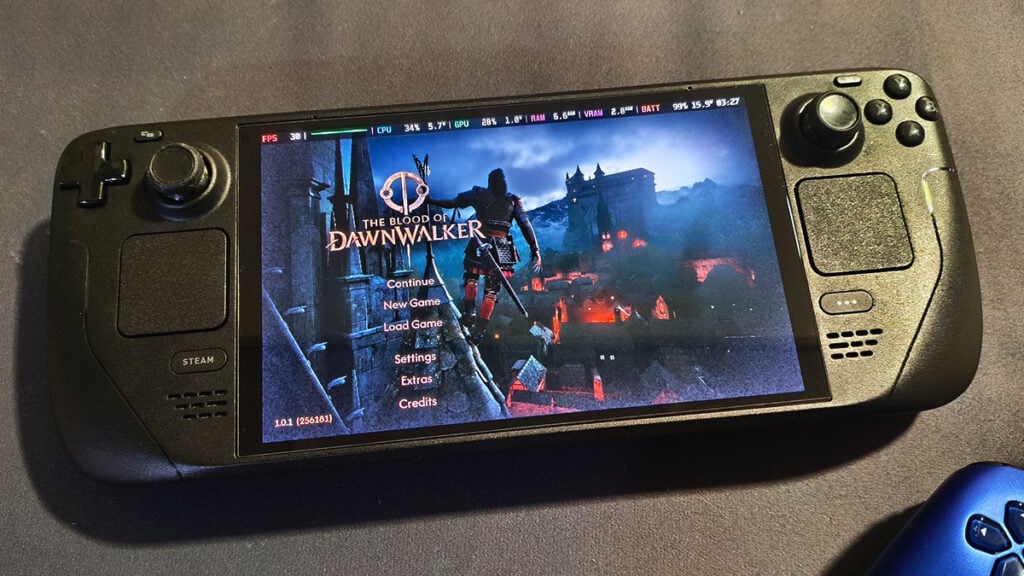
The Blood of Dawnwalker seems like one of those perfect games to play on a Steam Deck. Chipping away at its quest-filled open medieval world from the comfort of your bed is undoubtedly the best way to finish massive RPGs like this. Unfortunately, Valve’s handheld isn’t quite ready to join Coen without some serious compromises.
To be fair, yes, The Blood of Dawnwalker can technically run on the Steam Deck. However, our testing shows that performance quickly falls below 30 FPS even in the starting area. If you’re determined to play it on a handheld PC anyway, these are the best Steam Deck settings we’ve found so far.
Best Steam Deck Settings for Blood of Dawnwalker
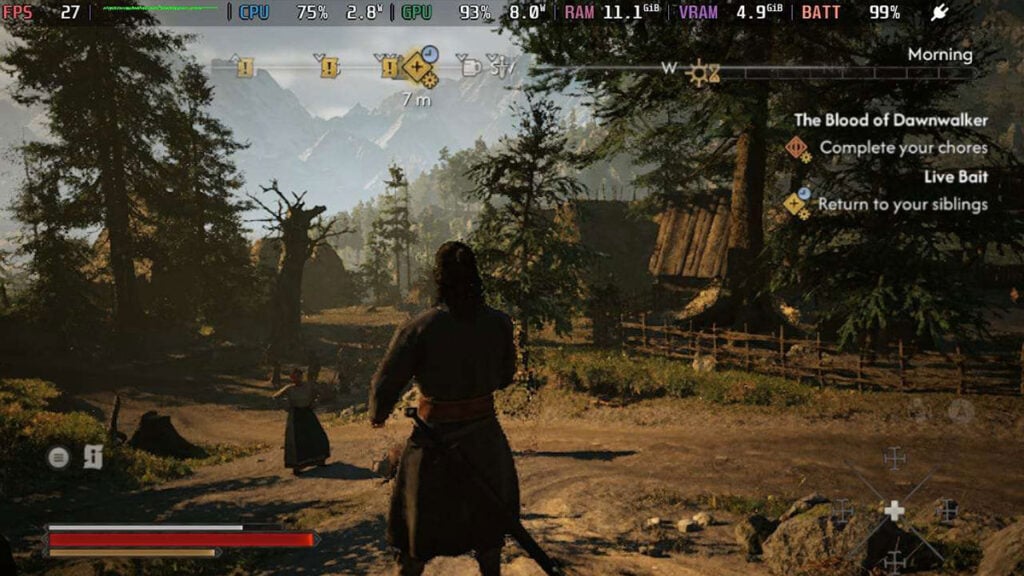
Do keep in mind that The Blood of Dawnwalker is currently marked as Unsupported on the Steam Deck. It doesn’t have the Steam Deck Verified badge stamped on its Store page. With that in mind, don’t expect smooth performance when playing it on the go.
Display Settings
Even in the less demanding tutorial scene, The Blood of Dawnwalker cannot maintain a steady 60 FPS using the default Low Preset. It frequently drops into the 40s and below — and things get much worse once the first chapter begins. As Coen steps outside his home, performance craters to around 20–25 FPS.
We tried lowering the resolution to 1024×640 through Steam’s Maximum Game Resolution settings, but it still doesn’t improve those numbers. Because of that, we suggest sticking with the Steam Deck’s native 1280×800 resolution and limiting the frame rate to 30 FPS.
| Display Mode | Borderless |
| Resolution | 1200 x 800 |
| Frame Rate Limit | On |
| Maximum FPS | 30 |
Video Settings
Basically, you’ll want to run The Blood of Dawnwalker at the lowest possible settings on Steam Deck. Unfortunately, turning on upscaling doesn’t provide a noticeable performance boost or alleviate its frame rate woes.
| Shadow Quality | Low |
| Light Quality | Low |
| Reflections Quality | Low |
| Post-Processing Quality | Low |
| Texture Quality | Low |
| Effects Quality | Low |
| Shading Quality | Low |
| Foliage Quality | Low |
| Detail Quality | Low |
| Volumetric Quality | Low |
| Upscaling Technology | FSR |
| Upscaling Mode | Ultra Performance |
| Frame Generation | Off |
| Motion Blur | On (Doesn’t affect performance) |
| Bloom | Off (Doesn’t affect performance) |
| Chromatic Aberration | Off (Doesn’t affect performance) |
| Depth of Field | On (Doesn’t affect performance) |
So, can you play The Blood of Dawnwalker on Steam Deck? Again, you sort of can, but we wouldn’t recommend it for Rebel Wolves‘ open-world RPG experience. Unless future patches significantly improve Steam Deck performance, Coen’s bloodsucking adventures are better enjoyed on more powerful hardware.