Close Menu
  • Gaming
    • Platforms
      • Nintendo
      • PC
      • PlayStation
      • Xbox
  • Entertainment
    • Movies
    • TV
    • Royals
  • Celebrity
    • Hollywood
  • Human Interest
  • Astrology
  • More
    • Anime
    • Reviews
Facebook X (Twitter) Instagram LinkedIn YouTube
  • About Us
  • Join Our Team
  • Meet the Team
  • Privacy Policy
  • DMCA Policy
  • Contact Us
  • Terms of Use
  • Sitemap
  • Editorial Guidelines
  • Advertising Policy
The Nerd Stash
  • Gaming
  • Celebrity
  • Hollywood
  • Human Interest
The Nerd Stash
Home»Gaming»How To Find and Use the Roblox Creator Marketplace

How To Find and Use the Roblox Creator Marketplace

Shop away, devs

Patrick ArmstrongBy Patrick ArmstrongNovember 21, 20242 Mins Read
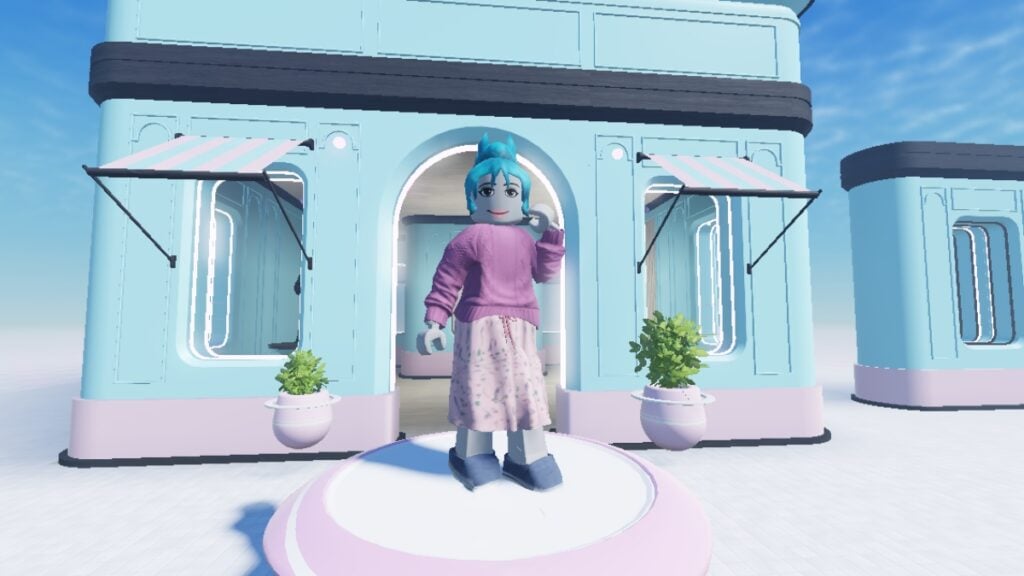
A character stands outside a shop in a default Roblox Studio experience
Image Source: Roblox via The Nerd Stash

Though the Player Marketplace gets most of the attention, the Creator Marketplace matters just as much for Roblox. Instead of hairstyles and faces to customize your character, you’ll find pretty much everything you need to make your own experience. Weapons, lights, buildings, and entire landscapes are all available. Whether you’re an aspiring game dev or a professional in need of a quick placeholder, this asset library can be a lifesaver. It won’t prevent every game dev problem, but it might at least get you unstuck and moving again. Here’s how to find and use the Roblox Creator Marketplace.

Roblox Creator Marketplace Guide
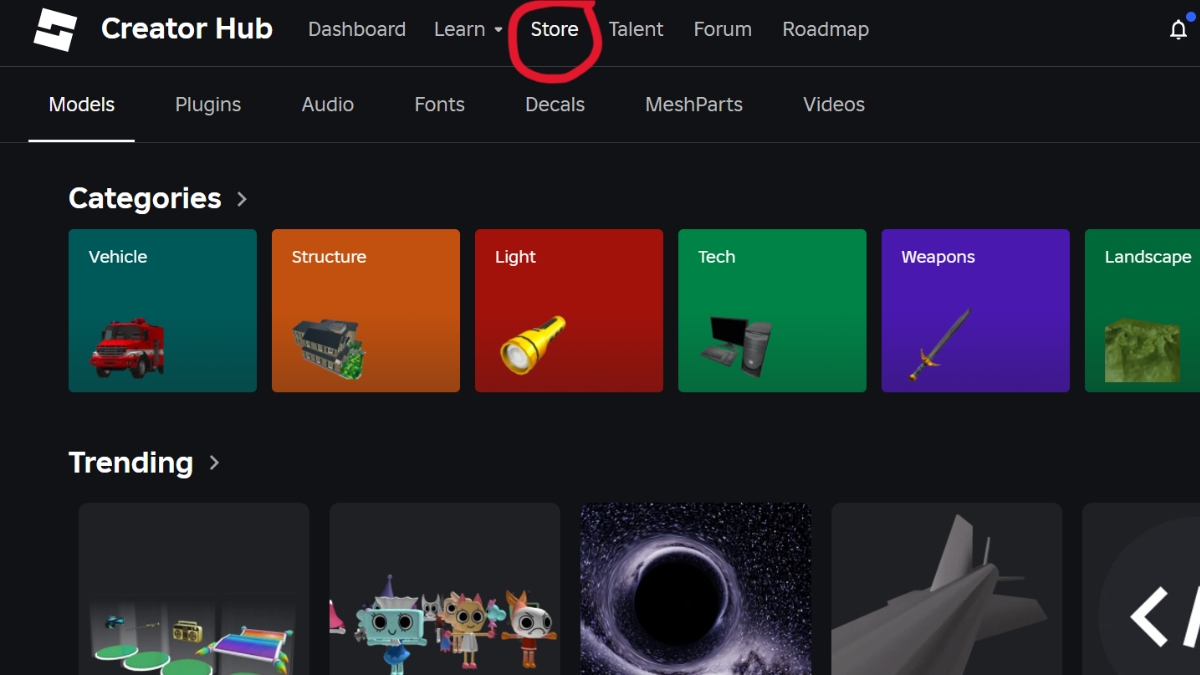
The Store button leading to the Roblox Creator Marketplace
Image Source: Roblox via The Nerd Stash

Before you publish your game, you’ll want to stock it with cool assets. You can make your own, but not everyone has the skills or the time. Unfortunately, the Marketplace isn’t available on mobile, and even on PC, the path to what you need is confusing. Surprisingly, neither the Marketplace nor the Store button will take you where you need to go. The former opens the player accessory market, while the latter opens Amazon. Here’s what you need to do instead:

  1. Launch the PC version of Roblox
  2. Navigate to “More”
  3. Click “Create” to open the Roblox Creator Hub website
  4. Click on “Store” on the top menu to open the Roblox Creator Marketplace
  5. Search for the asset you want to download and click on it
  6. Click “Get Model” to add it to your inventory
How To Fix No Sound Driver on Roblox and Get the Beats Bumping Again
Related: How To Fix No Sound Driver on Roblox and Get the Beats Bumping Again

Once you’ve added an asset to your inventory, the “Get Model” button will transform into “Try in Studio,” allowing you to try out your new item right away. The Creator Marketplace is user-friendly and contains a ton of free assets, but it’s not all free. There are premium assets that cost real money here as well, so always double-check before committing. To remove premium assets from the display, use “Filter By” and then move the slider all the way to the left. With an almost endless supply of assets now at your fingertips, you’re one step closer to making your Roblox creator dreams come true.


Related Topics
Guide Roblox
Share. Facebook Twitter LinkedIn Reddit Email
Patrick Armstrong
  • Website

Artist and writer with a lifelong love of video games. Their favorite games include Dead by Daylight, Meet Your Maker, and Project Zomboid.

SUGGESTED READS

World of Tanks HEAT Closed Beta Preview
Features

World of Tanks HEAT Hands-On Preview – Faster, Flashier, and Just as Tactical

Where to Find the Secret Fall Shop in Roblox Adopt Me
Gaming

Where to Find the Secret Fall Shop in Roblox Adopt Me

Diablo 4 Lord of Hatred Review
10
Features

Diablo 4: Lord of Hatred Review – Breaking the Cycle

Shuhei Yoshida Says He Was Fired From Playstation Studios for Saying 'No' to Jim Ryan: 'He Asked For Ridiculous Things'
Gaming

Shuhei Yoshida Says He Was Fired From Playstation Studios for Saying ‘No’ to Jim Ryan: ‘He Asked For Ridiculous Things’

Splinter Cell Remake Shows Signs of Life Despite Recent Layoffs at Ubisoft Toronto
Gaming

Splinter Cell Remake Shows Signs of Life Despite Recent Layoffs at Ubisoft Toronto

Fastest Ways to Get a Purrowl in Roblox Adopt Me
Gaming

Fastest Ways to Get a Purrowl & Trade Value in Roblox Adopt Me

The Nerd Stash
Facebook X (Twitter) Instagram YouTube LinkedIn
  • About Us
  • Join Our Team
  • Meet the Team
  • Privacy Policy
  • DMCA Policy
  • Contact Us
  • Terms of Use
  • Sitemap
  • Editorial Guidelines
  • Advertising Policy
© 2026 The Nerd Stash. All Rights Reserved.

Type above and press Enter to search. Press Esc to cancel.