

Close Menu
  • Gaming
    • Platforms
      • Nintendo
      • PC
      • PlayStation
      • Xbox
  • Entertainment
    • Movies
    • TV
    • Royals
  • Celebrity
    • Hollywood
  • Human Interest
  • Astrology
  • More
    • Anime
    • Reviews
Facebook X (Twitter) Instagram LinkedIn YouTube
  • About Us
  • Join Our Team
  • Meet the Team
  • Privacy Policy
  • DMCA Policy
  • Contact Us
  • Terms of Use
  • Sitemap
  • Editorial Guidelines
  • Advertising Policy
The Nerd Stash
  • Gaming
  • Celebrity
  • Hollywood
  • Human Interest
The Nerd Stash
Home»Gaming»How To Unlock & Use the Music Player in Death Stranding 2: On the Beach

How To Unlock & Use the Music Player in Death Stranding 2: On the Beach

Post-apocalyptic tunes

Julio La PineBy Julio La PineJune 26, 20253 Mins Read
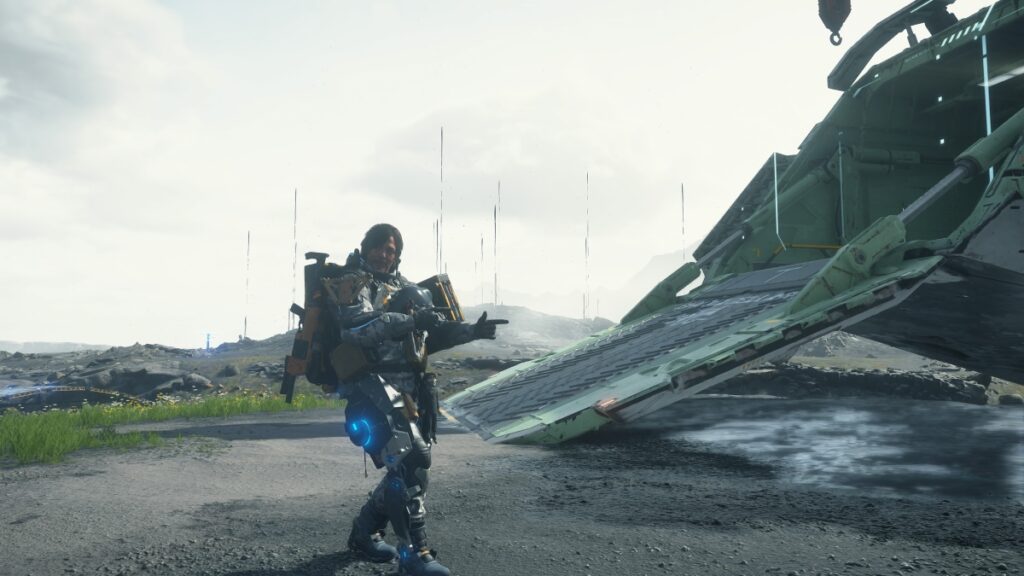
Death Stranding 2 Music Player Unlock
Image Source: Sony via The Nerd Stash

One of the best aspects of Death Stranding and Death Stranding 2: On the Beach is the music. Kojima is always looking for ways to immerse players in these tunes that come from different artists. However, players always wanted a way to replay these tracks while on the road, and fortunately, Death Stranding 2 has introduced a music player to do so. Yet, you won’t get it straight away. There are a few things you must complete first before you can take the music with you.

How To Unlock the Music Player in Death Stranding 2

To unlock the music player in Death Stranding 2: On the Beach, you must first meet The Musician in Australia. We won’t spoil who the real-life person is to save the surprise, but some might be pleasantly surprised after discovering who this prepper is. In any case, all you must do is complete Order #11, which requires Sam to disable a disruptor and deliver cargo to The Musician. Once that’s done, you’ll be able to access this new feature and a bunch of songs from different artists. These are the ones that you’ll get immediately:

  • Raindrops Keep Fallin’ on My Head by BJ Thomas.
  • On The Beach by Caroline Polachek.
  • Death Stranding by Chvrches
  • Nightmares by Chvrches
  • Horizon Dreamer by Daichi Miura
  • Fushigi by Gen Hoshino
  • Pop Virus by Gen Hoshino
  • Sayonara by Gen Hoshino
  • Deathly by Grimm Grimm
  • Mothers by Grimm Grimm
  • Dancing Ghosts (ft. Patrick Watson) by Hania Rani
  • Just How It Goes by Low Roar
  • Indigo by Magnolian
  • Any Love of Any Kind (choir version) by Woodkid
  • Any Love of Any King (ft. Bryve Dessner) by Woodkid
  • Are You There by Woodkid
  • Asphalt Maelstrom by Woodkid
  • Minus Sixty One by Woodkid

Naturally, you’ll unlock more songs by completing orders and raising your connection levels with other preppers.

How To Use the Music Player
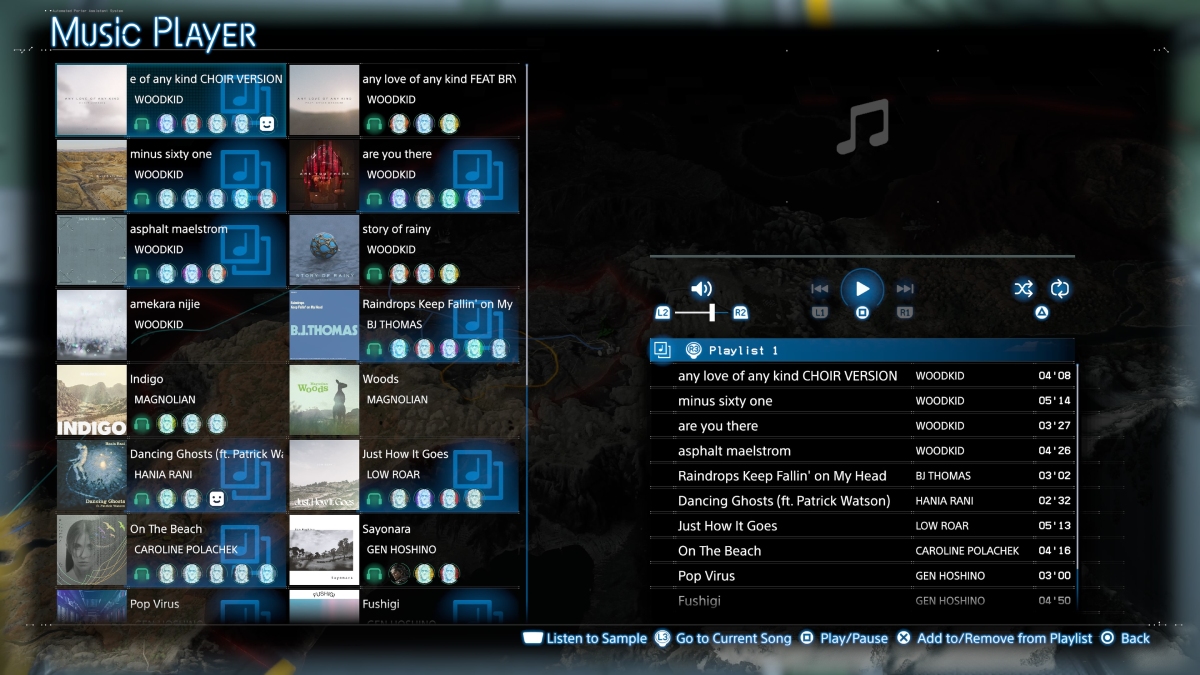
Death Stranding 2 Playlist Option
Image Source: Sony via The Nerd Stash

Once you have this feature, you can access it through your Ring Terminal, which is the pause button. You can head to the Music Player option to see the above interface. In it, you can do the following:

  • Listen to Sample (Touchpad)
  • Go to Current Song (L3)
  • Play/Pause Song (Square)
  • Add to/Remove from Playlist (Cross)
  • Swap Playlists (R3)

At the moment, there’s a limit of three playlists, and you can swap them around by pressing R3. Additionally, the music will pause if you encounter a significant story moment or approach a hazardous area, such as a Bandit camp or a BT zone.
How To Unlock & Use APAS in Death Stranding 2: On the Beach
Related: How To Unlock & Use APAS in Death Stranding 2: On the Beach

So, now that you know how the music player works in Death Stranding 2, you’d better start befriending preppers to unlock more songs for your repertoire.


Death Stranding 2 - Giant BT Boss Fight
Related Topics
Death Stranding 2 Guide
Share. Facebook Twitter LinkedIn Reddit Email
Julio La Pine
  • Website

Been gaming since '99! I am a huge JRPG fan and my favorite franchise is Final Fantasy. I love writing about games and I hope I can do it for the rest of my days!

SUGGESTED READS

Take-Two Boss Finally Explains Why GTA 6 Is Skipping PC at Launch: 'We'll See How It Works Out'
Gaming

Take-Two Boss Finally Explains Why GTA 6 Is Skipping PC at Launch: ‘We’ll See How It Works Out’

Rockstar Employee Review Claims 'Unrealistic' Crunch as GTA 6 Development Intensifies: 'Had to Work Till 3AM'
Gaming

Rockstar Employee Review Claims ‘Unrealistic’ Crunch as GTA 6 Development Intensifies: ‘Had to Work Till 3AM’

All Rewards from Admin Abuse Eggs & Box in Roblox Adopt Me
Gaming

All Rewards from Admin Abuse Eggs & Box in Roblox Adopt Me

Gaming

World Heroes Perfect Reminds Me of the Golden Age of Fighting Games

Fatal Fury City of the Wolves Mr Karate Reveal
Gaming

Fatal Fury: City of the Wolves Unveils Its Next Season 2 Fighter, and It’s a Classic

Why Is It Snowing & How to Get Ribbon Seal in Roblox Adopt Me
Gaming

Why Is It Snowing & How to Get Ribbon Seal in Roblox Adopt Me

The Nerd Stash
Facebook X (Twitter) Instagram YouTube LinkedIn
  • About Us
  • Join Our Team
  • Meet the Team
  • Privacy Policy
  • DMCA Policy
  • Contact Us
  • Terms of Use
  • Sitemap
  • Editorial Guidelines
  • Advertising Policy
© 2026 The Nerd Stash. All Rights Reserved.

Type above and press Enter to search. Press Esc to cancel.



