
Close Menu
  • Gaming
    • Platforms
      • Nintendo
      • PC
      • PlayStation
      • Xbox
  • Entertainment
    • Movies
    • TV
    • Royals
  • Celebrity
    • Hollywood
  • Human Interest
  • Astrology
  • More
    • Reviews
Facebook X (Twitter) Instagram LinkedIn YouTube
  • About Us
  • Join Our Team
  • Meet the Team
  • Privacy Policy
  • DMCA Policy
  • Contact Us
  • Terms of Use
  • Sitemap
  • Editorial Guidelines
  • Advertising Policy
The Nerd Stash
  • Gaming
  • Celebrity
  • Hollywood
  • Human Interest
The Nerd Stash
Home»Gaming»How To Upgrade the Flame Altar in Enshrouded

How To Upgrade the Flame Altar in Enshrouded

Light it up!

Julio La PineBy Julio La PineJanuary 24, 20242 Mins Read
Upgrading the Flame Altar in Enshrouded
Image Source: Keen Games via The Nerd Stash
This article is over 2 years old and may contain outdated information.

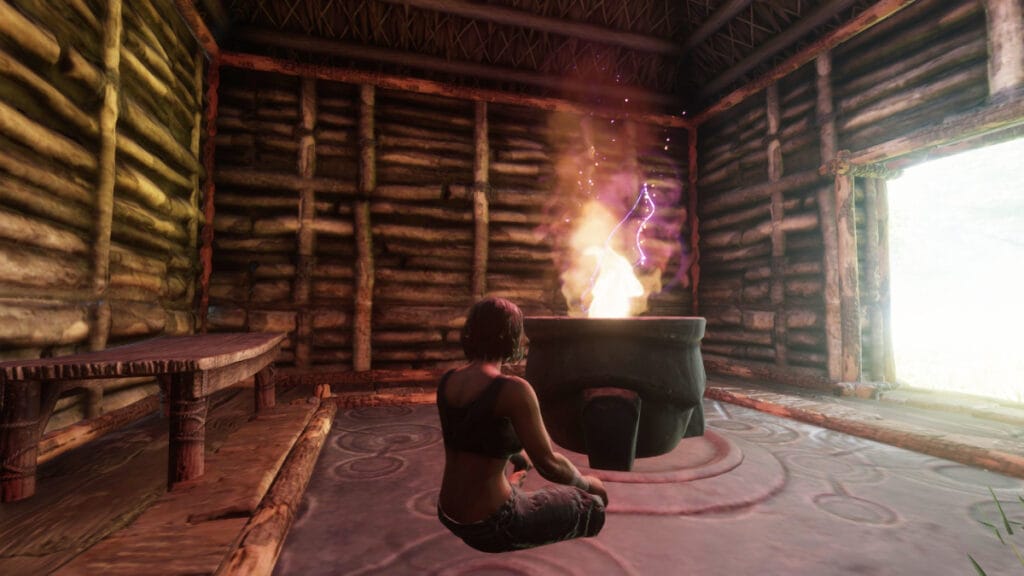
Like many survival games that allow you to claim a piece of land, Enshrouded has a similar mechanic in the form of a Flame Altar, which you need to upgrade as you progress through your adventure. This structure lets you establish a base location in the world and it even serves as a fast travel point from anywhere on the map. However, if you want to turn your little house into a village or something grander, you’ll need to explore the world to upgrade this useful structure.

Upgrading Your Flame Altar in Enshrouded
Enshrouded Flame Altar Guide
Image Source: Keen Games via The Nerd Stash

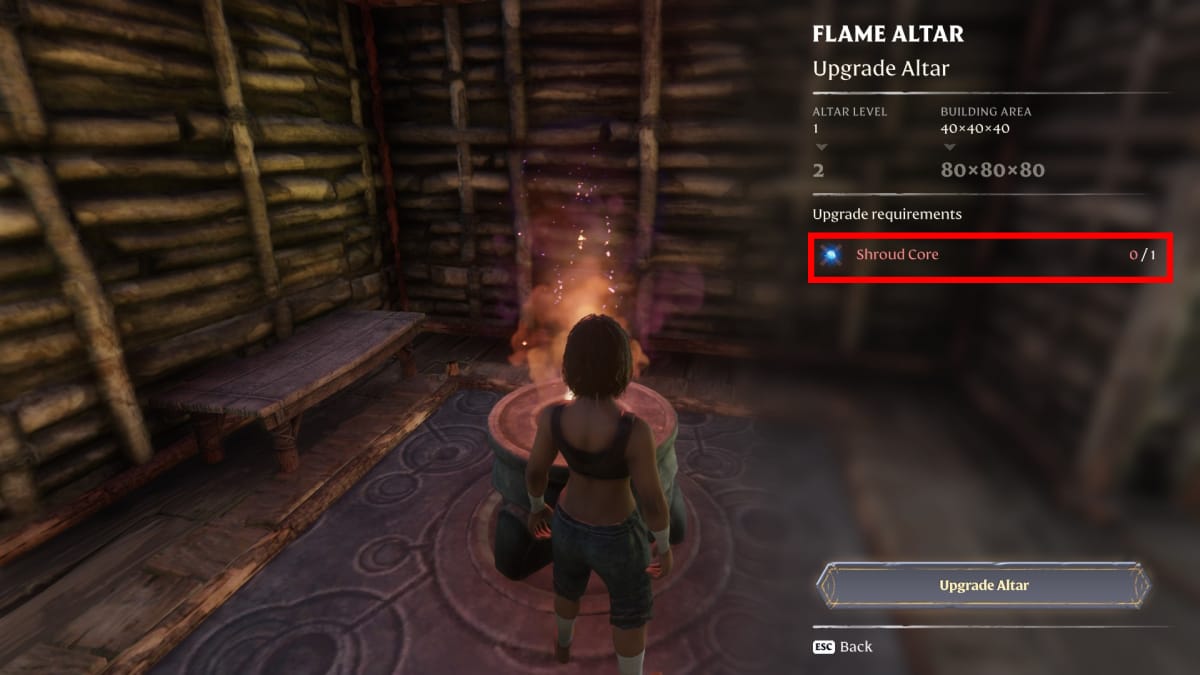
You might think that upgrading your Flame Altar in Enshrouded has no benefits, but it does. Since the game relies on getting NPCs to help you, you’ll need to make space for them if you want to craft some of the game’s most elaborate recipes. To make it happen, you must follow these steps:

  1. Free the Blacksmith.
  2. Do his missions until you get the one to clear The Elixir Well.
  3. Head to The Elixir Well and beat the boss to obtain a Shroud Core.
  4. Return to your Flame Altar and interact with it; it’ll allow you to use the Shroud Core to upgrade it.

You’ll notice that the first upgrade for your Flame Altar in Enshrouded is cheap, but subsequent ones require more things. For example, the first upgrade needs only one Shroud Core, and the second requires you to strengthen the Flame first and then use five Shroud Cores, meaning you have a lot of fighting ahead of you.

Related:

5 Items to Craft First in Enshrouded

Undoubtedly, prioritizing this base upgrade is important because you’ll soon realize the NPCs you rescue use up a lot of space and giving them their own workshop is ideal unless you don’t mind the clutter. Besides, the game allows you to fast travel at any time, so it is better to have everything in one base and go to it instead of having small settlements where you have to move everything.


Related Topics
Enshrouded Guide
Share. Facebook Twitter LinkedIn Reddit Email
Julio La Pine
  • Website

News/Guide Writer for The Nerd Stash. When not working, you'll find him playing Final Fantasy 14, any good JRPG, and modding Project Zomboid.

SUGGESTED READS

Onimusha: Way of the Sword Kyoto Trailer
Gaming

Capcom Unveils New Onimusha: Way of the Sword Trailer Featuring an Iconic Kyoto Location

GTA 6 Netflix Trailer Deal
Gaming

GTA 6 Is Gatekeeping Its Next Trailer Behind a Netflix Exclusive Deal

Coin Master: All Village List and Their Build Cost
Gaming

Coin Master: All Village List and Their Build Cost (2026)

Best Project Zomboid Mods Build 42 Stable
Gaming

Top 10 Best Project Zomboid Mods (Updated for Build 42 Stable)

Best Character Builds in Project Zomboid
Gaming

Best Character Builds in Project Zomboid (Updated for Build 42 Stable)

Fire Emblem Fortune's Weave Nintendo Direct
Gaming

Everything Announced at the Fire Emblem: Fortune’s Weave Direct

The Nerd Stash
Facebook X (Twitter) Instagram YouTube LinkedIn
  • About Us
  • Join Our Team
  • Meet the Team
  • Privacy Policy
  • DMCA Policy
  • Contact Us
  • Terms of Use
  • Sitemap
  • Editorial Guidelines
  • Advertising Policy
© 2026 The Nerd Stash. All Rights Reserved.

Type above and press Enter to search. Press Esc to cancel.